

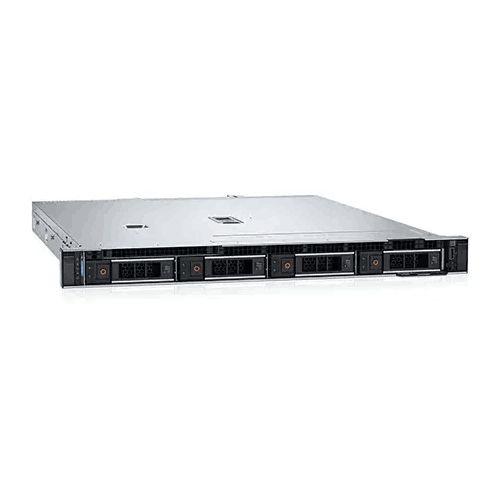
Dell PowerEdge R360 Intel Xeon E-2434 16GB RAM 2TB HDD Rack Server
Regular Price:৳0.00Availability: SKU: 2.83.4.9148
Quick Overview
-
Support
Saturday – Thursday: 09 AM - 06 PM. -
Payment
Cash on Delivery | Card | Online Payment -
Shipping Cost
Inside Dhaka 100tk | Outside Dhaka 150tk -
Warranty Policy
Read More
Description
Dell PowerEdge R360 Intel Xeon E-2434 16GB RAM 2TB HDD Rack Server Price in Bangladesh
The Dell PowerEdge R360 is designed for exactly this type of environment. Its compact 1U rackmount architecture combines an Intel Xeon E-2434 processor, DDR5 ECC memory, SAS storage, and enterprise-oriented RAID capability in a form factor intended for rack-based deployments. Dell identifies the R360 as a 1U server supporting Intel Xeon E-2400 series processors, with four DDR5 ECC UDIMM slots and support for SAS/SATA storage configurations.
The configuration supplied for this product is centered around the Intel Xeon E-2434 3.4GHz processor, 16GB DDR5 ECC memory, two 1TB SAS 6Gbps hard drives, and PERC H755 RAID controller. That combination makes the server particularly relevant for organizations looking for a compact dedicated server platform for business applications, file services, databases, network services, virtualization-related workloads, and other professional IT deployments.
Rather than taking space like a traditional tower server, the 1U design allows the Dell PowerEdge R360 to fit into a standard rack-oriented infrastructure. For companies operating a dedicated server room, network cabinet, or data-center environment, this compact form factor can make physical organization much easier. Dell lists the R360 at approximately 42.8 mm in height, which corresponds to its 1U rack-server design.
Performance Built Around Intel Xeon E-2434
At the center of this configuration is the Intel Xeon E-2434, supplied at 3.4GHz. Dell lists the Xeon E-2434 among the processor options for the PowerEdge R360, while Dell’s configuration information identifies the E-2434 as a 4-core/8-thread processor with a 12MB cache and a 55W thermal design.
For server workloads, processor specifications should be considered in relation to the actual application rather than simply looking at the clock frequency. A server may simultaneously handle user authentication, shared files, application requests, database activity, network services, monitoring, and background processes. The Xeon E-2434 provides a dedicated server-class processing platform for these types of workloads.
The four physical cores and eight threads are useful when several processes need processor time concurrently. This can be particularly relevant in small and medium-sized business environments where a single server may perform several infrastructure roles.
The Dell PowerEdge R360 is therefore not simply a machine intended to replace a desktop PC. Its architecture is built around server deployment, management, storage, and reliability considerations. This distinction matters when the system will remain operational for business-critical services.
DDR5 ECC Memory for Professional Server Workloads
The supplied configuration includes 16GB of DDR5 ECC memory at 4800MT/s. Dell confirms that the R360 supports DDR5 ECC UDIMM memory and provides four DIMM slots. Dell's documentation also notes that actual operating memory speed can vary depending on the processor, DIMM configuration, and system profile.
ECC memory is particularly relevant in server environments because memory integrity is important when systems are expected to process business data continuously. For organizations operating databases, file services, business applications, or other persistent workloads, memory configuration is not simply a question of capacity.
The installed 16GB RAM gives this particular configuration a practical starting point for a range of server applications. Organizations should, however, select memory capacity according to their operating system, applications, database size, concurrent users, virtual machines, and expected workload.
The R360 platform provides four DDR5 DIMM slots, giving organizations an upgrade path when additional memory becomes necessary. Dell documents ECC UDIMM configurations up to 128GB on the R360, depending on the supported memory configuration.
This means the initial 16GB configuration does not necessarily have to represent the final memory configuration of the server. For growing organizations, that ability to expand can be useful when application requirements increase.
Two 1TB SAS Hard Drives for Structured Server Storage
Storage is another important part of this configuration. The supplied system includes 2 × 1TB SAS 6Gbps hard drives, giving a total raw drive capacity of 2TB before any RAID configuration is applied.
SAS storage is commonly associated with professional server environments because it is designed for server-oriented storage architectures. The PowerEdge R360 supports SAS and SATA storage configurations, while Dell lists PERC H755 among its supported internal storage controllers.
The two installed 1TB drives can be configured according to the requirements of the deployment. With two matching drives, RAID 1 is particularly relevant when data redundancy is required. RAID 1 mirrors data across two drives, meaning the same information is maintained on both members of the array. Dell documents RAID 1 as one of the RAID levels supported by the PERC H755.
It is important to understand that 2TB of physical disk capacity does not automatically mean 2TB of usable RAID 1 storage. RAID configuration changes the usable capacity depending on the selected RAID level. For example, a two-drive RAID 1 configuration provides redundancy through mirroring but sacrifices half of the raw capacity for the mirrored copy.
For this reason, organizations should determine whether their priority is usable capacity, redundancy, or another storage objective before configuring the server.
PERC H755 Hardware RAID Controller
One of the most important components in this configuration is the PERC H755 RAID controller. Dell's official documentation identifies the H755 as a PERC 11 hardware RAID controller supporting RAID 0, 1, 5, 6, 10, 50, and 60. It supports SAS/SATA interfaces and includes flash-backed cache with a battery backup unit.
This provides considerably more storage-management flexibility than simply attaching hard drives directly to a conventional desktop motherboard.
RAID can be selected according to the number of drives available and the desired balance between capacity, performance, and redundancy. Dell explains that RAID 0 uses striping without redundancy, RAID 1 uses mirroring, RAID 5 combines striping with distributed parity, RAID 6 uses two parity blocks, and RAID 10 combines mirroring and striping.
There is an important configuration consideration for the supplied system: the server has two 1TB drives, so not every RAID level supported by the H755 can be created with only those two drives. Dell's documentation specifies minimum drive requirements for different RAID levels; RAID 1 requires two drives, RAID 5 requires three, RAID 6 requires four, and RAID 10 requires four.
Therefore, while the H755 controller supports a broad range of RAID levels, the actual RAID options available in this particular two-drive configuration depend on the number of drives installed.
Compact 1U Rackmount Architecture
Physical space is often a major consideration for businesses building or upgrading IT infrastructure. The Dell PowerEdge R360 uses a 1U rack-server chassis, allowing it to be installed in a rack environment without occupying the space required by a traditional tower server.
For businesses with limited server-room space, this can make infrastructure planning more straightforward. Multiple rack-mounted systems can be organized vertically, while network switches, storage systems, power equipment, and other rack equipment can be arranged within the same infrastructure.
The compact chassis is also appropriate for professional environments where physical organization matters. Instead of placing a server beside an employee's desk, organizations can centralize computing equipment in a dedicated rack or server area.
For Bangladesh-based offices, IT service providers, educational institutions, corporate branches, and growing businesses, this type of centralized architecture can provide a cleaner foundation for structured IT deployment.
Server Management and Administration
Server management is different from managing a conventional desktop. Administrators often need to monitor hardware health, troubleshoot issues, review system status, and perform maintenance without physically interacting with the server for every task.
The PowerEdge R360 supports iDRAC9, Dell's integrated server-management technology. Dell lists iDRAC9, iDRAC Direct, Redfish-based RESTful API management, OpenManage Enterprise integrations, OpenManage Power Manager, and other management tools among the R360's management capabilities.
For an IT administrator, this type of management ecosystem can be valuable when servers are installed in a dedicated rack room or remote location. Hardware monitoring and management tools can reduce the need for routine physical access to the server.
Dell also provides dedicated R360 documentation covering installation, service, memory, storage controllers, ports, operating systems, cooling, and other hardware areas.
A Practical Platform for Business Applications
The Dell PowerEdge R360 can serve as a centralized computing platform for a wide variety of professional workloads. The exact workload suitability depends on software requirements, user count, storage architecture, memory requirements, and operating-system configuration.
For example, a business may deploy a server for centralized file storage, internal applications, authentication services, database workloads, or selected virtualization environments.
The Xeon E-2434 provides four cores and eight threads, while the installed 16GB ECC memory creates a dedicated server foundation for workloads that do not require very large memory pools.
Organizations should evaluate their specific software before purchasing or deploying the server. A small office file server has very different requirements from a heavily loaded database platform, large virtualization host, or enterprise analytics environment.
Suitable for Office and Business Infrastructure
Many businesses do not need an oversized server for every application. Instead, they need a properly designed system that matches their workload.
The Dell PowerEdge R360 can be relevant for small and medium-sized organizations that want a rack-based server platform without moving immediately into larger multi-socket infrastructure.
Potential deployments can include centralized file services, internal business applications, network services, selected database applications, monitoring platforms, and other server workloads that fit within the capabilities of the installed configuration.
For a Bangladesh office, this type of system can be useful when an organization wants to move away from relying on ordinary desktop computers for shared infrastructure.
Networking and Connectivity
Dell lists a range of connectivity options for the PowerEdge R360, including 1GbE network connectivity, a dedicated iDRAC Ethernet port, USB ports, VGA, and serial connectivity depending on configuration.
Network connectivity is particularly important because a rack server is normally accessed through a network rather than used as a workstation.
This makes the server suitable for centralized applications where employees connect through office networks, remote management systems, client applications, or other network-based services.
Before deployment, administrators should verify the exact network configuration of the supplied unit and ensure that the available network interfaces meet the organization's requirements.
Operating System Flexibility
The PowerEdge R360 supports several server operating-system environments. Dell lists Canonical Ubuntu Server LTS, Microsoft Windows Server with Hyper-V, Red Hat Enterprise Linux, SUSE Linux Enterprise Server, and VMware ESXi among the supported operating-system options.
The appropriate operating system should be selected according to the application environment, licensing requirements, administrator expertise, and software compatibility.
For a Windows-based business environment, Windows Server may be appropriate for organizations already using Microsoft infrastructure. Linux distributions can be suitable for organizations operating web services, application servers, databases, development environments, and other Linux-compatible workloads.
The server itself should not be considered tied to one operating system unless a specific software bundle has been supplied with the product.
Expansion and Long-Term Planning
One of the strengths of choosing a server platform is the ability to plan beyond the initial configuration.
The R360 has four DDR5 memory slots, and Dell documents support for up to 128GB ECC UDIMM memory depending on the installed configuration. Dell also documents multiple storage configurations and supported PERC controllers for the platform.
This provides room for future planning, although every upgrade should be checked against Dell's compatibility requirements.
For businesses purchasing a server today with the expectation of increasing users or application requirements later, evaluating available memory slots, drive bays, RAID requirements, network connectivity, and PCIe expansion options is important.
Designed for Rack-Based IT Environments
A rack server is most effective when deployed in an environment designed for server hardware. The R360's 1U chassis is compact, but rack servers still require appropriate airflow, power infrastructure, physical security, and network connectivity.
The server should therefore be installed in a suitable rack or server environment with adequate ventilation. Administrators should also consider the location of power equipment and networking infrastructure before installation.
For Bangladesh deployments, organizations should evaluate their existing server-room infrastructure before ordering. Power quality, backup power, environmental conditions, rack dimensions, and cooling arrangements should all be considered as part of the deployment plan.
Storage Planning and Data Protection
The supplied two-drive configuration gives organizations an opportunity to establish a structured storage strategy from the beginning.
If the data is important, simply having two physical drives is not the same as having a backup. RAID can provide redundancy against certain drive failures, but RAID should not be treated as a replacement for an independent backup system.
For example, a RAID 1 mirror can help maintain service availability if one drive fails, but it does not protect against every possible cause of data loss. Accidental deletion, malware, application errors, file corruption, and other incidents require appropriate backup strategies.
Therefore, organizations using the Dell PowerEdge R360 for important business information should combine appropriate RAID configuration with a separate backup policy.
Maintenance and Care
A rack server should be maintained as professional IT equipment. The server environment should remain clean, appropriately ventilated, and free from unnecessary dust accumulation.
Administrators should periodically review system health, storage status, firmware information, and hardware alerts using Dell's available management and service tools.
Memory upgrades, drive replacements, RAID changes, and other hardware modifications should be performed according to Dell's documentation and with the appropriate operational precautions.
Because server storage often contains business-critical information, administrators should also maintain documented backup and recovery procedures before performing major hardware or software changes.
A Practical Server Foundation for Bangladesh
The Dell PowerEdge R360 brings together a compact 1U form factor, Intel Xeon processing, ECC DDR5 memory, SAS storage, and enterprise-class RAID functionality in a configuration suitable for organizations that need dedicated server infrastructure.
For Bangladesh businesses, the practical value comes from matching the hardware to the actual workload. A small company may use it for centralized business services, while an IT department may deploy it for applications, file services, databases, or other server workloads.
The key is to plan the configuration around actual requirements rather than choosing hardware based only on headline specifications.
With its Intel Xeon E-2434 processor, 16GB DDR5 ECC memory, 2 × 1TB SAS HDD configuration, and PERC H755 RAID controller, this particular system provides a clearly defined starting point for professional server deployment.
✅ Key Features
- Intel Xeon E-2434 Processor: Provides a dedicated 4-core/8-thread server-class processing platform for compatible business and infrastructure workloads.
- 3.4GHz Processor Frequency: Gives the configuration a strong processor starting point for responsive server applications and concurrent tasks.
- 16GB DDR5 ECC Memory: Provides error-correcting server memory designed for professional computing environments.
- Two 1TB SAS Hard Drives: Provides 2TB of raw physical storage capacity before RAID configuration.
- PERC H755 Hardware RAID: Provides hardware RAID capabilities with support for RAID 0, 1, 5, 6, 10, 50, and 60 when the required number of drives is available.
- 1U Rackmount Chassis: Conserves rack space and fits professional rack-based infrastructure.
- DDR5 ECC Platform: Provides a modern memory architecture with four DIMM slots on the R360 platform.
- iDRAC9 Management: Supports Dell's integrated remote server-management ecosystem for administration and monitoring.
- SAS Storage Support: Supports server-oriented SAS storage configurations through the platform's compatible storage architecture.
- Professional Server Architecture: Provides a dedicated platform designed for rack-based business and infrastructure workloads rather than ordinary desktop computing.
✅ Usage / Applications
- Business File Server: Centralize shared documents, departmental files, and business resources for authorized users.
- Database Server: Deploy compatible database applications where the processor, memory, and storage configuration meet application requirements.
- Application Server: Host selected internal business applications and services from a dedicated rack server.
- Office Infrastructure: Support centralized IT services for small and medium-sized organizations.
- Network Services: Use as a platform for selected network-oriented applications and infrastructure services.
- Education and Training: Support institutional applications, learning platforms, file services, and lab infrastructure where the workload fits the configuration.
- Virtualization: Use for selected virtualization deployments after confirming that the required number of virtual machines, memory allocation, storage performance, and operating system are appropriate.
- Branch Office Infrastructure: Provide dedicated computing resources for business branches requiring centralized server functionality.
- Data Management: Support structured business data storage when combined with an appropriate RAID and backup strategy.
- IT Service Deployment: Provide a compact rack-mounted foundation for professional IT environments.
✅ Benefits of This Product?
- Dedicated Server Performance: Provides a purpose-built platform rather than relying on a conventional desktop computer for server duties.
- Space Efficiency: The 1U rackmount chassis helps organizations make efficient use of rack space.
- ECC Memory: Helps support memory integrity in professional server environments.
- RAID Flexibility: The PERC H755 supports multiple hardware RAID levels for different storage strategies.
- SAS Storage: Provides a server-oriented storage interface suitable for professional deployments.
- Future Memory Expansion: The R360 platform provides four DDR5 DIMM slots.
- Remote Management: iDRAC9 provides a dedicated management ecosystem for PowerEdge administration.
- Centralized Infrastructure: Allows businesses to consolidate selected services onto a dedicated server.
- Scalable Platform: The R360 supports broader memory and storage configurations beyond this particular supplied configuration.
✅ Ideal For
The Dell PowerEdge R360 is designed for organizations that need a dedicated rack server for professional computing infrastructure. It can be particularly relevant for small and medium-sized businesses, corporate offices, educational organizations, IT departments, branch offices, and businesses building a dedicated server environment.
For companies in Bangladesh that want to centralize files, business applications, selected databases, network services, or other internal infrastructure, the combination of Intel Xeon processing, ECC DDR5 memory, SAS storage, and hardware RAID provides a server-oriented foundation.
It can also suit organizations that already operate a rack cabinet and want a compact 1U system instead of a larger tower chassis. The four DDR5 DIMM slots provide room for memory expansion as requirements change, subject to Dell's supported configurations.
The product is less about being a general-purpose personal computer and more about providing a centralized computing resource. Buyers should therefore evaluate their intended operating system, application requirements, number of users, storage needs, backup strategy, and future expansion requirements before finalizing the configuration.
✅ Why Choose the Dell PowerEdge R360 Intel Xeon E-2434 16GB 2TB HDD Rack Server?
The Dell PowerEdge R360 combines several important elements of a professional server platform in a compact 1U design. Instead of focusing on a single headline specification, this configuration brings together an Intel Xeon E-2434 processor, ECC DDR5 memory, SAS hard drives, and a PERC H755 hardware RAID controller.
The processor provides four cores and eight threads, while the 16GB ECC memory offers a server-oriented starting configuration for applications that fit within that capacity.
The storage architecture is another major consideration. Two 1TB SAS drives provide a defined starting point, while the PERC H755 gives administrators hardware RAID capabilities beyond what a basic motherboard storage controller would provide. Dell confirms support for RAID 0, 1, 5, 6, 10, 50, and 60 on the H755, subject to the drive requirements for each RAID level.
The R360 platform also provides room for future planning. Dell documents four DDR5 DIMM slots and support for up to 128GB ECC UDIMM memory depending on the configuration.
Its 1U architecture is equally important for businesses working with limited rack space. Rather than allocating floor or desk space to a tower server, organizations can integrate the R360 into an appropriate rack-based infrastructure.
For administrators, the PowerEdge ecosystem also brings iDRAC9 and Dell management tools that can support monitoring and administration.
✅ Why Buy This Product from BME?
Business Machine & Equipment (BME) provides a Bangladesh-focused platform for customers looking for business machines, IT hardware, and professional equipment. For a server purchase, the objective should not simply be to select a model and place an order; the configuration should also match the intended workload.
When considering the Dell PowerEdge R360, buyers can use the supplied specification as a clear starting point: Intel Xeon E-2434, 16GB DDR5 ECC memory, two 1TB SAS hard drives, and PERC H755 RAID capability.
For organizations purchasing server hardware in Bangladesh, configuration clarity is particularly important. Customers should confirm the exact processor, memory, drive type, RAID controller, chassis configuration, power configuration, operating-system requirements, and any required accessories before completing procurement.
BME can also be approached for product guidance based on the customer's intended application and required configuration. For business and institutional purchases, buyers may also request the documentation or quotation information needed for their internal procurement process.
Because server installations vary from one organization to another, installation, rack compatibility, networking, operating-system deployment, RAID configuration, and backup planning should be discussed according to the actual project requirements rather than assumed as part of every standard configuration.
For larger organizations, IT departments, system integrators, educational institutions, and business procurement teams, clearly defining the required configuration before purchase can help ensure that the selected Dell PowerEdge R360 matches the planned deployment.
✅ Buying Guide
1. Identify the Workload First: Determine whether the server will run file sharing, databases, business applications, virtualization, network services, or another workload. Different applications require different amounts of processor performance, memory, storage, and network capacity.
2. Evaluate Processor Requirements: The supplied configuration uses the Intel Xeon E-2434. Dell lists this processor as a 4-core/8-thread, 3.4GHz Xeon E-2400-series option for the R360. If your application requires substantially more parallel processing, evaluate the processor options available for the R360 platform.
3. Check Memory Capacity: The supplied system has 16GB DDR5 ECC memory. Determine the RAM requirements of your operating system, applications, databases, and virtual machines before purchasing. Dell documents four DDR5 ECC UDIMM slots on the R360.
4. Understand the Storage Configuration: The supplied system includes two 1TB SAS drives. Confirm whether your priority is capacity, redundancy, or another storage objective.
5. Select RAID Carefully: The PERC H755 supports several RAID levels, but the number of installed drives determines which RAID levels can actually be configured. With two drives, RAID 1 is possible, while RAID 5, RAID 6, and RAID 10 require additional drives according to Dell's documented minimum requirements.
6. Check Rack Compatibility: The R360 is a 1U rack server. Confirm that your rack, rails, cabinet depth, and installation environment are suitable before deployment.
7. Review Power Infrastructure: Confirm that the server's supplied power configuration is compatible with the site's electrical infrastructure and backup-power system. Do not assume a specific PSU configuration without checking the exact unit.
8. Plan the Network: Determine how many network connections are required and whether the available network interfaces match your switch and infrastructure requirements.
9. Select the Operating System: Choose Windows Server, Linux, VMware, or another supported environment based on your application and licensing requirements. Dell lists several supported operating-system families for the R360.
10. Do Not Confuse RAID with Backup: RAID can provide redundancy against certain drive failures, but it is not a substitute for independent backup. Establish a backup and recovery strategy for important business data.
11. Plan Future Expansion: Consider expected growth in memory, storage, network requirements, and application workloads before finalizing the configuration.
12. Confirm the Exact Configuration Before Ordering: Server configurations can vary by chassis, controller, drive type, power supply, memory, and other options. Verify the exact configuration supplied with the quotation or order.
✅ Customers Ask About / Frequently Asked Questions
Q: What processor does this Dell PowerEdge R360 configuration use?
A: This configuration uses the Intel Xeon E-2434 at 3.4GHz. Dell lists the E-2434 as a 4-core/8-thread Xeon E-2400-series processor option for the R360.
Q: How much RAM does this server have?
A: The supplied configuration includes 16GB DDR5 ECC memory. The R360 platform uses DDR5 ECC UDIMM memory and has four DIMM slots.
Q: What storage is included?
A: The supplied configuration includes two 1TB SAS 6Gbps hard drives, providing 2TB of raw physical drive capacity before RAID configuration.
Q: Does the server support RAID?
A: Yes. The supplied configuration includes a PERC H755 hardware RAID controller. Dell documents RAID 0, 1, 5, 6, 10, 50, and 60 support for the H755.
Q: Can I use RAID 1 with the two included drives?
A: Yes. RAID 1 requires two drives and mirrors data between them. Dell documents RAID 1 as supported by the PERC H755.
Q: Can the two included drives be used for RAID 5 or RAID 10?
A: No. Dell documents minimum drive requirements of three drives for RAID 5 and four drives for RAID 10. The H755 may support those RAID levels, but additional drives are required.
Q: Is the Dell PowerEdge R360 a rack server?
A: Yes. Dell identifies the R360 as a 1U rack server.
Q: Can the RAM be upgraded later?
A: The R360 has four DDR5 ECC UDIMM slots, and Dell documents support for higher memory configurations subject to the supported DIMM configuration.
Q: Does the R360 support remote management?
A: Yes. Dell lists iDRAC9 and related management technologies among the R360's management capabilities.
Q: Which operating systems are supported?
A: Dell lists Canonical Ubuntu Server LTS, Microsoft Windows Server with Hyper-V, Red Hat Enterprise Linux, SUSE Linux Enterprise Server, and VMware ESXi among supported operating-system options.
Q: Is the server suitable for Bangladesh?
A: The R360 is a globally deployed rack-server platform, but the exact power-supply configuration of the supplied unit should be confirmed before installation. Dell lists multiple power-supply configurations for the R360, so buyers should verify the exact PSU specification rather than assuming a particular configuration.
Q: Does RAID replace a backup system?
A: No. RAID can improve availability and provide redundancy against certain drive failures, but important business data should also be protected through an independent backup and recovery strategy.
✅ Why Buy This Product
The Dell PowerEdge R360 Intel Xeon E-2434 16GB 2TB HDD Rack Server offers a structured starting point for organizations that need dedicated server infrastructure in a compact 1U form factor.
Its combination of an Intel Xeon E-2434 processor, DDR5 ECC memory, two SAS hard drives, and PERC H755 hardware RAID creates a platform intended for professional workloads rather than ordinary desktop use. Dell also provides the R360 with an established management and service ecosystem, including iDRAC9 and OpenManage-related tools.
For a Bangladesh business, the right server should be selected according to the actual workload. Whether the requirement involves centralized files, business applications, databases, network services, or selected virtualization workloads, the configuration should be matched carefully to application requirements.
The compact 1U chassis also makes the system practical for organizations operating rack-based infrastructure. With four DDR5 memory slots and broader storage options available on the R360 platform, the system can also be considered as part of a longer-term infrastructure plan.
Order the Dell PowerEdge R360 today when you need a dedicated rack-server platform with Xeon processing, ECC memory, SAS storage, and hardware RAID capability. Before purchase, confirm the exact configuration and required accessories with BME so the server can be matched appropriately to your intended deployment.
What is the price of Dell PowerEdge R360 Intel Xeon E-2434 16GB RAM 2TB HDD Rack Server in Bangladesh?
Write a review
Question Answer
Have question about this product? Get specific details about this product from expert.


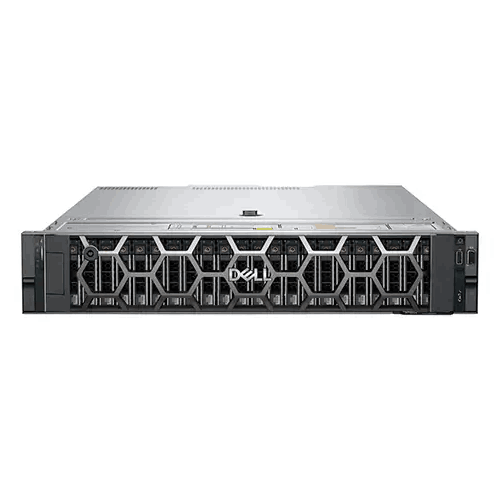


Dell PowerEdge T350 Tower Server

Dell PowerEdge R660 Intel Xeon Gold 6426Y Rack Server

Dell PowerEdge R360 Xeon E-2468 Rack Server
Dell PowerEdge R360 Xeon E-2436 Rack Server


