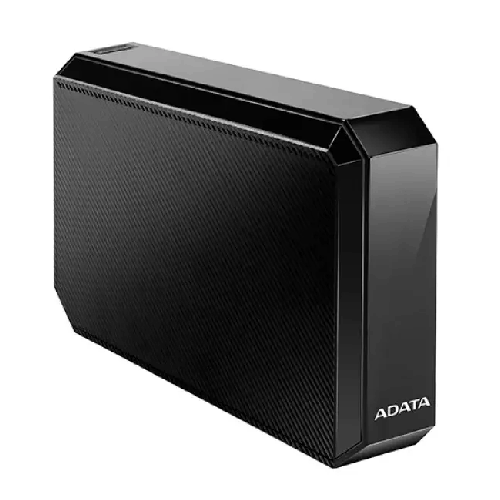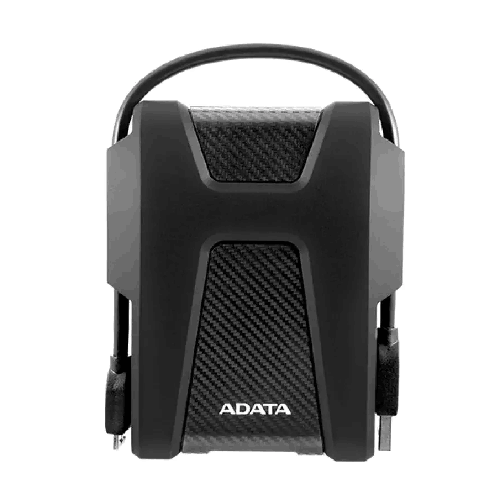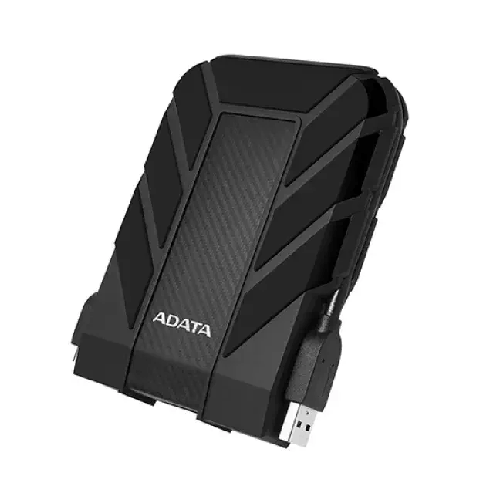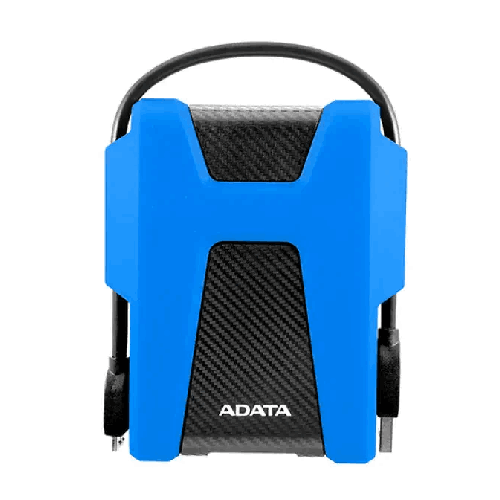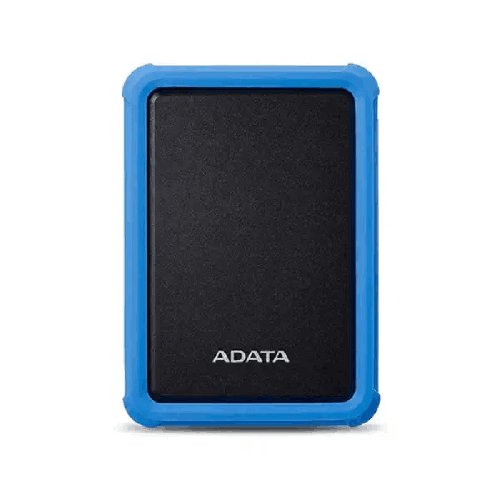

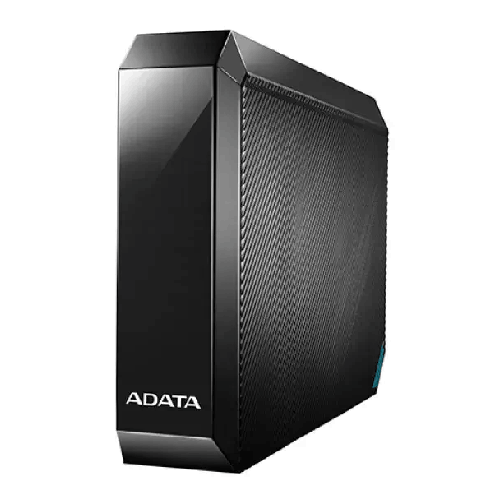
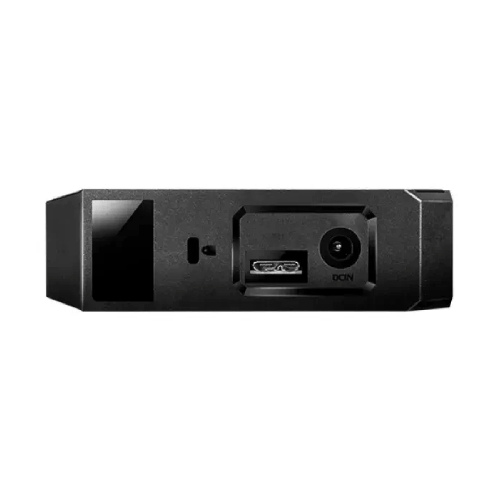
ADATA HM800 6TB USB 3.2 External Hard Disk Drive - Black
Regular Price:৳46,000.00Availability: SKU: 9.63.26.9675
Quick Overview
-
Support
Saturday – Thursday: 09 AM - 06 PM. -
Payment
Cash on Delivery | Card | Online Payment -
Shipping Cost
Inside Dhaka 100tk | Outside Dhaka 150tk -
Warranty Policy
Read More
Description
ADATA HM800 6TB USB 3.2 External Hard Disk Drive - Black Price in Bangladesh
The ADATA HM800 6TB is an external hard disk drive with a stated capacity of 6TB, a 3.5-inch form factor and a USB 3.2 Gen 1 interface. It is listed in black and includes a 3-year limited warranty according to the information supplied. These specifications give buyers a straightforward starting point when comparing external storage for a computer-based workflow.
A 6TB drive may be considered for keeping a large collection of files in one place, creating additional storage space or maintaining a separate copy of selected data. What the drive can do in a particular setup depends on the connected device, operating system, file system, available power and software. Those details were not provided for the HM800, so confirm them before relying on the drive for a specific computer, television or other device.
What the 6TB capacity can mean for your storage plan
The ADATA HM800 6TB provides a stated capacity of 6TB. That figure can help you estimate whether one external drive may suit the files you plan to store, but the required capacity depends on how much data you already have and how quickly it grows. Documents, photos, video files, project folders and archived material can all contribute to a storage library, with file sizes varying widely.
Before choosing a capacity, review the folders you want to store and allow for future additions. If you are moving files from several locations, estimate the total size first and leave room for new content. The usable space reported by a computer can differ from the capacity printed on a product, due to formatting and the way storage is calculated. Check the available space after setup rather than assuming every unit of the stated capacity will appear as free space.
An external HDD for files you choose to keep
The HM800 is identified as an external hard disk drive. It can be considered as a separate storage device for compatible equipment, but the supplied information does not describe included backup software, automatic synchronisation or cloud services. A user may choose to store selected files on it, but the process for copying, organising and restoring those files depends on the computer and software being used.
Think about how the drive will fit into your wider storage plan. You might use an external drive to keep a working collection separate from files on a computer, to transfer data between compatible devices or to retain an additional copy of important material. These are general storage uses, not a claim that the HM800 has a dedicated backup function. Confirm the device’s compatibility and intended workflow before setting it up.
Understanding the 3.5-inch form factor
The ADATA HM800 is specified with a 3.5-inch form factor. This is a technical size category, but it does not provide the external enclosure’s full measurements. If space is limited, check the product dimensions before deciding where the drive will sit. The product information supplied also does not state its weight, mounting options or whether it is intended to be moved frequently.
Form factor alone does not establish power requirements or the type of power adapter supplied. Confirm whether the drive requires a separate power connection, what that connection is and which accessories are included. Do not assume it can be powered only through USB or that a particular adapter is in the box. These checks are especially useful if you plan to place the drive beside a computer or connect it in a shared workspace.
USB 3.2 Gen 1 connection
USB 3.2 Gen 1 is the interface listed for the HM800. It gives buyers an interface specification to compare with the connection options on a computer or other host device. The information supplied does not state the connector type, cable length, included cable or supported transfer rate, so check those details before purchase.
A USB interface does not guarantee a particular real-world copy speed. Results can depend on the host port, cable, files, settings and the performance of both the source and destination. If you expect to move large collections or work with particularly demanding files, ask for the manufacturer’s documented performance information and check that your equipment supports the required connection.
Also confirm how the drive is connected and set up for the device you intend to use. Do not assume that every USB-equipped television, router, game console or computer supports every external drive. Compatibility may depend on the device’s software, capacity limits, file system and supported features.
A black finish for a simple setup
The supplied product title identifies the ADATA HM800 6TB in black. Colour may be relevant if you want the drive to coordinate with nearby equipment or a workspace, but the finish does not establish any extra performance or durability specification. No enclosure material or surface treatment was provided, so this page does not make claims about those properties.
Before arranging the drive beside your equipment, check the enclosure dimensions and allow room for its connections and any required power accessory. The supplied 3.5-inch form factor alone is not enough to determine its footprint or placement requirements. A stable, convenient location can also make it easier to connect the drive when needed.
Organising files before copying them
A large-capacity drive is easier to use when its contents have a clear structure. Before copying files to the ADATA HM800 6TB, consider creating folders for broad categories such as work, personal files or archived projects. You can then use subfolders or consistent names to make individual items easier to locate later. These are practical organisation suggestions, not built-in functions of the drive.
It can help to decide in advance whether files will be organised by date, project, client or another method. Use the method that fits your work and keep it consistent. If several people need to use the same drive, agree on where new files should be saved and how folders should be named. The product details provided do not specify user-management or permission features, so any sharing arrangement should be managed through compatible host software and a clear team process.
Planning a backup routine
An external drive can be part of a data-storage plan, but a single external drive should not be treated as the only copy of important information. If a file matters, consider how it can be restored if the computer or drive becomes unavailable. Decide which files need backup, how often copies should be updated and where separate copies will be kept.
The supplied specifications do not describe automated backup software, scheduled copying, synchronisation or recovery tools for the HM800. Those functions should not be assumed. You can check whether your computer’s existing backup software supports the drive and whether the selected schedule suits your needs. For important business records, follow your organisation’s own rules for backup, retention and access.
After making a backup, it is useful to verify that the copied files can be opened and that the backup process includes the folders you intended to protect. A drive’s stated capacity does not itself ensure that data is backed up correctly. Plan and check the workflow separately.
Checking computer and device compatibility
Before purchasing the ADATA HM800, check the intended host device’s USB requirements and support for external storage. The specifications supplied do not identify supported operating systems, computer platforms, televisions, routers or other devices. Do not assume compatibility solely because a device has a USB port.
Check whether the host device supports a drive of this capacity and whether any setup, formatting or software is required. If the drive will be used with more than one device, verify that the chosen file system is supported by all of them. Some devices may have specific rules about how external storage is formatted or accessed; confirm those requirements before preparing the drive.
If you need to use the HM800 with a work computer, check any organisational restrictions on external storage. An IT administrator may control which devices can be connected or how files may be copied. Confirming these rules in advance can help avoid setup problems or conflicts with data-handling policies.
Formatting and the files already on a drive
The supplied details do not state the HM800’s preconfigured file system or whether the drive contains any bundled software. Check its setup instructions before formatting it or changing its file system. Formatting may affect existing data, so follow the manufacturer’s guidance and make sure any needed files are backed up first.
If you need to use the drive across multiple operating systems or devices, confirm which file system those devices accept. The correct choice depends on the computers and equipment involved, and the supplied product information does not prescribe one. Do not assume that a particular format is installed or supported based on the model name.
After setup, check that the host device recognises the drive and reports the expected capacity. If it does not appear, consult the instructions for the exact product and host before changing settings. The supplied specifications do not provide troubleshooting steps, so rely on the manufacturer’s documentation for device-specific guidance.
Moving and storing data
The ADATA HM800 can be considered for keeping selected data on an external drive, but a storage device should be handled according to its instructions. The supplied information does not specify shock resistance, water resistance, operating conditions or any special protective feature. Do not assume that the drive is designed to withstand drops, spills or other physical impacts.
If you plan to move the drive between locations, check the manufacturer’s handling guidance and use suitable care when connecting, disconnecting and transporting it. No carrying case or other protective accessory was listed in the details supplied. Confirm whether any accessory is included and select additional protection only if it is suitable for this model.
For data that is important, consider how files can be recovered if the drive is lost or damaged. Keep other copies according to your storage plan, and avoid treating an external drive as a substitute for a broader backup process.
Security and privacy considerations
The information supplied does not mention hardware encryption, password protection, access controls or security software for the HM800. Do not assume these features are included. If the drive will hold confidential personal, business or institutional data, check what protection options are available through the host device or software you intend to use.
Think about who can access the computer or equipment to which the drive is connected and how the files will be protected. Follow any organisation’s rules for storing sensitive information on removable or external devices. The product’s capacity and USB interface do not establish a particular security level.
If data protection is a purchasing requirement, ask for explicit documentation of the features supported by the exact product version. Consider how access will be managed, how files will be backed up and what steps are required when the drive is no longer needed. Do not rely on assumptions based on the brand or model name.
A 3-year limited warranty
The supplied product information lists a 3-year limited warranty. “Limited warranty” means that the applicable coverage and conditions should be checked in the warranty documentation; the supplied details do not explain the start date, exclusions, claim process or local terms. Confirm which warranty applies to the unit being sold in Bangladesh and what proof of purchase or other documents are required.
A warranty is separate from the drive’s storage capacity and interface. It does not establish that data stored on the drive is recoverable or covered. For important files, maintain independent copies rather than relying on warranty coverage to protect data. Ask BME to confirm the terms that apply to the product offer before ordering.
Where the HM800 may fit in a workflow
The ADATA HM800 6TB may be considered by buyers seeking an external drive with a stated 6TB capacity and USB 3.2 Gen 1 interface. Possible workflows include adding storage to a compatible computer, keeping an organised collection of files or maintaining an additional copy of selected data. Whether it suits a particular use depends on the host device, software, connection and power requirements.
A home user may want to organise personal files, while an office may need a location for work material. These are general examples, not confirmation that the drive supports a particular operating system, application, television or network function. Check the exact compatibility and data-handling requirements for your setup.
The 3.5-inch form factor is an important product detail when planning placement, but the supplied specifications do not include external dimensions or power requirements. Confirm those points if the location, cable arrangement or power setup is limited.
Before choosing an external storage capacity
Estimate how much data you need to store today and how much you expect to add. Consider whether you will keep active files, older records or copies of selected folders on the ADATA HM800. Separate storage needs can make it easier to decide whether 6TB is suitable for your plans, but the figure alone cannot tell you how long the capacity will last.
Remember that different types of files use different amounts of space. A collection of text documents may take up less space than a large library of video files, but the exact amount depends on file contents and formats. If you already have data to move, check the total size of those folders and allow space for future additions.
The reported usable space may differ from the advertised capacity due to formatting and the way a device calculates storage. Check the free space shown after setup. If the drive will be shared across several devices, consider any space required by the selected file system and the organisation method you plan to use.
What to confirm before ordering
Before buying, confirm the exact HM800 model and the stated 6TB capacity, 3.5-inch form factor and USB 3.2 Gen 1 interface. Ask for the physical dimensions, required power arrangement, connector type and cable details if those affect placement or compatibility. The supplied specifications do not answer those questions.
Check whether your computer or intended device supports the drive’s capacity and the file system you plan to use. If you need a specific transfer speed, backup program, encryption feature or operating-system compatibility, ask for documented confirmation rather than inferring it from the interface or product name.
Finally, verify the current price, package contents and applicable terms of the 3-year limited warranty with BME. The information supplied does not list included cables, power accessories, software or other items. Confirming those details beforehand can help you choose the right setup without relying on unlisted features.
✅ Key Features
- 6TB storage capacity: The stated capacity provides space to consider for large collections of files or additional storage needs.
- External hard disk drive: The product is identified as an external HDD for compatible equipment.
- 3.5-inch form factor: The specified form factor is useful when checking placement and setup requirements.
- USB 3.2 Gen 1 interface: The listed interface gives buyers a connection specification to match with a host device.
- Black finish: The supplied product title identifies this version as black.
- 3-year limited warranty: A 3-year limited warranty is listed; confirm the applicable terms before purchase.
- Capacity for varied data plans: Buyers can assess the 6TB capacity for selected files, archives or additional storage.
- External-storage option: The drive can be evaluated as part of a compatible computer-based storage workflow; confirm host support.
✅ Usage / Applications
- Additional computer storage: Consider it for files on a compatible computer after checking operating-system and connection support.
- Organised file collections: Use a planned folder structure for data you choose to keep on the drive.
- Selected-file backups: Consider it as one part of a backup plan, with separate copies for important data.
- Project archives: Assess whether its stated capacity suits files you want to retain for later reference.
- Home data storage: Evaluate it for personal files after confirming host-device compatibility.
- Business file storage: Check whether it fits your organisation’s external-storage rules and data workflow.
- Moving files between compatible devices: Verify that the drive and file system are supported by each device before transfer.
- Longer-term data retention: Plan storage, access and independent copies according to the importance of the files.
✅ Benefits of This Product?
- Substantial stated capacity: The 6TB specification gives buyers room to plan for a large data collection.
- A separate storage location: An external drive can keep selected files apart from a computer’s internal storage.
- A defined USB interface: USB 3.2 Gen 1 gives buyers a connection detail to verify against their device.
- Clear form-factor information: The 3.5-inch specification helps guide placement and compatibility checks.
- Flexible storage planning: Users can organise files according to their own workflow, subject to device support.
- Additional-copy potential: The drive may serve as one destination in a broader backup plan.
- Known warranty duration: The supplied information lists a 3-year limited warranty, with terms to confirm.
- Informed purchase decisions: Verifying power, cable and software requirements helps avoid assuming unlisted features.
✅ Ideal For
The ADATA HM800 6TB is ideal for buyers evaluating an external hard disk drive with a stated 6TB capacity, a 3.5-inch form factor and a USB 3.2 Gen 1 interface. It may suit home or workplace storage plans where a user wants to keep selected files on an external drive, provided the intended computer or device supports it. The available capacity can be compared with the size of current files and expected additions.
Before choosing the HM800, confirm the connection details, operating-system and device compatibility, required power arrangement and file-system support. The supplied specifications do not state transfer speeds, backup software, encryption, dimensions or included accessories. If the drive is intended for important data, plan independent copies and check how files will be protected and restored. The product information lists a 3-year limited warranty; confirm its local terms with BME before ordering.
✅ Why Choose the ADATA HM800 6TB USB 3.2 External Hard Disk Drive - Black?
The ADATA HM800 6TB is worth considering if you are comparing external storage devices and want a clearly stated 6TB capacity. Its 3.5-inch form factor and USB 3.2 Gen 1 interface are also specified, giving you two important details to check against your intended space and host device. The black finish may suit a setup where you prefer dark-coloured equipment.
A large-capacity external drive can be considered for a range of storage plans, from keeping selected files together to maintaining an additional copy of chosen data. The usefulness of the HM800 depends on your computer or device, operating system, file system and power arrangement. The supplied information does not list transfer speeds, backup software, encryption, app compatibility or device-specific support, so those features should not be assumed.
The product information also lists a 3-year limited warranty. Review the applicable conditions for the unit being sold, including local claim requirements and any exclusions. Keep in mind that warranty coverage is not a substitute for maintaining separate copies of important files.
Choose the HM800 when its confirmed capacity, connection and setup requirements match your storage plan. Confirm the dimensions, power needs, cable and package contents before purchase.
✅ Why Buy This Product from BME?
Check BME’s product listing or contact BME to confirm the current price and purchase details for the ADATA HM800 6TB in Bangladesh. The supplied information identifies the capacity, form factor, interface, colour and stated warranty period, but other setup details should be checked against the exact product being offered.
Before ordering, ask BME to confirm the required power arrangement, connector type, cable and package contents. If you plan to connect the drive to a particular computer, operating system, television or other device, verify compatibility rather than assuming it from the USB interface. If a specific transfer speed, backup utility or data-security feature is essential, request product documentation for that requirement.
Also confirm the conditions of the listed 3-year limited warranty, including which terms apply locally and what documents are needed. No included software, cables, power accessories, delivery, installation or other services were specified here, so check what is part of the offer. These checks help you make an informed decision based on your setup and the exact product details.
✅ Buying Guide
- Estimate your capacity needs: Check the current size of the files you plan to store and allow room for future additions.
- Match the host device: Confirm that your computer or other intended device supports external storage of this capacity.
- Check USB compatibility: The listed interface is USB 3.2 Gen 1; verify the connector, cable and host requirements.
- Confirm power needs: The supplied specifications do not state the power arrangement or whether an adapter is included.
- Review the file system: Check which file system is compatible with every device you plan to use.
- Plan your backup routine: Keep independent copies of important data rather than relying on one external drive alone.
- Check dimensions and placement: The 3.5-inch form factor is stated, but enclosure dimensions were not supplied.
- Verify package contents: Ask whether a cable, power accessory or software is included.
- Review warranty terms: Confirm the conditions of the listed 3-year limited warranty for the unit offered in Bangladesh.
- Avoid common assumptions: Do not assume a particular transfer speed, encryption, backup software, device compatibility or shock protection unless confirmed.
✅ Customers Ask About / Frequently Asked Questions
- Q: What is the ADATA HM800 6TB price in Bangladesh? A: No price was supplied. Check BME’s listing or contact BME for a current quote.
- Q: How much storage does the HM800 have? A: The supplied specification lists a capacity of 6TB. The space reported by a host device may differ after formatting.
- Q: What is its form factor? A: The HM800 is listed with a 3.5-inch form factor. External enclosure dimensions were not supplied.
- Q: Which interface does it use? A: The supplied specification lists USB 3.2 Gen 1. The connector type and cable details were not provided.
- Q: Does the HM800 have a stated transfer speed? A: No transfer-speed figure was supplied. Do not infer a speed from the interface name alone.
- Q: Is a power adapter included or required? A: Power requirements and package contents were not provided. Confirm them before ordering.
- Q: Is it compatible with my computer or TV? A: Compatibility was not specified. Check the device’s support for this drive, its capacity and the required file system.
- Q: Does it include backup software or encryption? A: Neither feature was listed in the supplied specifications. Confirm with the product documentation if needed.
- Q: What warranty is listed? A: The supplied information states a 3-year limited warranty. Confirm the applicable local terms with BME.
- Q: What colour is this version? A: The supplied product title identifies it as black.
✅ Why Buy This Product
Consider the ADATA HM800 6TB if you need to evaluate an external hard disk drive with a stated 6TB capacity, 3.5-inch form factor and USB 3.2 Gen 1 interface. The black finish and listed 3-year limited warranty are additional details to consider when comparing this model with other external storage options.
Before buying, confirm that your intended computer or device supports the drive and its capacity. Check the required power arrangement, connector, cable, file-system compatibility and included accessories. Do not assume a particular transfer speed, backup program or security feature unless it is documented for the exact model. If you plan to store important files, include the HM800 in a broader backup plan with separate copies. For product details and purchase information, contact BME before ordering.
What is the price of ADATA HM800 6TB USB 3.2 External Hard Disk Drive - Black in Bangladesh?
Write a review
Question Answer
Have question about this product? Get specific details about this product from expert.