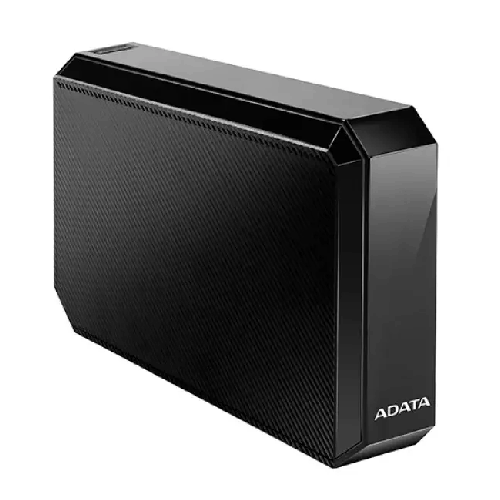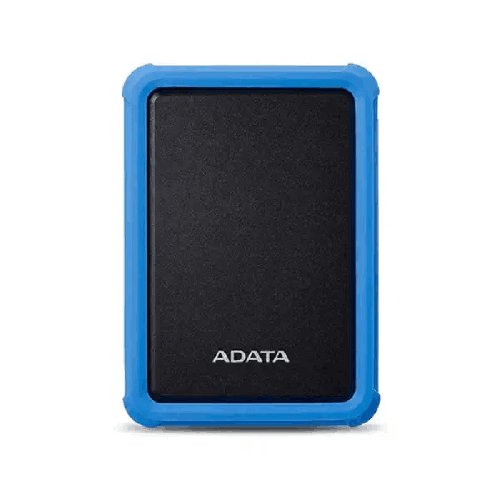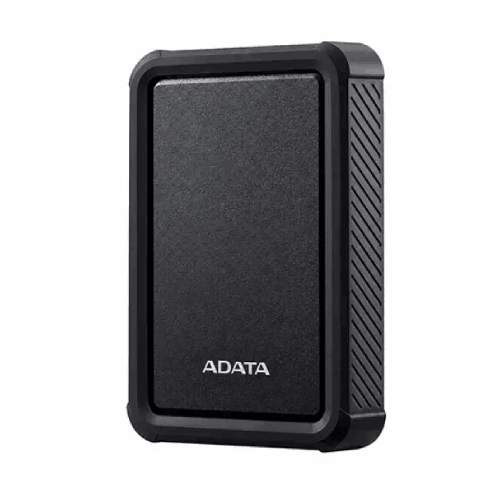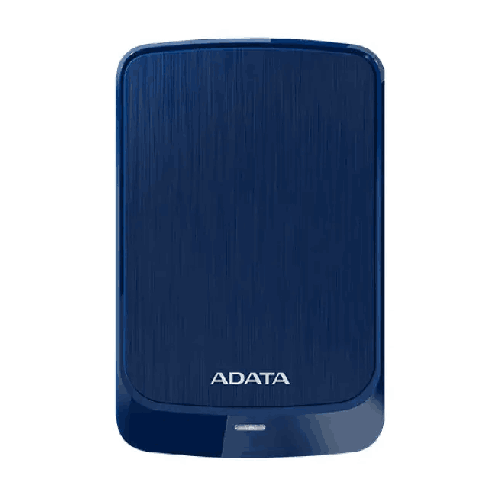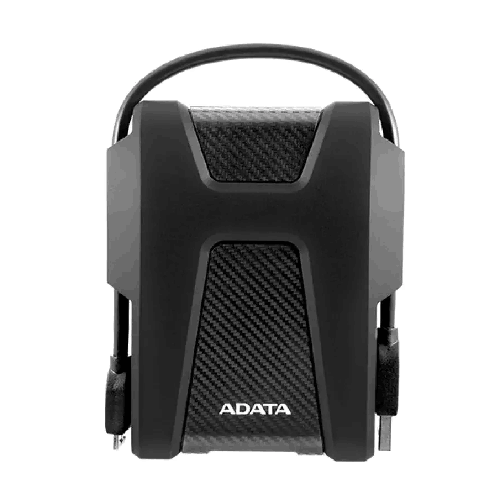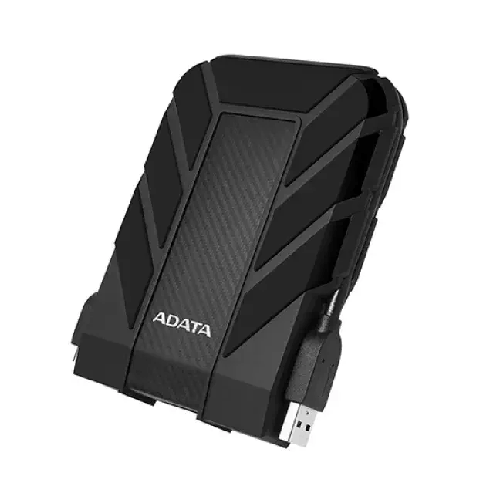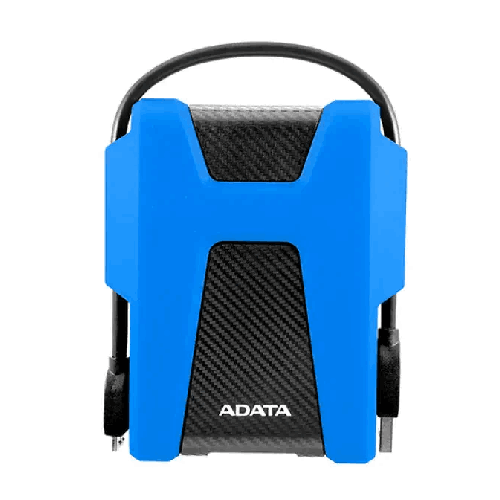

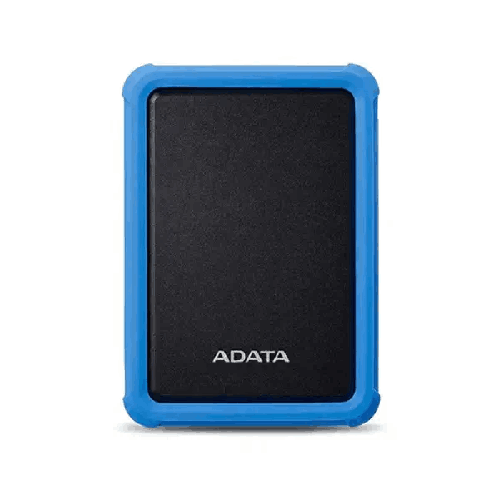
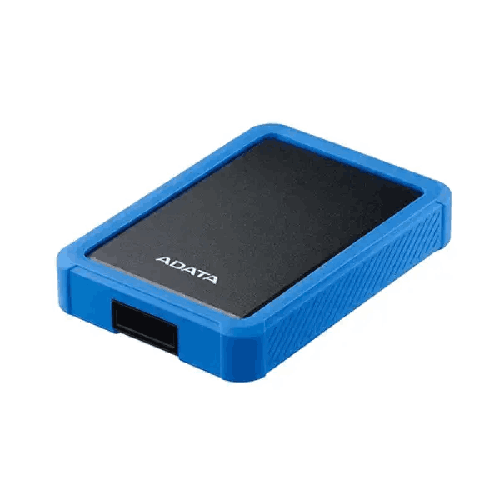
ADATA HD700 Pro 2TB USB 3.2 Military-Grade External Hard Disk Drive
Regular Price:৳0.00Availability: SKU: 9.63.26.9676
Quick Overview
-
Support
Saturday – Thursday: 09 AM - 06 PM. -
Payment
Cash on Delivery | Card | Online Payment -
Shipping Cost
Inside Dhaka 100tk | Outside Dhaka 150tk -
Warranty Policy
Read More
Description
ADATA HD700 Pro 2TB USB 3.2 Military-Grade External Hard Disk Drive Price in Bangladesh
The ADATA HD700 Pro 2TB is identified in the supplied title as a 2TB external hard disk drive with a USB 3.2 interface. Its title also uses the descriptor “Military-Grade.” No detailed specification sheet was supplied, so this description does not assign the drive a specific protection rating, test standard, transfer speed, operating-system compatibility, power requirement or warranty.
For someone considering external storage, the first step is to check whether the drive’s capacity and connection match the intended computer or other host device. The details that matter can vary between uses: a person storing occasional files may have different requirements from an office that regularly copies large data collections. Verify the exact product information before planning around features that have not been confirmed.
What the stated 2TB capacity offers
The title identifies the drive as a 2TB model. This gives buyers a capacity figure to compare with the size of the files they plan to store. Documents, photos, videos, project files and archived material can each use different amounts of storage, so it is helpful to estimate your current data and likely future additions before choosing a drive.
The amount of space reported by a computer can differ from the number printed on a drive. Formatting and the way a device calculates storage can affect the reported usable capacity. Check the space available after setup, and leave room for the files you expect to add rather than planning to use every available unit immediately.
The best capacity depends on the actual workflow. If you intend to move a specific collection, check the total size of those files first. If several people will add files over time, estimate their combined needs and agree how the drive will be organised. Capacity is one purchasing factor; it does not by itself establish how fast files transfer or which devices the drive supports.
Using an external HDD in a storage workflow
The product is identified as an external hard disk drive. It may be considered as a separate storage device for compatible equipment, but the supplied information does not specify a particular backup application, automatic synchronisation function or cloud service. How you copy, organise and restore files depends on the host computer and the software used.
Before choosing the drive, decide what role it will play. You might want to keep selected files outside a computer’s internal storage, transfer files between compatible devices or maintain another copy of important data. These are general uses for external storage, not additional features confirmed for this model. Check that the host devices support the drive and the way you intend to use it.
A drive is only one part of a data plan. Think about how often files will be updated, who needs access and how you will know whether a copy is complete. If your files are important, consider keeping another copy separately rather than treating one external drive as the only place they exist.
USB 3.2: a connection detail to verify
USB 3.2 is the interface listed in the product title. This gives buyers a connection specification to check against the USB ports on the computer or other device they intend to use. The supplied information does not specify the USB 3.2 generation, connector type, cable length or supported transfer rate.
Do not infer a particular copy speed from “USB 3.2” alone. Real-world transfers may depend on the exact drive, host port, cable, files and software. If transfer performance is important, ask for the manufacturer’s documented speed information for this model rather than relying on a general interface label.
Check which cable the drive requires and whether it is included. The product information supplied does not confirm the connector, cable type or package contents. If you plan to connect the drive to more than one device, verify that each device has a compatible connection or that an appropriate adapter is supported.
Plan around the computer or device you will connect
The supplied title does not identify supported operating systems, computer platforms, televisions, routers, game consoles or other host devices. A USB port on a device does not automatically mean that it can use every external drive. Compatibility may depend on the device’s software, supported capacity, file system and intended function.
If you plan to connect the ADATA HD700 Pro to a particular computer, check its requirements before purchase. If you want to use the drive with multiple devices, confirm that each one supports the connection and storage setup you intend to use. A drive used on more than one system may require a file system that those systems can all read and write; verify suitable options with the product documentation.
For a work computer, check your organisation’s rules for external storage. Some workplaces restrict removable devices or require specific handling for business files. Confirm any relevant requirements with the administrator responsible for your computer before connecting a new drive.
The “military-grade” wording
“Military-Grade” appears in the supplied product title. No test standard, certification, test conditions or measured protection level was included with it. The phrase should therefore be treated as a product-title claim that needs clarification, not as proof of a specific durability capability.
If resistance to impact, dust, water or other environmental conditions is important, ask for the exact manufacturer documentation for the HD700 Pro 2TB. Check whether any stated protection applies to a particular test, component or operating condition. Do not assume an IP rating, drop height, shock test or military standard from the words “Military-Grade” alone.
This distinction is important when a drive will be used outside a carefully controlled workspace. A marketing descriptor does not tell you how the product should be handled, what conditions it can withstand or whether any particular incident is covered by a warranty. Confirm those details before relying on the drive in a demanding environment.
Do not infer an IP or drop rating
No IP rating, drop rating or shock-resistance figure was supplied for this listing. Without verified specifications, this page does not describe the drive as waterproof, water-resistant, dustproof, drop-proof or shockproof. Those terms refer to capabilities that require supporting product information, and they should not be inferred from the product title.
If your work may expose the drive to dust, moisture, drops or vibration, ask for the specific product documentation and conditions that apply. Confirm whether a stated rating refers to the whole enclosure, a particular test setup or use in a certain condition. Also check whether the drive must be connected or disconnected in a particular way before being moved.
For ordinary storage planning, choose a stable, suitable location and follow ADATA’s instructions for handling and connecting the device. The supplied information does not state how the drive is constructed or what physical protection it provides, so avoid applying assumptions from another ADATA model.
Physical size, form factor and placement
The supplied title does not state the HD700 Pro’s form factor, external dimensions or weight. Those details may matter if you need to place the drive in a small workspace, carry it between locations or store it with other equipment. Confirm the full enclosure measurements and weight before planning a shelf, bag or storage compartment.
Do not assume that a hard disk’s external casing has the same dimensions as a particular internal drive size. Product dimensions should be checked from the manufacturer’s documentation for the exact model. Also consider the space needed around the connectors and cable, and whether the drive’s intended position gives you convenient access without putting strain on the connection.
No mounting method, stand, case or storage accessory was specified. Confirm whether any such items are included or separately available if they are relevant to your setup. A placement decision should be based on the actual product dimensions and instructions, not only on the model name.
Power requirements and connection setup
The product title identifies USB 3.2 but does not state how the drive is powered. It does not confirm whether the drive draws operating power through USB, requires an external adapter or has another power arrangement. Check the official specifications and package contents before selecting a location or planning a connection.
Similarly, the supplied information does not state whether a cable, power supply or adapter is included. If you already have cables or accessories, verify that they match the exact drive and host requirements. Do not assume that a connector that physically fits is suitable for the intended operation.
If the drive will be used with different devices, consider whether each can provide the required connection and power. A compatibility check can help identify the correct cables and equipment before setup. Follow the product instructions for connecting, using and disconnecting the drive.
Transfer expectations and large file moves
No transfer-rate figure was supplied for the ADATA HD700 Pro. If you plan to move large collections, ask for the manufacturer’s documented performance information for this model. Avoid estimating a copy time from the USB 3.2 label alone because interface, host device, cable, file type and software may all be relevant.
A transfer can also take longer than the data-copy operation itself. You may need to review folders, select files, check available space and confirm that copied files are accessible. If an important project is being moved, consider verifying the results before removing the original copy.
For repeated large transfers, check whether your computer has a suitable port and whether the connection method matches the product documentation. Confirm supported file systems and device requirements in advance. The supplied title does not specify any special transfer software or optimisation feature, so do not assume one is included.
Organising files for easier access
A clear folder structure can make a large drive more useful. Before copying files, decide whether you want to organise them by project, date, department or another system. Choose a naming method that you can apply consistently, especially if you expect to add more files over time.
For shared use, agree who may add, rename or remove files and how new folders should be created. The supplied product details do not mention user accounts, permissions or a built-in file-management application. Any sharing and access rules will depend on the connected computer, software and people using the drive.
It can help to keep a simple record of what is stored and where. This may be useful for archives or project material that is not accessed every day. These are general file-management practices rather than product features. Choose a system that fits your needs and keep it consistent across any additional storage devices.
Use the drive as part of a backup plan
An external drive can be one destination for a copy of selected files, but a single copy is not a complete backup plan for important data. If a file would be difficult to recreate, consider how you would recover it if the computer or drive became unavailable. Decide which files to back up, how often to update the copy and where separate copies should be kept.
No automatic backup, scheduling, synchronisation or recovery software was specified for the HD700 Pro. If you need these functions, confirm whether they are available from ADATA or through your computer’s existing software. Do not assume that a 2TB capacity or USB interface means that backups happen automatically.
After copying files, check that the expected folders are present and that important files can be opened. If a computer has a backup application, review its settings to confirm which locations it includes. For business or institutional information, follow the relevant retention and data-handling rules.
Software and operating-system details to check
The specifications supplied do not name supported operating systems, device drivers, included software, file formats or encryption tools. If you need a specific application or feature, ask for confirmation for the exact HD700 Pro 2TB model.
Check whether a computer recognises the drive as provided or whether setup or formatting is required. If you intend to use it on multiple operating systems, confirm which file systems they support and what setup will allow the drive to work as intended. Formatting can affect existing data, so follow the manufacturer’s guidance and make sure any files already stored on the drive are backed up before changing its format.
If your workflow requires password protection or encryption, verify the exact security capabilities. None were listed in the supplied information. Do not assume that a product called “military-grade” includes encryption or data-security software; durability wording and digital security are separate claims.
Privacy and access for work files
If you plan to store confidential documents, decide how access will be managed. The product information supplied does not specify hardware encryption, password controls or access-management features. Check the documentation if those protections are necessary, and consider what security tools are available on the computer or software used with the drive.
For a shared office, follow the organisation’s policies on removable storage and sensitive files. Consider who can physically connect the drive, which users can access its contents and whether the data should be encrypted by an approved method. These are general data-handling considerations, not confirmed ADATA HD700 Pro features.
Also consider how you will store copies of important files and how they will be removed when no longer needed. Check the product documentation for safe setup and disposal guidance if relevant. The product title alone does not establish compliance with any security or privacy standard.
Warranty and purchase details
No warranty period was supplied for the ADATA HD700 Pro 2TB. Do not transfer a warranty term from another ADATA model or a different listing. Ask BME to confirm the warranty that applies to the exact unit being sold, including the period, local terms, exclusions and what documents are needed for a claim.
A warranty is separate from backup planning. Warranty coverage should not be treated as a guarantee that files stored on the drive can be recovered. Keep independent copies of important data, and check the warranty conditions before relying on any repair or replacement arrangement.
The supplied product title also does not list package contents. Confirm whether a USB cable, power accessory, software or protective accessory is included. Verify the current price and the exact model designation before ordering.
Potential storage uses
The ADATA HD700 Pro 2TB may be considered for adding external storage to a compatible computer, keeping an organised collection of selected files or maintaining another copy of data as part of a wider backup routine. The 2TB capacity and USB 3.2 interface are stated in the product title; whether the drive suits a particular task depends on the host device, file system, available power and intended workflow.
A home user might consider external storage for personal files, while a business may evaluate a drive for project material or records subject to its own policies. These are general possibilities, not confirmation that the drive is suitable for every computer, application or environment. Check compatibility and any requirements that matter before purchase.
If the intended environment is unusually demanding, seek explicit documentation for the “Military-Grade” claim. Do not rely on the title alone to establish resistance to a particular impact, liquid or dust exposure. Choosing storage for a specific environment should be based on verified specifications.
Checks before ordering
Before ordering, verify the exact model and confirm that the product is the 2TB external hard disk drive identified in the title. Check the interface details, including the USB 3.2 generation, connector and supported transfer information. Confirm that the host devices and operating systems you plan to use support the drive.
If durability matters, ask what standard or test supports the “Military-Grade” description. Request any applicable IP rating, impact test or handling guidance rather than assuming a particular level of protection. Also confirm form factor, dimensions, weight, power requirements and the items included in the box.
Finally, confirm the price and warranty terms with BME. These details were not provided in the product title. Checking them before purchase can help you select the right drive and accessories without relying on unverified claims.
✅ Key Features
- 2TB stated capacity: The supplied title identifies the drive as a 2TB model for buyers to compare with their storage needs.
- External hard disk drive: The product is identified as an external HDD.
- USB 3.2 interface: USB 3.2 is listed; generation, connector and transfer rate are not specified.
- ADATA HD700 Pro model: The supplied product name identifies the brand and model.
- Military-grade wording: The title uses this descriptor, but no specific standard, test or protection rating was supplied.
- Capacity planning: The stated 2TB capacity can be assessed against the files you intend to store.
- External storage option: The drive can be evaluated for use with a compatible host device after checking requirements.
- Specifications to verify: Power, dimensions, operating-system support, package contents and warranty were not supplied.
✅ Usage / Applications
The following are general external-storage possibilities, not confirmed product-specific functions or compatibility claims.
- Additional computer storage: Consider the drive for a compatible computer after checking the connection and operating-system requirements.
- Organising selected files: Use a planned folder structure for files you choose to keep on external storage.
- Project-file storage: Assess whether 2TB is suitable for the project data you plan to store.
- Personal file collection: Consider it for personal files after confirming the host device supports the drive.
- Business data handling: Check your organisation’s policies before using external storage for work information.
- Transfer between compatible devices: Verify that each device supports the drive and its file system before transferring data.
- Additional data copy: It may form one part of a broader backup plan, but confirm any backup software separately.
- Storage-capacity comparison: Compare the stated 2TB capacity with your current files and expected future additions.
✅ Benefits of This Product?
- A defined storage capacity: The stated 2TB gives you a clear figure to compare with your data needs.
- An external storage option: The drive can be considered separately from a computer’s internal storage, subject to compatibility.
- A listed connection type: USB 3.2 provides an interface specification to check against your host device.
- A clear model designation: ADATA HD700 Pro identifies the product to verify against its documentation.
- Storage-planning flexibility: You can assess the capacity for selected files, subject to the intended device and workflow.
- Potential use in a backup plan: The drive may hold an additional copy of selected data, with backup procedures configured separately.
- A claim to verify: The military-grade wording gives buyers a specific durability question to investigate before purchase.
- More informed setup planning: Checking power, connector and operating-system details can help avoid compatibility assumptions.
✅ Ideal For
The ADATA HD700 Pro 2TB is ideal for buyers evaluating an external hard disk drive with a stated 2TB capacity and USB 3.2 interface. It may suit someone looking to add storage to a compatible computer or keep selected files on a separate drive, provided the host device, operating system and connection requirements are confirmed. The capacity should be compared with the size of the files you plan to store and your expected future needs.
The product title also uses the term “Military-Grade,” but no supporting test standard, IP rating or impact specification was supplied. Buyers considering it for a demanding environment should request documented details before relying on that claim. Check the USB generation, connector, power requirements, dimensions, transfer information and package contents as well. No warranty period was provided for this model, so confirm the applicable terms with BME before ordering.
✅ Why Choose the ADATA HD700 Pro 2TB USB 3.2 Military-Grade External Hard Disk Drive
The ADATA HD700 Pro 2TB is worth considering if your storage search is focused on an external hard disk drive with a clearly stated 2TB capacity. Its product title also identifies USB 3.2 as the interface, giving buyers a specific connection detail to compare with their computers or other intended host devices. The ADATA brand and HD700 Pro model name provide a clear reference point for checking the exact product documentation.
The “Military-Grade” description may be relevant to your comparison, but it should not be treated as proof of a particular protection level without supporting information. No test standard, impact rating or IP rating was supplied. If your drive will be used in an environment where physical protection matters, ask for the official details before deciding.
The supplied title does not provide transfer rates, form factor, dimensions, power requirements, compatibility, software, data-security features or warranty. These details can affect whether a drive suits your planned setup. Confirm them rather than assuming that USB 3.2 establishes a particular speed or that a durability descriptor includes encryption, water resistance or drop protection.
Choose the HD700 Pro when its verified specifications fit your storage needs. Confirm the exact model and purchase terms before ordering.
✅ Why Buy This Product from BME?
Check BME’s product listing or contact BME to confirm the current price and purchase details for the ADATA HD700 Pro 2TB in Bangladesh. Since only the product title was supplied, ask for the specifications of the exact model being offered before making a decision.
Useful points to confirm include the USB 3.2 generation and connector, supported transfer information, required power arrangement, dimensions and compatibility with your computer or other intended device. If the “Military-Grade” description matters to your choice, ask for the standard or test documentation behind it. Do not assume a particular water, dust, impact or shock rating unless one is documented.
Also confirm what is included in the package and which warranty terms apply. No warranty period or accessory list was supplied for this model. Checking these details with BME can help you plan the required setup and compare the drive against your needs without assuming unlisted features, stock, delivery, installation or support arrangements.
✅ Buying Guide
- Estimate storage needs: Check the total size of the files you intend to store and allow room for future additions.
- Confirm the model: Verify that the product is the ADATA HD700 Pro 2TB external HDD.
- Check the USB details: Ask for the USB 3.2 generation, connector, cable requirements and documented transfer information.
- Verify device compatibility: Confirm support for the drive with your computer, operating system or other intended host.
- Clarify the military-grade claim: Request the specific test standard, IP rating or impact documentation, if applicable.
- Check physical requirements: Confirm form factor, enclosure dimensions, weight and placement needs.
- Verify power arrangements: Ask whether the drive needs an external power supply and whether it is included.
- Plan file organisation: Decide how files will be named, sorted and retrieved.
- Set up backups separately: Confirm whether software is available; do not assume automatic backup is included.
- Confirm package and warranty: Ask BME what comes with the drive and what warranty applies in Bangladesh.
- Avoid common assumptions: Do not infer water resistance, drop protection, encryption, speed or compatibility from the product title alone.
✅ Customers Ask About / Frequently Asked Questions
- Q: What is the ADATA HD700 Pro 2TB price in Bangladesh? A: No price was supplied. Check BME’s listing or contact BME for a current quote.
- Q: How much storage does this model have? A: The supplied title identifies it as a 2TB drive. Usable space reported by a host device may differ after setup.
- Q: What type of product is it? A: The title identifies it as an external hard disk drive.
- Q: Which interface does it use? A: USB 3.2 is stated. The generation, connector and transfer rate were not supplied.
- Q: What does “Military-Grade” mean for this drive? A: The title uses that wording, but no specific standard or test was provided. Ask for official documentation.
- Q: Is the drive waterproof or dustproof? A: No IP or water- or dust-resistance rating was supplied. Do not assume these protections.
- Q: Is it drop-proof or shockproof? A: No impact or drop rating was provided. Confirm any protection claims before relying on them.
- Q: What is the drive’s transfer speed? A: No speed figure was supplied. Confirm the documented performance for the exact model.
- Q: What warranty applies in Bangladesh? A: No warranty period was provided. Ask BME to confirm the applicable terms.
- Q: What comes in the box? A: Package contents were not supplied. Confirm whether cables, power accessories or software are included.
- Q: Is it compatible with my computer or other device? A: Compatibility was not specified. Check support for the drive, its connection and file system with each intended device.
✅ Why Buy This Product
Consider the ADATA HD700 Pro if you need an external hard disk drive with a stated 2TB capacity and USB 3.2 interface. Those details give you a starting point for comparing storage options and checking whether the drive matches your intended computer or other compatible device. The “Military-Grade” wording in the title is another point to investigate, not confirmation of a particular protection rating.
Before buying, verify the USB generation, connector, transfer information, power requirements and device compatibility. If durability is important, ask for the exact test or rating behind the claim. Check package contents and warranty terms as well; these details were not supplied for this model. For current product information and purchase details, contact BME before ordering.
What is the price of ADATA HD700 Pro 2TB USB 3.2 Military-Grade External Hard Disk Drive in Bangladesh?
Write a review
Question Answer
Have question about this product? Get specific details about this product from expert.