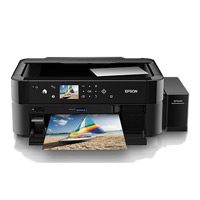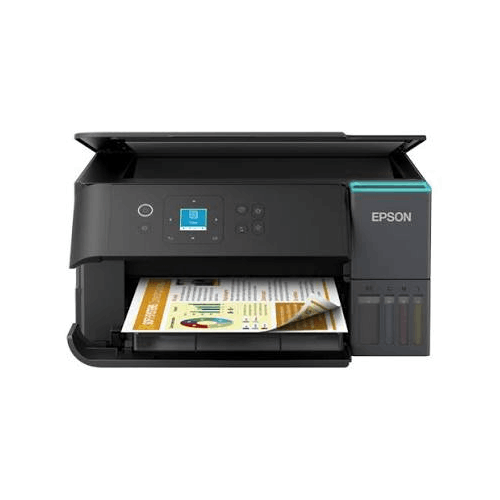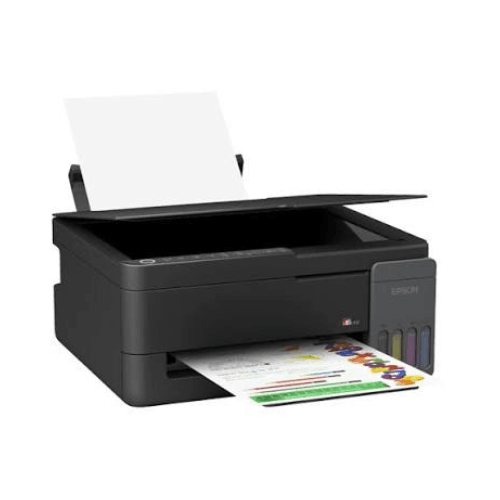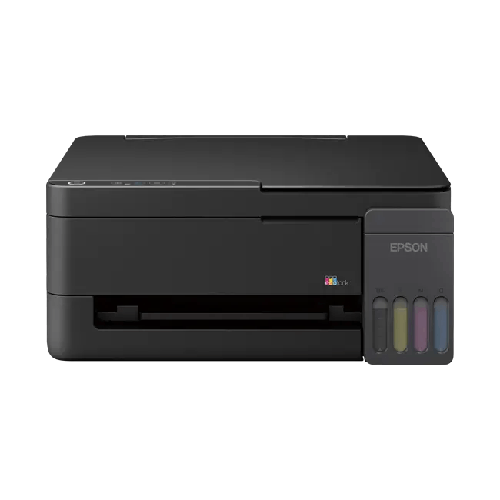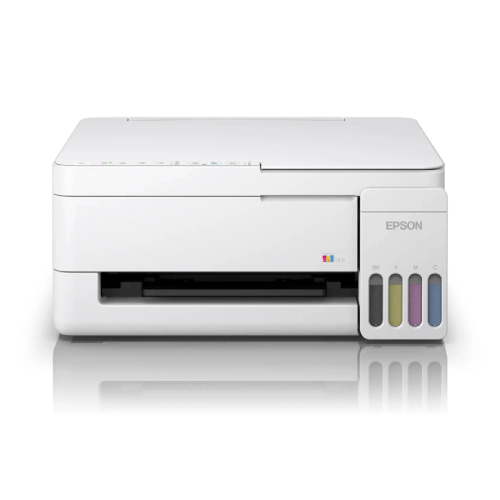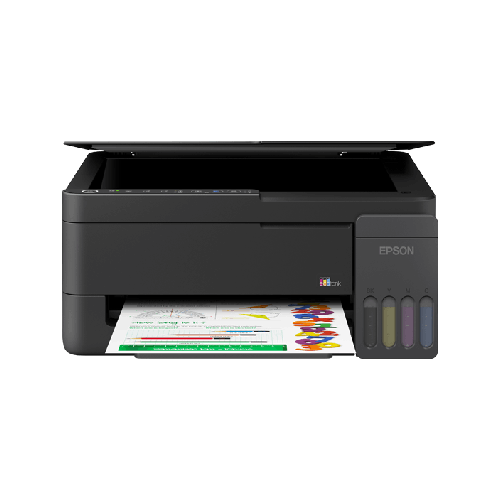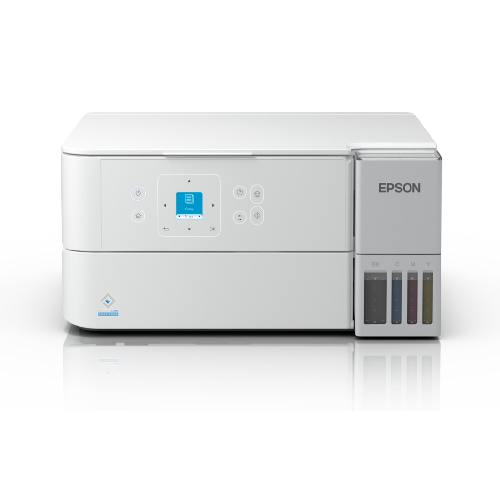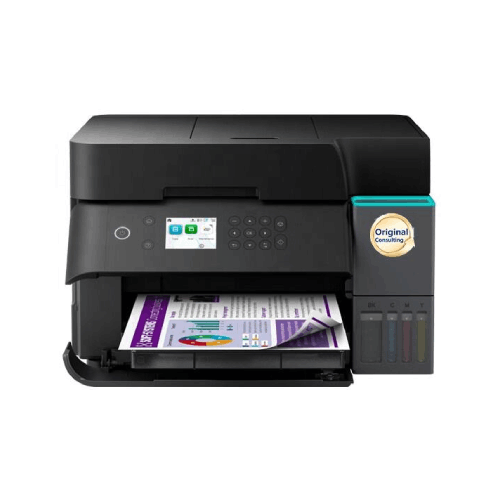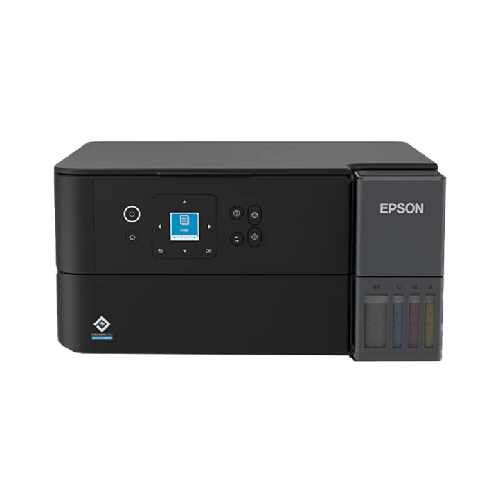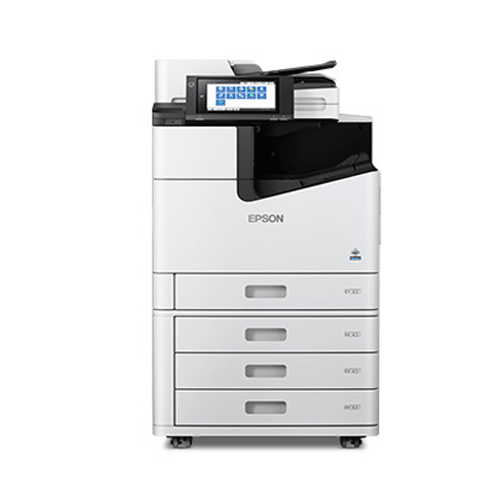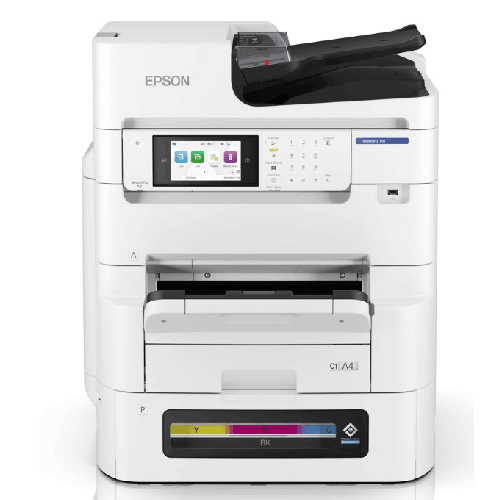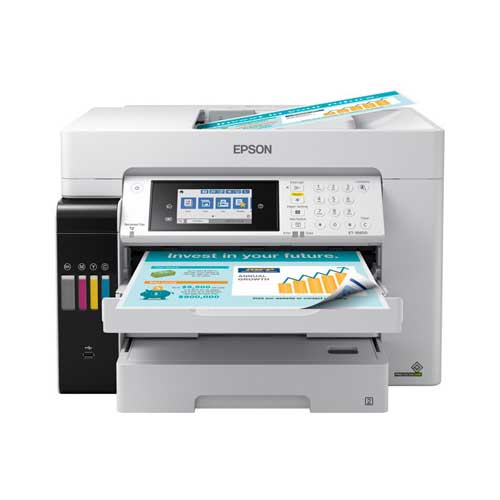

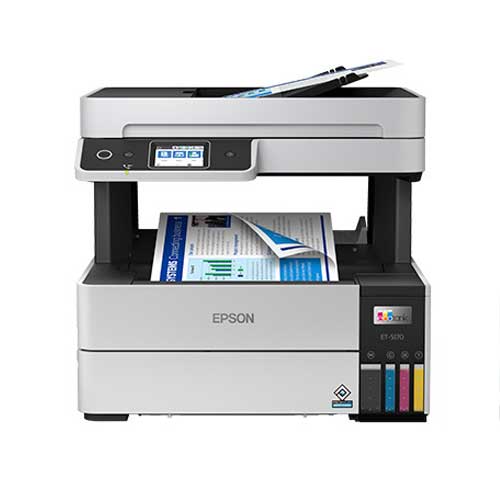
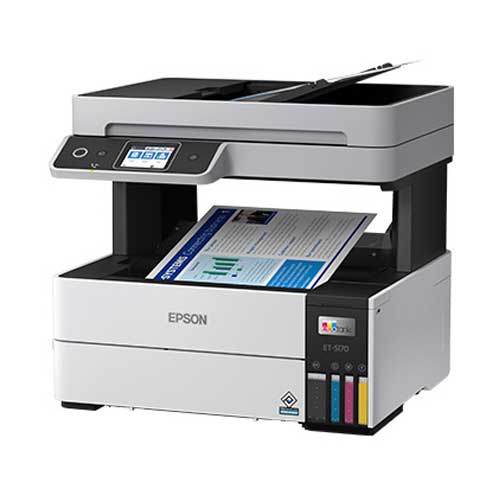

Epson EcoTank Pro ET-5180 Wireless All-in-One Supertank Printer
Regular Price:৳0.00Availability: SKU: 1.3.8.9061
Quick Overview
-
Support
Saturday – Thursday: 09 AM - 06 PM. -
Payment
Cash on Delivery | Card | Online Payment -
Shipping Cost
Inside Dhaka 200tk | Outside Dhaka 350tk -
Warranty Policy
Read More
Description
Epson EcoTank Pro ET-5180 Wireless All-in-One Supertank Printer in Bangladesh
The Epson EcoTank Pro ET-5180 Wireless All-in-One Supertank Printer is built for people in Bangladesh who are done with high cartridge costs and ready for a serious, business-class printer that can actually keep up with their work. This model combines Epson’s EcoTank Pro supertank system with full all‑in‑one features—print, scan, copy and fax—plus modern wireless connectivity, in a compact body designed for homes, offices, coaching centres and organisations that print every single day.
Across Dhaka, Chattogram, Sylhet, Rajshahi and beyond, printing is no longer an occasional task. Students print project reports and research papers. SMEs print invoices and colourful brochures. Coaching centres print notes and model tests. NGOs produce training materials and donor reports. A basic cartridge inkjet simply can’t deliver this level of output without costing a fortune in cartridges.
The Epson EcoTank Pro ET-5180 Wireless All-in-One Supertank Printer is designed specifically for this type of high-usage environment. It uses large, built‑in ink tanks you fill from bottles, not tiny cartridges, to give you thousands of pages per refill (actual yields vary; we’re not quoting numbers). This radically lowers cost per page and reduces how often you need to stop and refill.
Because manufacturer specs can vary slightly by region, this page focuses on the actual experience of using the Epson EcoTank Pro ET‑5180 class in Bangladesh, without making up unverified numbers. You’ll see how it supports a real printing workflow in a Motijheel office, a Mirpur coaching centre, a Dhanmondi apartment, or an NGO field office in Sylhet.
Why the Epson EcoTank Pro ET-5180 Is Tailor-Made for Bangladesh
In Bangladesh, printers are workhorses. Consider just a few everyday scenarios:
- Schools and coaching centres printing large bundles of notes, diagrams, and exam papers.
- University students printing research articles, lab reports, and thesis drafts.
- SMEs printing quotations, invoices, product catalogues, and marketing flyers.
- NGOs printing training manuals, awareness posters, and detailed project documentation.
- Corporate departments printing internal reports, dashboards, and presentations.
Most of these tasks require a steady flow of printing, often in colour. If you rely on a cheap cartridge printer for this, ink costs spiral quickly, and you end up either cutting back on printing or constantly running to buy new cartridges.
The Epson EcoTank Pro ET-5180 Wireless All-in-One Supertank Printer is a direct answer to that pain. It brings together:
- EcoTank Pro supertank system for ultra-low running costs.
- All-in-one functions (print/scan/copy/fax) for complete document handling.
- Wireless networking so everyone in your home or small office can print.
- Business-class engineering that’s more robust than basic home printers.
This combination is exactly what Bangladeshi families, SMEs, coaching centres, schools, and NGOs need to print confidently without constantly worrying about ink bills.
EcoTank Pro Supertank Technology – How It Works for You
The defining feature of the Epson EcoTank Pro ET-5180 Wireless All-in-One Supertank Printer is its EcoTank Pro system.
Instead of locking you into tiny cartridges, Epson integrates large tanks into the printer’s front. You:
- Fill these tanks with liquid ink from bottles.
- See the ink level right from the front of the printer.
- Refill only once in a long while, not every few weeks.
Real-world benefits in Bangladesh:
-
Huge page counts per refill
EcoTank Pro models are engineered to deliver a very high number of pages per bottle set compared to cartridge printers. For a coaching centre printing hundreds of pages per week, or an SME churning out invoices, the refill interval is far longer. -
Very low cost per page
Bottled ink is simply more economical than cartridges. Once you’ve set up the printer, each printed page—colour or black-and-white—costs a fraction of what it would with traditional cartridges. Over months or years, this becomes a serious saving. -
Less stress, fewer emergencies
Instead of watching a low-ink warning after every few batches, you run for weeks or months. You plan your ink purchases in advance instead of rushing to the market at the last minute.
For anyone in Bangladesh who prints regularly and wants to control costs, this supertank approach is a game‑changer.
Print Quality & Performance – Colour and Mono
The Epson EcoTank Pro ET-5180 Wireless All-in-One Supertank Printer is a colour inkjet model designed for both professional-looking text and rich colour documents.
What that means in practice:
-
Sharp black text
Whether you’re printing official letters, agreements, bank forms, CVs, or study materials, the ET‑5180 produces crisp, easy-to-read text that looks appropriate for formal usage—banks, embassies, corporate HR desks, university submissions and more. -
Vibrant colour graphics
For charts, infographics, photos inside documents, marketing flyers, posters, and educational diagrams, colour reproduction is punchy and balanced. This is vital for coaching centres preparing visual aids, SMEs printing marketing materials, and NGOs designing community awareness content. -
Comfortable handling of multi-page jobs
EcoTank Pro models, including the ET‑5180, are tuned for business workloads. That means when you print a 30-page report or multiple sets of exam papers, the printer is built to process those jobs more steadily than basic home printers.
In the Bangladeshi context, where deadlines are short and documents must look professional, the EcoTank Pro ET‑5180 offers a clear step up from lightweight, cartridge-based devices.
Wireless Printing & Smart Connectivity
Modern homes and offices in Bangladesh are filled with laptops, smartphones, and sometimes tablets. The Epson EcoTank Pro ET-5180 Wireless All-in-One Supertank Printer is designed for this multi-device reality.
Connectivity highlights:
-
Wi‑Fi printing for multiple users
Connect the printer to your Wi‑Fi router, and anyone on the same network—with the right driver or app—can print. In a flat in Uttara, parents and children share it. In a small office in Motijheel or Agrabad, different staff members print from their own desks. -
USB cable option
If you prefer old-school simplicity or use one main “print PC”, you can usually connect over USB. This is still very common at small travel agencies, medical chambers, and retail counters. -
Mobile and cloud printing (where supported)
With Epson’s software ecosystem (region and OS dependent), you can often print directly from mobile devices. That’s handy when someone sends you a PDF ticket or an urgent document via WhatsApp or email.
Wireless capability removes the “everyone crowd around one PC” problem and lets the printer fit more naturally into daily Bangladeshi life, where personal devices are the primary computing tools.
All-in-One: Print, Scan, Copy, Fax
The Epson EcoTank Pro ET-5180 Wireless All-in-One Supertank Printer offers more than just printing:
- Printing – both colour and black-and-white documents.
- Scanning – to digitise paperwork into PDFs or image files.
- Copying – to make photocopies without a computer.
- Fax – on many regional variants, useful for offices still using fax for certain processes.
This all‑in‑one configuration provides serious advantages:
-
Scan for digital records
Students, professionals, and organisations increasingly need to submit scanned documents: NID cards, passports, certificates, land documents, contracts, and more. The ET‑5180 lets you scan at home or in the office, avoiding constant visits to service centres. -
Copy instantly
Need a quick copy of a bank form, application, exam script, or an important letter? Place it on the flatbed or into the document feeder (where present) and copy directly from the printer’s panel. -
Fax capability (where applicable)
Some offices in Bangladesh—especially corporate and government-linked entities—still use fax. In such places, ET‑5180 variants with fax support can replace a separate fax machine.
Having all of this in a single, efficient device saves money, desk space, and the hassle of maintaining multiple separate machines.
Office-Class Features: Duplex & ADF Convenience
The “Pro” in EcoTank Pro ET-5180 is not just marketing. It usually points to features that matter in real offices, such as automatic duplex (double-sided) printing and an ADF (Automatic Document Feeder) for multi-page scanning/copying on many variants.
Why these matter in Bangladesh:
-
Automatic duplex printing
- Saves paper by printing on both sides.
- Makes documents thinner and easier to staple, file, or carry.
- Perfect for big reports, training manuals, and lecture notes.
-
Automatic document feeder (where equipped)
- Load a stack of pages and let the printer scan or copy them in sequence.
- Very useful for schools copying exam papers, HR teams scanning employee files, or NGOs digitising field documents.
You may not use these features daily, but in key periods—exam seasons, year-end accounts, project reporting—they become critical time-savers.
Design & Build Quality for Bangladeshi Spaces
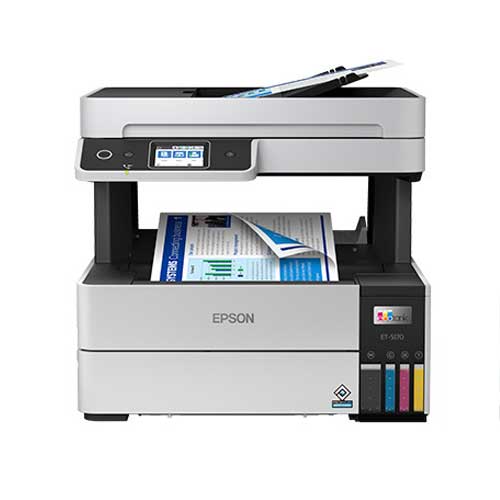
The Epson EcoTank Pro ET-5180 Wireless All-in-One Supertank Printer is engineered to be compact enough for typical Bangladeshi rooms while still feeling solid and professional.
Design advantages:
-
Fits on regular desks or small stands
It’s not a giant photocopier. You can comfortably place it on a standard office desk, side cabinet, or small printer trolley—even in apartments or small commercial units. -
Front-facing tank windows
You can visually inspect ink levels without opening the machine or launching software. In shared offices or coaching centres, any staff member can quickly see when a refill is due. -
Professional aesthetic
The ET‑5180 looks like real office equipment. In reception areas, directors’ cabins, or classrooms, it doesn’t look out of place. It adds to the sense that your organisation is well-equipped and organised.
For Bangladeshi buyers, this blend of moderate size and serious appearance makes the Epson EcoTank Pro ET-5180 a natural upgrade from flimsy home printers.
Real-Life Usage Scenarios in Bangladesh
To understand the impact of the Epson EcoTank Pro ET-5180 Wireless All-in-One Supertank Printer, picture it in these common scenarios:
-
Coaching Centre in Mirpur
- Teachers print colourful language notes, science diagrams, and charts.
- Admin staff print model tests and question papers by the hundreds.
- The centre uses the ADF (if present) to copy multiple-page exam scripts and use scanning for digital record-keeping.
- EcoTank Pro keeps ink costs manageable even at high volumes.
-
SME Office in Motijheel or Agrabad
- Sales team prints branded quotations, offers, and product sheets.
- Accounts print GST/VAT invoices, statements, and financial reports.
- Management prints presentations and dashboards with charts and graphs.
- All departments share the ET‑5180 over Wi‑Fi.
-
Family Home in Dhanmondi or Uttara
- Children print school assignments, charts, and project posters.
- A university student prints detailed research papers and practical reports.
- Parents handle office work-from-home needs—contracts, reports, letters—and scan personal documents for visa or bank work.
-
School Office in Chattogram
- Office prints circulars, fee notices, exam schedules, and report cards.
- Teachers prepare notes, worksheets, and colourful classroom visual aids.
- Staff scan and upload student documents to school management systems.
-
NGO Field Office in Sylhet or Rangamati
- Program staff print training manuals, awareness posters, and workshop handouts.
- Attendance forms and signed agreements are scanned and sent to HQ and donors.
- Project budgets benefit from the low cost per page of EcoTank Pro.
-
Freelance Designer / Consultant at Home
- Designers print proofs of brochures, social media posts, and posters.
- Consultants print and bind proposals and detailed analysis reports.
- Colour quality and consistent cost per page are both essential.
In each of these cases, the ET‑5180 supports frequent printing with better cost control and fewer interruptions, making it a strong choice across a wide range of Bangladeshi user profiles.
Compatibility & Ecosystem
The Epson EcoTank Pro ET-5180 Wireless All-in-One Supertank Printer is made to mesh with common tech environments:
-
Operating systems
Generally supports mainstream Windows and macOS versions, subject to official Epson drivers. Always use official drivers and utilities for best stability and feature access. -
Network setups
Works well with standard Bangladeshi home and office routers. For larger spaces, ensure the printer sits within solid Wi‑Fi coverage. In offices, IT can manage security and access rights. -
Consumables
Genuine Epson EcoTank Pro ink bottles for the ET‑5180 are typically available from reputable IT and printer suppliers (such as BME). Standard A4 copier paper handles most usage; where you need better quality (e.g., brochures), use good inkjet paper.
For multi-printer deployments across branches or campuses, BME can coordinate with your IT team to design and implement a smooth roll‑out.
Maintenance & Care in Bangladesh
To keep your Epson EcoTank Pro ET-5180 Wireless All-in-One Supertank Printer working reliably in local conditions:
-
Use a stable table or stand
Ensure it isn’t wobbling; stability reduces paper feed issues and vibrations. -
Avoid direct sunlight, dust, and moisture
Don’t place it directly under a hot window, near open dusty streetside windows, or in damp corners. Bangladesh’s heat and humidity can shorten device lifespans if ignored. -
Print regularly
Regular usage helps keep the ink flowing and prevents nozzles from drying out. Even if you’re not hiring it for big jobs weekly, a few printed pages every so often are beneficial. -
Stick to genuine Epson ink
Very cheap, non-genuine inks may damage print heads, reduce print quality, or shorten printer life. The EcoTank Pro’s savings come from the design, not from compromising on ink quality. -
Gentle cleaning
Wipe the exterior with a soft cloth occasionally, and keep paper trays clear of dust and small objects.
By following these basic guidelines, you can get years of strong service from your EcoTank Pro ET‑5180 in Bangladeshi environments.
✅ Key Features
- EcoTank Pro Supertank System: High-capacity, refillable ink tanks deliver ultra-low-cost printing for both colour and monochrome pages.
- True All-in-One Functionality: Print, scan, copy and fax (on many variants) from a single compact, business-ready machine.
- Wireless & Network Ready: Built-in Wi‑Fi makes it easy to share the printer across multiple laptops, PCs and compatible mobile devices.
- Professional-Quality Output: Produces crisp black text and vibrant colour documents suitable for business, education and personal projects.
- Business-Class Design: EcoTank Pro engineering is tuned for regular, higher-volume workloads, ideal for SMEs, schools, NGOs and busy homes.
- Automatic Duplex Printing (model-dependent): Supports double-sided printing to save paper and create more compact documents.
- Front-Facing Ink Tanks: Transparent tank windows make ink monitoring and refilling simple and intuitive.
- Compact, Professional Look: Fits comfortably on desks or cabinets and looks at home in classrooms, offices and modern households.
✅ Usage / Applications
- Printing school, college and university assignments, project reports and colourful presentations.
- Producing invoices, quotations, product catalogues and branded marketing materials for SMEs.
- Printing colourful notes, diagrams, practice sheets and exam questions for coaching centres and schools.
- Copying bank forms, ID documents, application forms and official letters in offices and service counters.
- Scanning and archiving contracts, student records, HR files and project documentation.
- Printing NGO workshop materials, awareness posters and detailed donor reports.
- Supporting home offices and freelancers who need reliable colour and mono printing for reports and proposals.
- Producing internal posters, notices and charts for organisations and institutions.
✅ Benefits of This Product?
- Cuts printing costs dramatically versus cartridge-based printers, especially at medium to high volumes.
- Reduces downtime because large-capacity tanks need refilling far less often than cartridges.
- Improves professionalism, with sharp text and strong colours that enhance the impact of documents and presentations.
- Eliminates the need for separate devices by combining print, scan, copy and fax (on many variants) into one machine.
- Supports multi-user environments via Wi‑Fi, making it more convenient for families, teams and classes.
- Adapts to diverse needs, serving students, businesses and NGOs with equal ease.
- Offers excellent long-term value, as lower running costs offset the initial investment over time.
✅ Ideal For
The Epson EcoTank Pro ET-5180 Wireless All-in-One Supertank Printer is ideal for Bangladeshi users who treat printing as a daily tool, not an occasional add-on. It’s a strong fit for SMEs that must print invoices, quotations, catalogues and internal reports; for coaching centres and schools that regularly produce colourful notes and exam materials; and for NGOs managing workshops, project documentation and donor communication.
It’s also an excellent choice for home offices and freelancers. If you prepare proposals, presentations and reports for clients, with a mix of black text and colour charts, the EcoTank Pro ET‑5180 lets you print all of this affordably and professionally. Families with school and university students will appreciate its ability to handle everything from simple homework to detailed final-year projects.
If you know that printing will remain a key part of your life or business over the next few years—and you don’t want to fight with expensive cartridges or weak hardware—the Epson EcoTank Pro ET-5180 Wireless All-in-One Supertank Printer is built to be that long-term, cost-effective solution.
✅ Why Choose the Epson EcoTank Pro ET-5180 Wireless All-in-One Supertank Printer?
Choosing the Epson EcoTank Pro ET-5180 Wireless All-in-One Supertank Printer is about committing to a smarter way of handling documents. Instead of accepting the “cheap printer, expensive cartridges” trap, you move to a system where you invest once in a capable machine and then print at consistently low per-page costs using refillable supertanks.
The ET‑5180 stands out in three big ways. First, it combines EcoTank Pro technology with an all-in-one design that’s genuinely office-grade. That means you get the cost benefits of EcoTank along with the robustness needed for frequent printing, scanning, copying and faxing (where applicable) in busy Bangladeshi environments.
Second, it embraces versatility. Instead of buying separate printers for text and colour graphics, you use a single device that does both well—black text for invoices and official letters, vivid colour for presentations, learning materials and marketing assets. For schools, coaching centres and small businesses that must serve varied needs, this is invaluable.
Third, it’s built for the way we actually work today. Wireless connectivity means no one is tethered to a single desktop; students, staff and family members can print from their own laptops and mobile devices. The visible ink tanks make cost control more transparent—you always know when you’ll need a refill, and you know the ink is being used efficiently.
Over time, the EcoTank Pro ET‑5180 can turn printing from a constant financial and logistical worry into a stable, predictable utility. For Bangladeshi users who see printing as essential to their study, work or mission, that’s a compelling reason to choose this model.
✅ Why Buy This Product from BME?
Business Machine & Equipment (BME) is a focused office technology supplier in Bangladesh, making it a trusted partner when you decide to purchase the Epson EcoTank Pro ET-5180 Wireless All-in-One Supertank Printer. Working with BME means you get more than just a box—you get local expertise and guidance that align with how devices like this are actually used across Bangladeshi homes, SMEs, schools and NGOs.
BME is committed to supplying genuine products via reliable channels. For EcoTank Pro printers, authenticity is crucial: original Epson hardware and inks are essential to achieving the low cost per page, print quality and reliability the ET‑5180 is built for. Buying through BME helps you avoid grey-market risks and questionable consumables that could compromise performance.
If you’re buying on behalf of an organisation—a coaching centre, school, NGO, or SME—BME can provide formal quotations, invoices and documentation that fit your procurement and finance processes. Their consultants can assess your print volume, colour requirements and user numbers to confirm whether the Epson EcoTank Pro ET-5180 is the best fit, or if another Epson/EcoTank model would suit you better.
After your purchase, BME aims to assist with practical advice—covering basic installation, network connection approaches, ink management, and general best practices for using printers in Bangladesh’s power and environmental conditions. Whether you’re setting up one ET‑5180 or rolling out several units, buying from BME gives you the assurance of a knowledgeable Bangladesh-based supplier supporting your investment.
✅ Buying Guide
Before you choose the Epson EcoTank Pro ET-5180 Wireless All-in-One Supertank Printer, walk through this quick buying guide tailored to Bangladesh:
-
Clarify Colour vs Mono Needs
- If your printing is heavily text-only (letters, legal docs, exam papers), you might also consider a mono EcoTank.
- If you regularly print colour charts, presentations, marketing materials or learning content, the ET‑5180’s colour capability is a major advantage.
-
Estimate Your Monthly Print Volume
Roughly calculate how many pages you print per month—both black-and-white and colour. EcoTank Pro models like the ET‑5180 shine at medium to high volumes. If you are in the hundreds or thousands of pages monthly, the low cost per page becomes a big financial benefit. -
List Your Document Types
- Business: invoices, proposals, brochures, product lists.
- Education: worksheets, notes, diagrams, question papers.
- NGO/Corporate: training packs, reports, dashboards.
The ET‑5180 is designed to handle this mixed workload effectively.
-
Check Placement & Space
Make sure you have:- A strong, stable surface (desk or stand).
- Enough space to open the scanner lid and access the front tanks and paper trays.
- Reasonable protection from direct sunlight, dust and moisture.
-
Plan Connectivity
- For single-user environments, USB may be enough.
- For homes or offices with multiple users, plan for Wi‑Fi.
Confirm your router’s range; if the printer is in another room, consider a better router or an extender to maintain a strong signal.
-
Ink & Paper Budgeting
Check the availability and pricing of genuine EcoTank Pro ink bottles for the ET‑5180 in Bangladesh. Always plan to buy from reputable vendors like BME to avoid counterfeits. Standard A4 paper covers most usage; upgrade to heavier inkjet paper for client-facing materials. -
System Compatibility & Setup
Confirm that the computers/laptops that will use the printer run supported versions of Windows or macOS. For multiple users, plan driver installation; BME can advise if you need help. -
Avoid Common Mistakes
- Don’t base your decision only on the cheapest printer price; long-term ink cost matters more.
- Don’t ignore Wi‑Fi if multiple people need to print.
- Don’t use very cheap, unbranded inks that may damage the printer.
- Don’t place the printer where it’s constantly exposed to heat, dust or humidity.
Reviewing these points—and discussing them with BME if needed—will help you decide confidently whether the Epson EcoTank Pro ET-5180 Wireless All-in-One Supertank Printer is the right long-term printing partner for your home, office or organisation in Bangladesh.
✅Q&A
Q1: Is the Epson EcoTank Pro ET-5180 a colour printer?
Yes. The Epson EcoTank Pro ET-5180 is a colour inkjet printer with refillable ink tanks, capable of both colour and black-and-white printing.
Q2: Does the ET‑5180 support wireless (Wi‑Fi) printing?
Yes. It includes built-in Wi‑Fi, so compatible devices on the same network can print wirelessly once the printer is set up.
Q3: Can this printer scan, copy and fax?
Yes. The ET‑5180 is an all-in-one model, offering print, scan, copy and, on many regional variants, fax functionality in a single device.
Q4: Is the EcoTank Pro ET‑5180 suitable for high-volume printing in Bangladesh?
It is designed for frequent and relatively high-volume use compared to basic home printers. When used within recommended limits, it suits SMEs, schools, coaching centres, NGOs and busy home offices.
Q5: How is it different from a normal cartridge printer?
Instead of using small cartridges, the ET‑5180 has large built-in ink tanks you refill with ink bottles. This usually means many more pages per refill and a much lower cost per page.
Q6: Can multiple users share the ET‑5180 in an office?
Yes. Once it’s connected to your office network via Wi‑Fi (or to a shared PC), multiple users can send print jobs to the same printer.
Q7: Is it compatible with Windows and macOS?
Yes, it is generally compatible with popular Windows and macOS versions, subject to official Epson driver support. Always check compatibility with your specific OS version.
Q8: Is the ET‑5180 good for home office use?
Absolutely. For home offices that need reliable colour and mono printing at low running cost, plus scanning, copying and fax (where available), the ET‑5180 is an excellent choice.
Q9: What warranty can I expect in Bangladesh?
Warranty terms can vary by region and purchase time. When buying from BME, confirm the current warranty period and coverage for the Epson EcoTank Pro ET-5180.
Q10: Where can I buy genuine ink for the ET‑5180 in Bangladesh?
Genuine EcoTank Pro ink bottles are available from reputable retailers like BME and other established IT/printer supply shops. Always ensure the ink is specified for the ET‑5180.
✅ Why Buy This Product
The Epson EcoTank Pro ET-5180 Wireless All-in-One Supertank Printer is a smart investment if you’re serious about both print quality and long-term cost control. Instead of being stuck in an endless cycle of expensive cartridges, you move to a supertank system that’s engineered for thousands of pages per refill, with significantly lower cost per page.
For Bangladesh-based homes, home offices, SMEs, schools, coaching centres and NGOs, this translates into more freedom to print what you need—assignments, proposals, invoices, marketing flyers, training materials—without constantly worrying about ink bills. At the same time, the EcoTank Pro ET‑5180 delivers professional-looking text and colour, plus scanning, copying and fax features, all in one device that can be shared over Wi‑Fi.
If printing is integral to your work or study, the ET‑5180 helps turn it from a recurring headache into a stable, predictable part of your setup. Order the Epson EcoTank Pro ET-5180 Wireless All-in-One Supertank Printer from BME to build a reliable, cost-effective and future-ready printing environment for your home or organisation in Bangladesh.
What is the price of Epson EcoTank Pro ET-5180 Wireless All-in-One Supertank Printer in Bangladesh?
Write a review
Question Answer
Have question about this product? Get specific details about this product from expert.






Epson LQ-590II Dot Matrix Printer