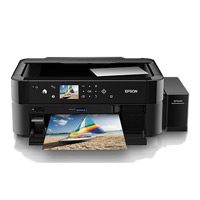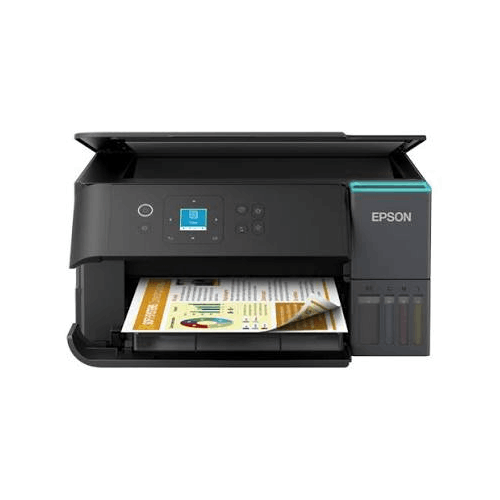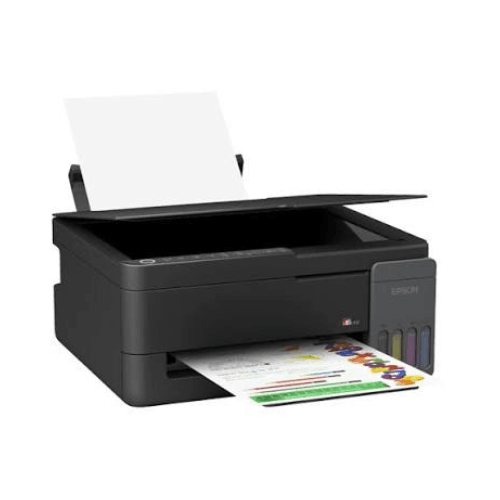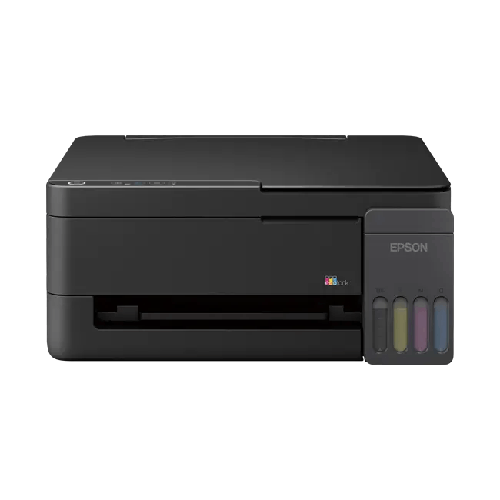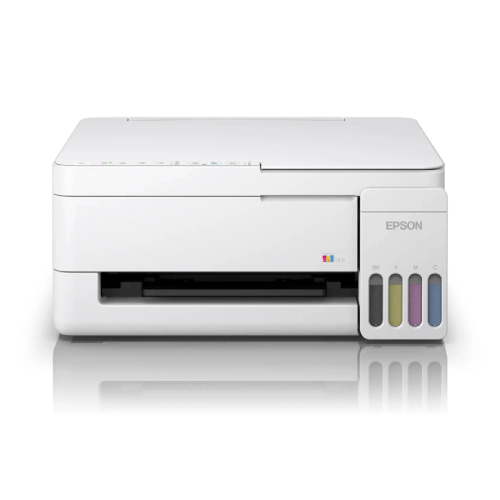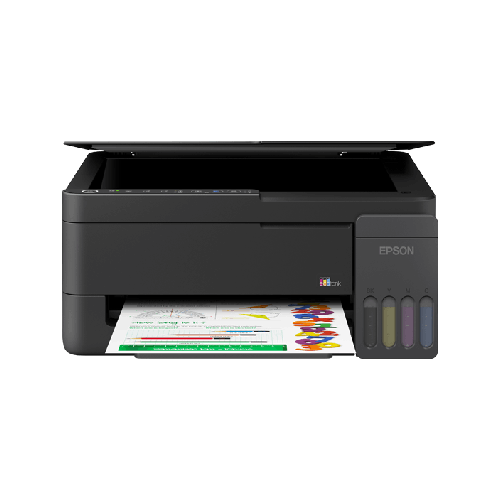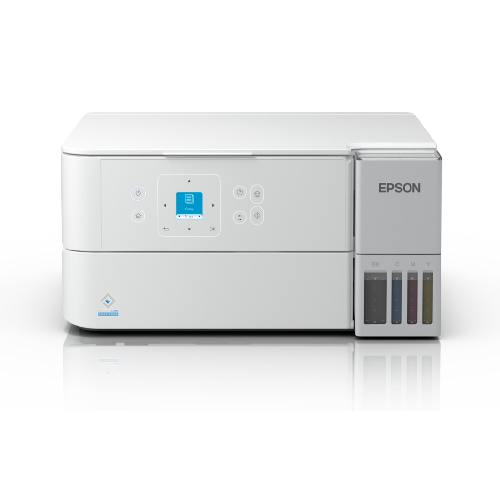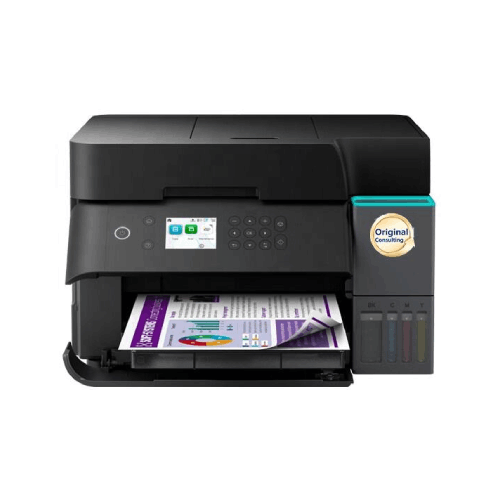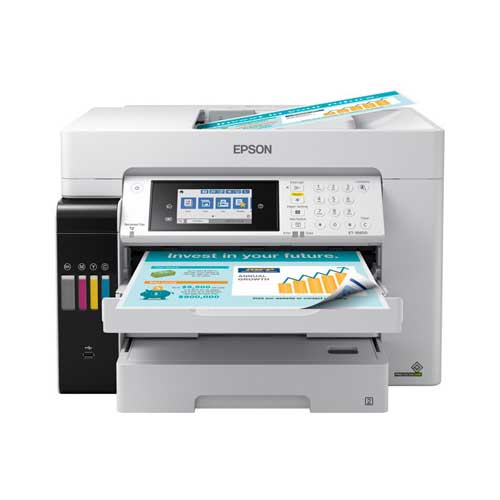

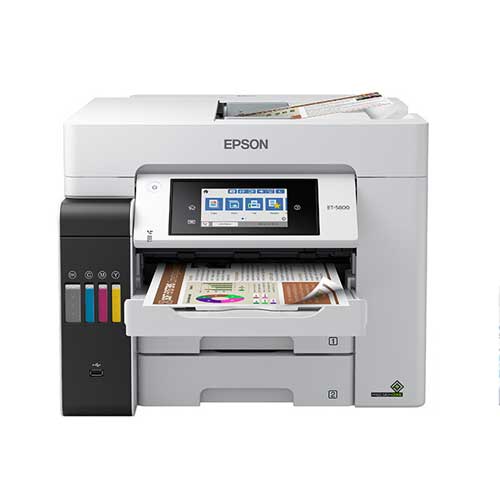
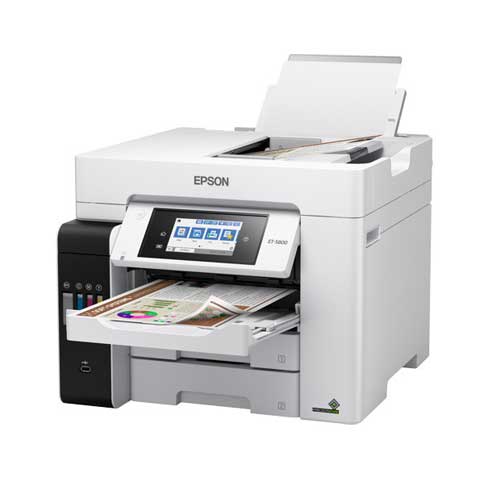
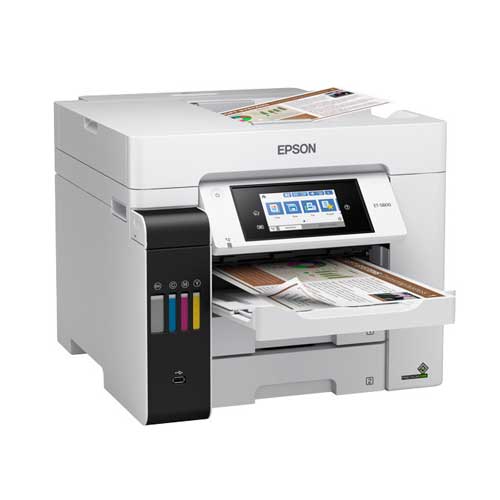
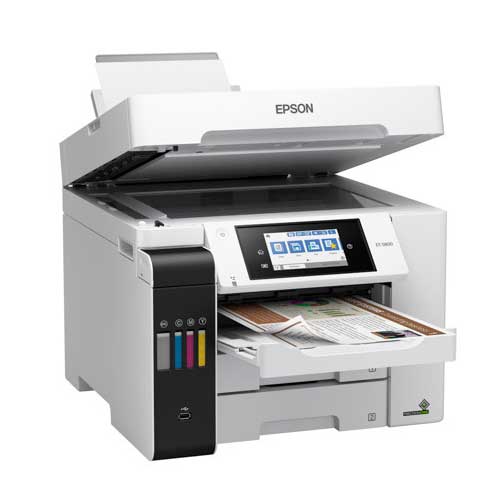
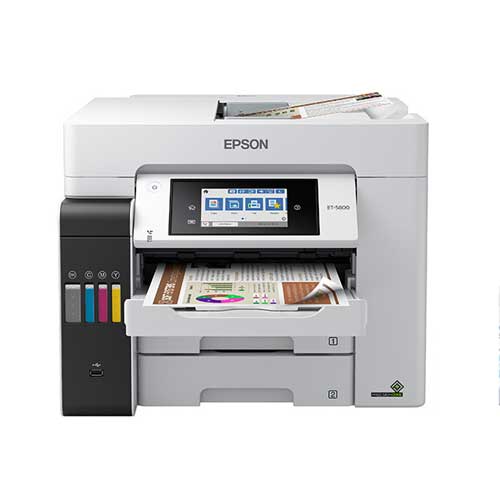
Epson EcoTank Pro ET-5880 All-in-One Supertank Printer
Regular Price:৳0.00Availability: SKU: 1.3.8.9065
Quick Overview
-
Support
Saturday – Thursday: 09 AM - 06 PM. -
Payment
Cash on Delivery | Card | Online Payment -
Shipping Cost
Inside Dhaka 200tk | Outside Dhaka 350tk -
Warranty Policy
Read More
Description
Epson EcoTank Pro ET-5880 All-in-One Supertank Printer in Bangladesh
The Epson EcoTank Pro ET-5880 All-in-One Cartridge-Free Supertank Printer with PCL Support is designed for organisations in Bangladesh that demand laser‑class features and reliability, but want dramatically lower running costs. It’s a business‑grade colour all‑in‑one that replaces traditional cartridges with high‑capacity EcoTank Pro supertanks and adds PCL support, making it easier to integrate into established corporate and enterprise environments.
In many Bangladeshi offices, schools, coaching centres and NGOs, printing is constant. Finance teams generate invoices and reports, HR teams print letters and files, trainers prepare course materials, and project teams submit documentation to partners and donors. A small desktop printer with cartridges or a basic inkjet simply cannot handle this sustained load without becoming expensive and unreliable.
The Epson EcoTank Pro ET-5880 is built for exactly these scenarios. It brings together cartridge‑free supertank economics, robust all‑in‑one functionality, office‑grade features such as duplex and ADF, and PCL language support for better compatibility with existing systems and print servers. Whether you are in Dhaka, Chattogram, Sylhet or any other city, this model is meant to be the central document hub for serious workloads.
Cartridge-Free EcoTank Pro System – Why It Matters in Bangladesh
Traditional cartridge printers might seem cheap at first, but once you start printing heavily—hundreds or thousands of pages a month—the cost of cartridges quickly overtakes the cost of the machine. On top of that, constantly changing cartridges disrupts workflow.
The EcoTank Pro ET-5880 uses large, integrated ink tanks that you refill with Epson ink bottles:
- Each refill is designed to print a very high number of pages compared to typical cartridges
- Cost per page drops significantly, especially for colour documents
- You refill far less often, reducing downtime and last‑minute “ink emergency” trips
For Bangladeshi SMEs, schools, coaching centres and NGOs that print every day, the EcoTank Pro system is not just a convenience; it is a serious financial advantage.
PCL Support – Enterprise-Friendly Printing
One of the standout features of the Epson EcoTank Pro ET-5880 is PCL support. PCL (Printer Command Language) is a widely used page description language in corporate environments and on many print servers:
- PCL support improves compatibility with existing business applications and shared printing setups
- It is particularly useful in larger organisations that previously used only laser printers and need a smooth transition to inkjet-based EcoTank devices
- It makes integration with ERP systems and legacy software easier, which is important for many enterprises and institutions in Bangladesh
If your IT team prefers PCL-compatible devices for centralised management, the ET‑5880 fits naturally into that environment while still offering EcoTank Pro efficiency.
Professional Colour and Text Output
The Epson EcoTank Pro ET-5880 is a colour inkjet printer engineered to compete with office lasers in quality:
- Black text is crisp and sharp, ideal for letters, contracts, official forms, exam scripts and business reports
- Colour output is vivid and accurate, suitable for charts, infographics, marketing one‑pagers, product sheets and training visuals
- Quality remains stable over longer print runs when the printer is correctly maintained and genuine ink is used
When you are sending proposals to clients, reports to donors, or circulars to parents, the ET‑5880 ensures your documents look professional and consistent.
Office-Class Performance and Reliability
The EcoTank Pro ET-5880 is designed as a workgroup-class machine rather than a home printer:
- It responds quickly to print jobs, helping reduce queues and waiting time at the printer
- It is built to handle multi-page and multi-copy jobs without stalling—think training manuals, policy documents, exam sets, and large financial reports
- It is intended for frequent, daily use in departments, branches and busy admin offices
In Bangladeshi offices and institutions where deadlines are tight and print volumes are high, this kind of stability directly supports operational efficiency.
Wireless, Network and PCL Integration
Modern Bangladeshi workplaces mix desktops, laptops and mobile devices. The Epson EcoTank Pro ET-5880 is ready for that:
- Built‑in Wi‑Fi allows multiple computers and compatible mobile devices on the same network to print without cables
- USB connectivity supports single‑PC setups, such as reception desks or counters
- PCL support and network readiness make it suitable for deployment behind print servers and within managed corporate networks
Your IT team can integrate the ET‑5880 into existing infrastructure more comfortably than many consumer printers, which is especially important for enterprises, banks, universities and government-linked organisations.
All-in-One: Print, Scan, Copy, Fax
The Epson EcoTank Pro ET-5880 is a true all‑in‑one device:
- Print: colour and mono, single‑ or double‑sided
- Scan: digitise documents for archival, workflows, and online submission
- Copy: create one-off or multiple copies of documents directly from the control panel
- Fax: on supported variants, still relevant for certain government and corporate processes in Bangladesh
This means you don’t need separate printer, scanner, copier and fax machines. One ET‑5880 handles them all, saving both space and equipment management effort.
Duplex Printing and Automatic Document Feeder (ADF)
To keep up with real office workflows, the EcoTank Pro ET-5880 typically includes:
- Automatic duplex (double‑sided) printing, which cuts paper usage, especially for lengthy reports, manuals and course packs
- An Automatic Document Feeder (ADF), allowing you to load stacks of pages for scanning or copying without manual page‑turning
Schools, coaching centres, HR departments and NGOs dealing with sets of forms, exam papers or contracts will find these features significant time‑savers.
Design and Build Suitable for Bangladeshi Offices
The Epson EcoTank Pro ET-5880 is solid but compact enough for common office layouts:
- It fits comfortably on a sturdy desk, credenza or printer stand—no dedicated print room required
- Most routine operations, including ink refilling and paper loading, are handled from the front, so you can place it close to a wall
- Its professional design looks appropriate in managers’ rooms, shared departments, school admin offices and NGO coordination centres
In busy Bangladeshi environments where space is limited but expectations are high, this professional but efficient footprint works well.
Real-life Usage Scenarios in Bangladesh
- A mid-size trading company in Motijheel uses the ET‑5880 to print invoices, delivery challans, financial reports and branded quotations, while also scanning supplier contracts and client documents
- A coaching centre in Farmgate prints colourful notes, question sets and exam scripts, copies answer sheets using the ADF, and uses EcoTank Pro to keep ink costs under control
- A private school in Chattogram prints letters to parents, class worksheets and report cards, while scanning and archiving student records for digital storage
- An NGO project office in Sylhet prints training manuals, awareness posters and donor reports, scanning attendance sheets and MOUs for reporting
- A corporate branch in Gulshan deploys the ET‑5880 with PCL support in a managed print environment as a shared departmental printer for HR, finance and admin teams
In each of these examples, the Epson EcoTank Pro ET-5880 serves as a reliable, shared, low‑cost printing backbone.
✅ Key Features
- Cartridge-Free EcoTank Pro System: High-capacity refillable supertanks dramatically reduce cost per page for both colour and mono documents.
- PCL Support: Printer Command Language compatibility improves integration with corporate print servers, ERP systems and existing workflows.
- All-in-One Functionality: Combines printing, scanning, copying and faxing (on supported variants) in one business-ready device.
- Wireless and Network Ready: Built‑in Wi‑Fi and network capabilities make it easy to share across multiple users and devices.
- Professional Print Quality: Delivers crisp black text and vibrant colour output suitable for business, education and NGO communications.
- Automatic Duplex Printing: Double‑sided printing saves paper and produces slimmer, more professional documents.
- Automatic Document Feeder (ADF): Handles multi-page scanning and copying efficiently, ideal for exam papers, forms and file sets.
- Robust Business Design: Engineered for regular, high‑volume use in SMEs, schools, coaching centres, NGOs and corporate departments.
✅ Usage / Applications
- Printing invoices, quotations, financial reports and statements in SME and corporate offices
- Producing colourful notes, worksheets, charts and exam scripts for schools and coaching centres
- Printing brochures, flyers, product sheets and presentation handouts for marketing and sales teams
- Copying and scanning contracts, HR files, ID documents and student records
- Printing and scanning training manuals, awareness posters and donor reports for NGOs
- Supporting home offices and consultants that need professional-grade colour output with low operating cost
- Acting as a shared departmental printer in managed PCL-based environments
✅ Benefits of This Product?
- Significantly lowers long-term printing costs versus cartridge-based printers and many lasers, especially at higher volumes.
- Reduces downtime and interruptions through high‑capacity supertanks and efficient ADF and duplex functions.
- Improves professionalism of documents, supporting clearer communication with clients, parents, students and donors.
- Simplifies infrastructure by combining print, scan, copy and fax into a single networked device.
- Fits into enterprise workflows thanks to PCL support, making it easier for IT teams to manage.
- Supports multi-user, multi-device environments, ideal for teams, departments and shared offices.
- Delivers strong return on investment, particularly for Bangladeshi organisations that print daily in colour.
✅ Ideal For
The Epson EcoTank Pro ET-5880 All-in-One Cartridge-Free Supertank Printer with PCL Support is ideal for Bangladeshi organisations that need enterprise-style reliability and integration but also want to cap printing costs. SMEs and corporate branches that previously relied on laser printers can transition to this EcoTank Pro model without losing PCL compatibility or business features. Schools and coaching centres gain a powerful central printer for notes, exams and admin work, while NGOs and project offices can produce high-quality reports and awareness materials in-house.
It is also well-suited to serious home offices and consultants who handle professional documents daily and need PCL support to align with client systems. If your environment is multi-user, uses networked or server-based printing, and generates a steady flow of colour and mono documents, the ET‑5880 matches those demands with the added advantage of very low running cost.
✅ Why Choose the Epson EcoTank Pro ET-5880 All-in-One Cartridge-Free Supertank Printer with PCL Support?
Choosing the Epson EcoTank Pro ET-5880 means upgrading to a printer that is ready for the realities of modern Bangladeshi business. You get EcoTank Pro’s cartridge‑free economics, so high-volume colour printing no longer punishes your budget. At the same time, you gain an all‑in‑one device capable of printing, scanning, copying and faxing that is robust enough for daily departmental use.
PCL support is a major differentiator. Many enterprises and institutions in Bangladesh standardise on PCL-compatible printers to simplify management and ensure compatibility with legacy software and central print servers. With the ET‑5880, you can tap into that ecosystem yet still enjoy the efficiency of an ink‑tank system rather than toner-based lasers. This makes it a strong choice for organisations migrating away from expensive laser fleets without disrupting workflows.
The device’s duplex capability, ADF, network readiness and professional design all contribute to a smoother, more efficient document process. Staff spend less time changing cartridges, manually flipping pages or dealing with incompatible drivers, and more time focusing on core work. Over the life of the printer, this combination of low per-page cost, enterprise integration and workgroup features makes the Epson EcoTank Pro ET-5880 an excellent strategic investment.
✅ Why Buy This Product from BME?
Business Machine & Equipment (BME) is a focused office technology supplier in Bangladesh, making it an ideal partner when you invest in an advanced device like the Epson EcoTank Pro ET-5880 All-in-One Cartridge-Free Supertank Printer with PCL Support. Buying from BME means you work with a team experienced in deploying printers across SMEs, corporations, schools, coaching centres and NGOs, and who understand the specific demands of PCL-capable, networked printing.
BME emphasises genuine sourcing, ensuring that the hardware and inks you receive are authentic Epson products. For EcoTank Pro models, this authenticity is essential for achieving the promised reliability, print quality and low operating cost. Purchasing through BME helps you avoid grey-market equipment and low-grade consumables that could undermine your investment.
For organisational buyers, BME can provide formal quotations, tax invoices and documentation that fit internal procurement and compliance processes. Their sales specialists can assess your print volume, PCL requirements, user base and budget to confirm whether the ET‑5880 is the correct model, or whether an alternative Epson solution may better match your needs. After purchase, BME aims to assist with practical guidance on setup, network sharing approaches and usage best practices tailored to Bangladeshi power and environmental conditions, giving you a trustworthy local partner throughout the printer’s lifecycle.
✅ Buying Guide
Clarify your print environment and PCL needs
Determine whether your organisation already uses PCL-based printers and print servers. If your applications or IT policies prefer PCL devices, the ET‑5880 is a strong candidate. Note how many users will share the printer and whether it needs to fit into an existing managed print setup.
Estimate your monthly print volume and colour mix
Calculate approximate pages per month, splitting between mono and colour. EcoTank Pro brings the most value at medium to high volumes, especially when colour printing is frequent. If you regularly print hundreds or thousands of pages, the ET‑5880’s low cost per page will matter a lot.
List key document types
Identify whether you print more business text (letters, invoices, forms), colour reports, educational materials or marketing pieces. Make sure the ET‑5880’s capabilities align with that mix—its strength is handling both professional text and colour documents in one device.
Plan space, access and environment
Reserve a stable, level surface such as a solid desk or printer stand. Ensure space above for the scanner/ADF lid to open and space in front for paper trays and ink refills. Place the printer away from direct sun, heavy dust and excessive humidity, which are common issues in many Bangladeshi offices.
Decide on connectivity strategy
For single‑PC setups, a direct USB connection might be simplest. For teams, choose Wi‑Fi or wired network connectivity so everyone can print from their own devices. Coordinate with IT, especially if deploying PCL drivers or connecting to a print server.
Budget for genuine inks and paper
Check local availability and pricing of genuine EcoTank Pro ink bottles for the ET‑5880. Plan quantities based on your estimated volume. Use standard A4 paper for most tasks and upgrade to higher-quality paper for client-facing or colour-heavy documents. Always avoid non-genuine or unlabelled inks.
Verify operating system compatibility
Confirm that your organisation’s Windows and/or macOS versions are supported by Epson drivers. For multiple workstations, plan how drivers will be installed and how printer sharing will be configured.
Avoid common mistakes
Do not choose a low-cost cartridge printer for high-volume workloads; long‑term costs will be higher. Do not ignore Wi‑Fi or network setup when many people need access. Do not use very cheap third-party inks that risk clogs and poor quality. Do not place the printer in unstable, dusty or poorly ventilated locations.
✅ Customers Ask About / Frequently Asked Questions
Q1: Is the Epson EcoTank Pro ET-5880 a colour printer?
Yes. The ET‑5880 is a colour inkjet all‑in‑one with refillable EcoTank Pro supertanks, capable of printing both colour and black‑and‑white documents.
Q2: Does the ET‑5880 support PCL?
Yes. The Epson EcoTank Pro ET-5880 includes PCL support, making it suitable for many enterprise and server-based printing environments.
Q3: Can this printer scan, copy and fax?
Yes. The ET‑5880 is an all‑in‑one device that offers printing, scanning, copying and faxing on supported variants.
Q4: Does it support wireless (Wi‑Fi) printing?
Yes. The printer has built‑in Wi‑Fi so that compatible computers and mobile devices on the same network can print wirelessly once configured.
Q5: Is the ET‑5880 suitable for high-volume use in Bangladesh?
It is designed for frequent, high‑volume printing compared with consumer models, making it well-suited to SMEs, schools, coaching centres, NGOs and busy home offices when used within recommended levels.
Q6: How does it differ from a traditional cartridge or laser printer?
Instead of cartridges or toner, the ET‑5880 uses high‑capacity, refillable ink tanks. This typically results in many more pages per refill and a much lower cost per page.
Q7: Can multiple users share the ET‑5880 in an office?
Yes. Once connected to a network or shared from a PC, multiple users can send print jobs to the same printer, which is ideal for departmental use.
Q8: Is it compatible with Windows and macOS?
It generally supports major versions of Windows and macOS, provided official Epson drivers are installed. Always check compatibility for your specific OS version.
Q9: Is this printer a good choice for schools and coaching centres?
Yes. Its low running cost, colour capability, duplex printing and ADF make it very suitable for printing notes, question papers, charts and administrative documents.
Q10: What warranty can I expect in Bangladesh?
Warranty terms vary by time and distributor. When purchasing from BME, confirm the current warranty duration and coverage for the Epson EcoTank Pro ET-5880.
Q11: Where can I buy genuine ink for the ET‑5880?
Genuine EcoTank Pro ink bottles for the ET‑5880 are available from reputable suppliers such as BME and established IT/printer retailers in Bangladesh. Always ensure the ink is specified for this model.
✅ Why Buy This Product
The Epson EcoTank Pro ET-5880 All-in-One Cartridge-Free Supertank Printer with PCL Support is the right choice if your organisation treats printing as serious infrastructure rather than a side task. You gain an enterprise‑friendly device that fits seamlessly into PCL-based environments and shared networks while slashing running costs with EcoTank Pro. It delivers professional colour and mono output, duplex, ADF and full all‑in‑one functionality, allowing one machine to replace multiple separate devices.
For Bangladeshi SMEs, corporate branches, schools, coaching centres, NGOs and advanced home offices, that means predictable printing expenses, fewer interruptions, and higher productivity. Instead of constantly thinking about cartridges and compatibility, you can focus on your core work—knowing that documents, reports, exams and marketing materials will be ready when you need them. Order the Epson EcoTank Pro ET-5880 from BME to build a future‑ready, cost‑effective and enterprise-compatible printing platform for your organisation.
What is the price of Epson EcoTank Pro ET-5880 All-in-One Supertank Printer in Bangladesh?
Write a review
Question Answer
Have question about this product? Get specific details about this product from expert.






Epson LQ-590II Dot Matrix Printer