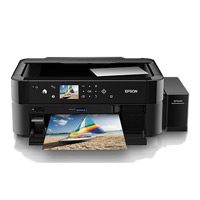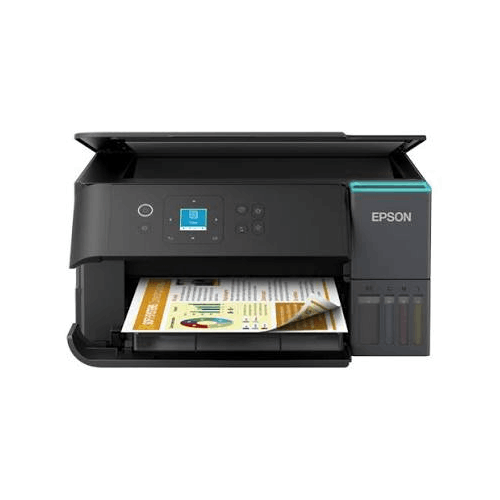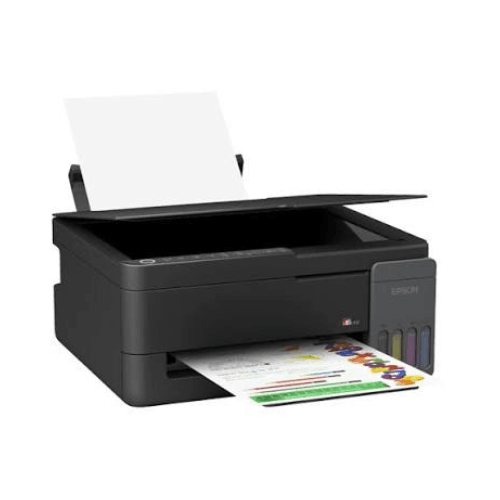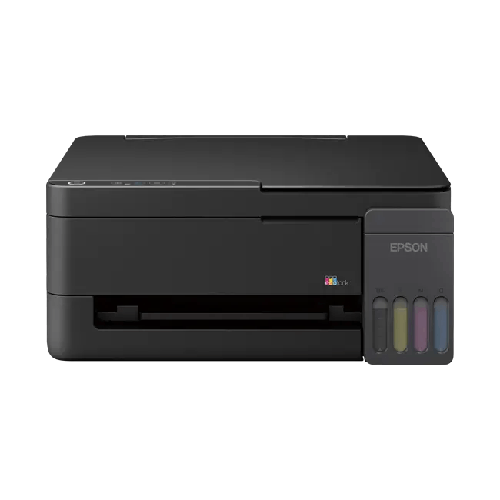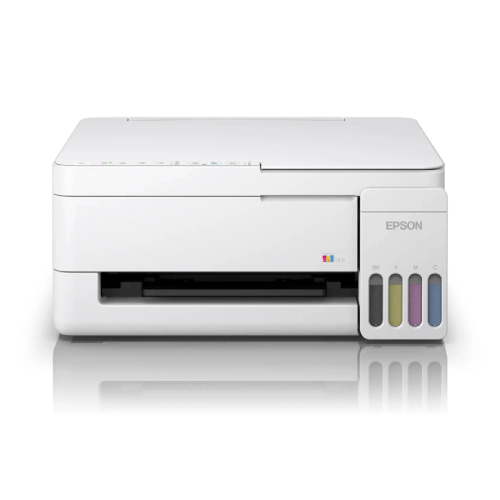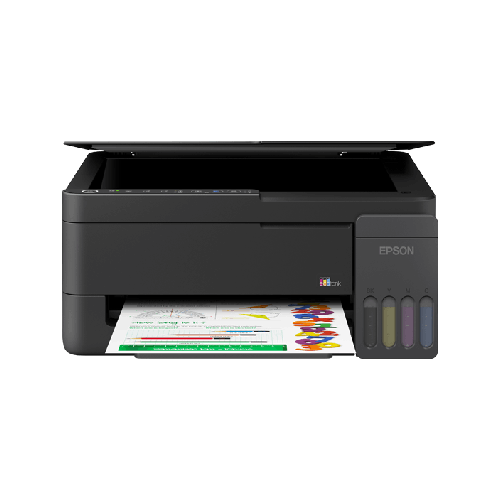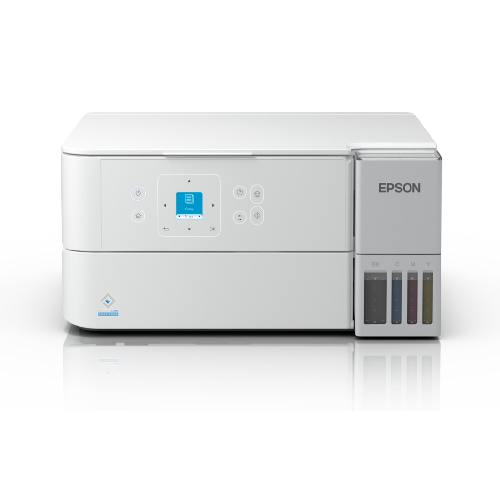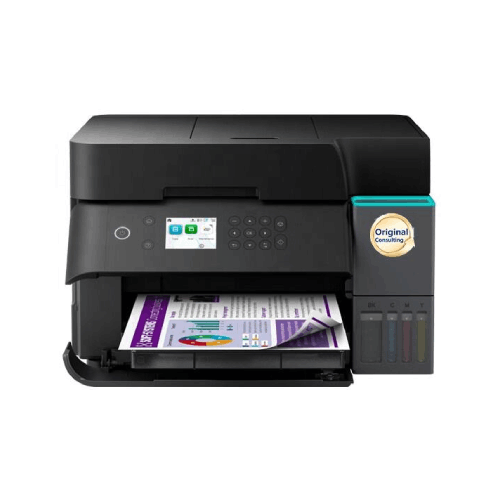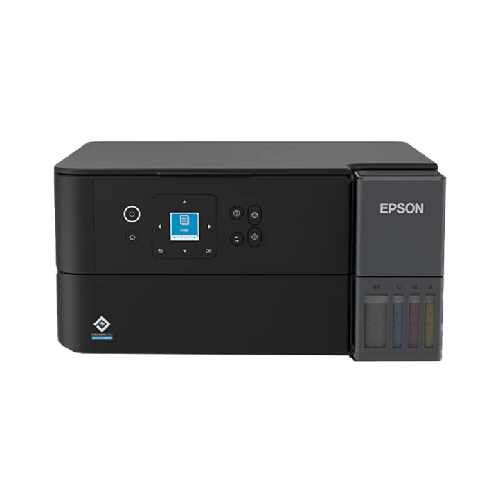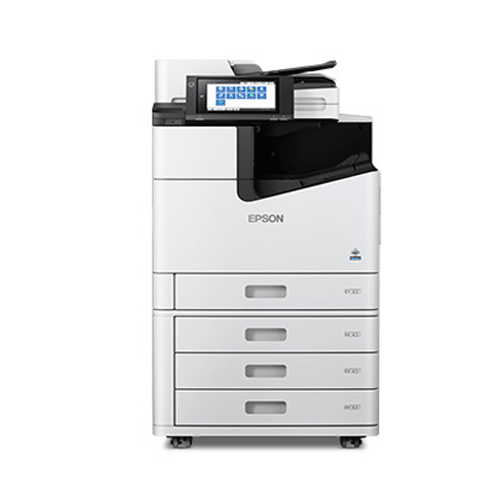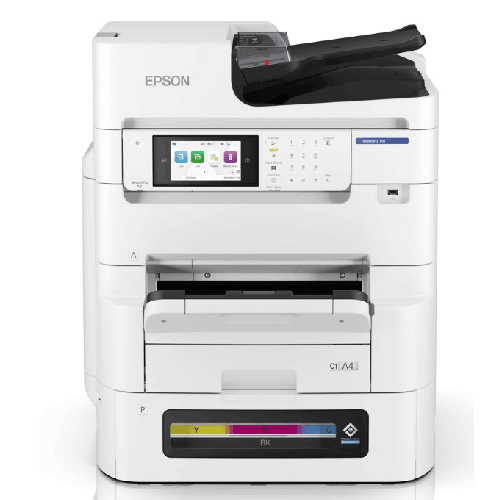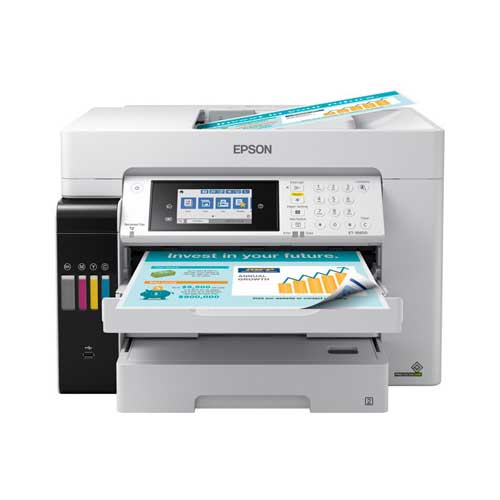

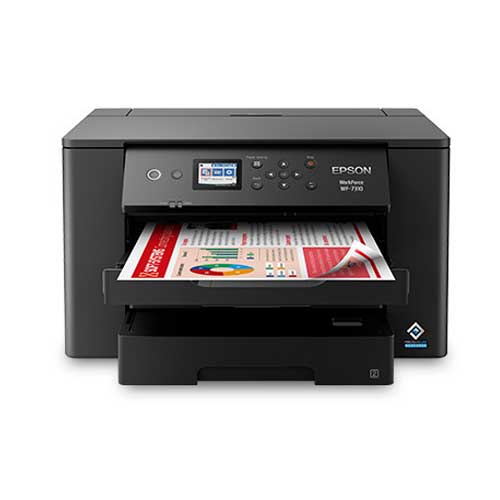
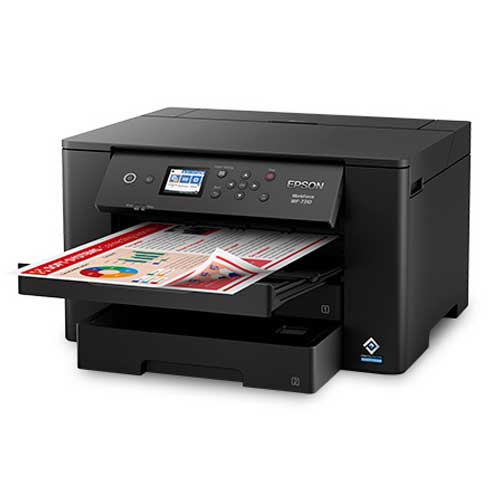
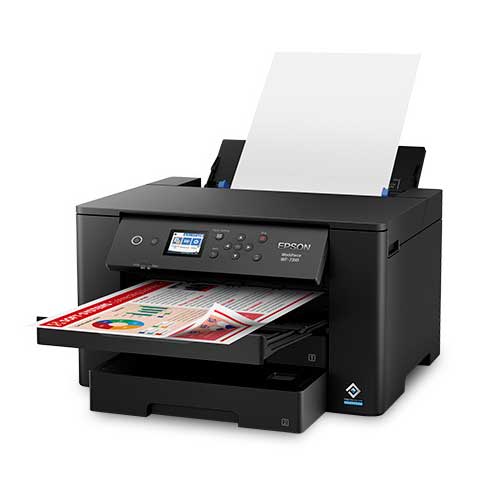
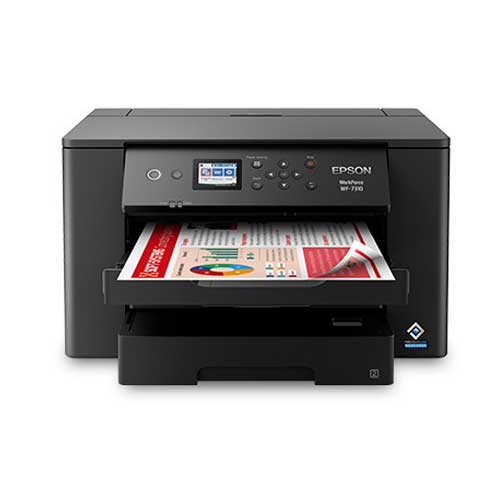
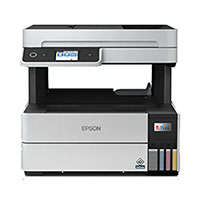
Epson WorkForce Pro WF-7310 Wireless Wide-format Printer
Regular Price:৳0.00Availability: SKU: 1.3.8.9057
Quick Overview
-
Support
Saturday – Thursday: 09 AM - 06 PM. -
Payment
Cash on Delivery | Card | Online Payment -
Shipping Cost
Inside Dhaka 200tk | Outside Dhaka 350tk -
Warranty Policy
Read More
Description
Epson WorkForce Pro WF-7310 Wireless Wide-format Printer in Bangladesh
The Epson WorkForce Pro WF-7310 Wireless Wide-format Printer is designed for people and businesses in Bangladesh who have outgrown ordinary A4 printers. If you’re tired of squeezing big ideas into small pages, this wide-format color inkjet printer opens up a much larger canvas—up to A3 and beyond—while still fitting comfortably into a modern office or studio.
In Bangladesh, the demand for A3 printing is rising quickly. Architects want bigger layout prints, designers need proof prints for clients, schools want large charts for noticeboards, and SMEs need in-house posters and marketing materials. Running to the photocopy shop every time is slow, inconvenient, and often more expensive over time. The Epson WorkForce Pro WF-7310 Wireless Wide-format Printer brings that capability right into your workspace.
Because regional spec sheets can differ slightly, this description focuses on the widely known characteristics of the Epson WorkForce Pro WF-7310 series, while avoiding any unverified numbers. You’ll get a realistic, experience-based overview of what this printer can do in the Bangladeshi context—offices with mixed workloads, design studios, coaching centres, and growing SMEs that want serious print capabilities without an industrial machine.
Wide-format Power for Real Bangladeshi Workflows
Most home and small-office printers in Bangladesh are limited to A4, or at best, legal size. That’s fine for letters and reports, but limiting for visual content. The Epson WorkForce Pro WF-7310 Wireless Wide-format Printer breaks that barrier by supporting wide-format printing, giving you significantly more space per page.
This is a game-changer for:
- Architects and engineers who need clear, large layouts and diagrams they can mark up by hand.
- Graphic designers and agencies who want to show clients posters, brochures, and infographics at close to final size.
- Schools, colleges and coaching centres that create big charts, class materials, and noticeboard displays.
- Small businesses and shops that print their own promotional posters, menus, signage, and product sheets.
Yet, unlike huge plotters, the Epson WorkForce Pro WF-7310 is still compact enough to sit on a strong desk or dedicated printer stand. It delivers serious page size flexibility without requiring a separate dedicated room.
Printing Technology & Output Quality
The Epson WorkForce Pro WF-7310 Wireless Wide-format Printer is part of Epson’s WorkForce Pro line, typically using advanced inkjet technology optimized for office-class performance and colour documents. While we will not list any unconfirmed proprietary technologies, the practical outcome is clear:
-
Sharp, business-grade text
Even on A3 pages, text remains crisp and professional, which is crucial when printing large spreadsheets, legal documents, technical manuals, and reports that need to be read from a slight distance in meetings and classrooms. -
Rich, consistent colour
The WF-7310 is a colour inkjet printer, which means it can handle detailed graphics, diagrams, charts, and images with good colour fidelity. That’s important for:- Marketing flyers and posters.
- Educational charts and science diagrams.
- Plans and visual drafts for design and architecture.
-
Designed for frequent office use
WorkForce Pro models are generally built to handle regular printing in busy environments. That makes the WF-7310 a strong choice if your A3 needs are not just occasional, but part of your ongoing workflow.
This combination of crisp text and capable colour output means you can use the Epson WorkForce Pro WF-7310 Wireless Wide-format Printer not only for creative tasks, but also for core business and academic documents.
Performance & Speed for Wide-format Tasks
Wide-format shouldn’t mean “slow”. The Epson WorkForce Pro WF-7310 Wireless Wide-format Printer is engineered to produce both A4 and larger prints efficiently, so you’re not left waiting every time you need a big page.
From a real-life standpoint, that means:
-
Responsive first-page output
When you send a job—whether it’s a one-page A3 chart or a multi-page A4 report—the printer typically responds quickly, instead of making you wait through long warm-up cycles. -
Solid performance on multi-page jobs
If you’re printing stacks of A3 handouts for a training session, multiple copies of a brochure, or a set of architectural layouts, the WF-7310 is designed to move through the job more confidently than basic consumer printers. -
Balanced speed for text and graphics
While dense colour graphics will always take longer than pure text, the WorkForce Pro orientation means the printer is tuned for smooth, office-style workloads where both are common.
For Bangladesh-based design studios, offices, and institutes, this means wide-format no longer needs to be a “special job” that takes the whole afternoon. You can integrate A3 printing into your regular routine.
Wireless Printing & Flexible Connectivity
The “Wireless” in Epson WorkForce Pro WF-7310 Wireless Wide-format Printer is a key part of its appeal, especially in modern Bangladeshi environments where everyone has their own laptop and smartphone.
Typical connectivity experiences include:
-
Wi‑Fi network printing
Connect the printer to your Wi‑Fi router and let all authorised devices on the same network print to it. This is ideal for:- Offices with multiple workstations.
- Design teams sharing one central printer.
- Homes where parents and children both need printing.
-
USB connectivity
If you prefer a direct, single-PC connection—for instance, in a small print shop corner or reception desk—you can typically connect via USB cable. -
Potential mobile printing (where supported)
With Epson’s ecosystem and compatible apps (region- and OS-dependent), many users can print documents directly from smartphones and tablets, which is useful when you receive files through messaging apps or email on your phone.
In the Bangladesh context, this means a designer can send an A3 poster to print from their workstation, a manager can print a large spreadsheet from a laptop in another room, and a teacher can print visual aids from a school office PC—all to the same Epson WorkForce Pro WF-7310 Wireless Wide-format Printer.
Designed for Wide-format Workspaces
While the Epson WorkForce Pro WF-7310 Wireless Wide-format Printer is more substantial than a basic A4 printer, it’s still compact relative to its capabilities.
Design highlights relevant for Bangladeshi rooms and offices:
-
Desk- or stand-mountable footprint
Place it on a sturdy office table, wide shelf, or dedicated printer stand. It does not require as much floor area as a large-format plotter, making it realistic for apartments, medium-sized offices, and studios. -
Front-oriented design
Paper trays, ink access, and control panel are arranged to be easily reached from the front. This simplifies operation in tight spaces and against walls. -
Professional aesthetic
Modern, office-ready styling ensures it doesn’t look out of place in boardrooms, client reception spaces, or design studios. It signals that your organisation takes documentation and visuals seriously.
For users in Dhaka, Chattogram, Sylhet, Rajshahi, or any growing city, this printer brings A3 power without demanding a huge dedicated hardware room.
Real-Life Usage Scenarios in Bangladesh
To understand the full potential of the Epson WorkForce Pro WF-7310 Wireless Wide-format Printer, imagine it in some common local situations:
-
Architecture & Engineering Firms
- Print building layouts, floor plans, and elevations in A3 for discussion during client meetings.
- Produce updated design iterations quickly when changes are requested.
- Archive colourful conceptual presentations for internal and external use.
-
Graphic Design Studios & Agencies
- Print A3 posters, brochure spreads, logo sheets, and packaging mockups to show clients.
- Prepare mood boards and visual concept sheets that benefit from larger page sizes.
- Produce in-house promotional materials for your own agency.
-
Schools, Colleges & Coaching Centres
- Create big classroom charts, learning aids, and noticeboard posters.
- Print A3 question sheets, maps, and diagrams for science, geography, and history classes.
- Prepare result sheets or attendance displays that need large, readable text.
-
Small Businesses & Retail Shops
- Print price lists, menu boards, promotional posters, and seasonal offers.
- Produce shelf talkers and signage for supermarket racks or retail displays.
- Create in-store information charts (e.g., service steps, package details).
-
Corporate Offices & NGOs
- Generate A3 financial statements, organograms, and project overview charts for meetings.
- Print process flows and project timelines for wall display in meeting rooms.
- Prepare impactful visuals for donor meetings or stakeholder presentations.
-
Freelancers & Home-based Creatives
- Designers, illustrators, and content creators working from home can print portfolio pieces, art prints (non-photo-grade, but visually compelling), and mockups to refine their work and show clients.
By bringing this capability in-house, many Bangladeshi professionals and organisations reduce their dependence on outside print shops and gain better speed, privacy, and control over their documents.
Compatibility & Ecosystem
The Epson WorkForce Pro WF-7310 Wireless Wide-format Printer fits into typical IT environments seen across Bangladesh:
-
Operating systems
Generally compatible with popular versions of Windows and macOS, subject to available drivers. Always download the correct driver and utilities for your OS from official Epson resources. -
Network environment
Works best with a stable Wi‑Fi network and a reliable router. If the printer is placed at some distance from the router, consider Wi‑Fi extenders or a centrally placed router for consistent connectivity in larger offices. -
Ink and paper
Epson ink cartridges for the WF-7310 model are usually available from reputable IT and printer retailers in Bangladesh. For best results, use genuine Epson inks and appropriate paper types—especially when printing full-colour A3 graphics and posters.
If you are integrating the Epson WorkForce Pro WF-7310 Wireless Wide-format Printer into a multi-computer office or lab, your IT team or BME’s specialists can advise on optimal driver installation and sharing best practices.
Maintenance & Care Tips for Bangladesh Conditions
To keep your Epson WorkForce Pro WF-7310 Wireless Wide-format Printer performing reliably:
-
Place on a solid, level surface
A wide-format printer handles larger sheets; a strong, stable table or stand prevents vibrations and misfeeds. -
Protect from dust and humidity
As with most electronics, try to place the printer in a clean, relatively dry area—not directly next to open windows or in very humid corners. -
Use regularly
Regular printing is beneficial for most inkjet printers. Even if you don’t have A3 jobs every day, print a few pages periodically to keep the print head active. -
Use genuine ink
Cheap, low-quality third-party inks may seem attractive but can affect print quality and potentially cause nozzle issues. Genuine Epson ink is recommended for long-term reliability and colour consistency. -
Cover when not in use
In dusty environments, lightly covering the printer when powered off can reduce dust ingress.
These general practices, well-suited to Bangladeshi conditions, help preserve print quality and extend the usable life of your printer.
✅ Key Features
- Wide-Format Printing Up to A3: Prints on larger page sizes, perfect for plans, posters, large spreadsheets, and impactful presentations.
- Wireless Connectivity for Easy Sharing: Connect to your Wi‑Fi network so multiple users can print from laptops and compatible mobile devices without cables.
- Business-Grade Color Output: Produces sharp text and vivid colour graphics suitable for professional documents, marketing materials, and educational charts.
- WorkForce Pro Design for Frequent Use: Built for regular office workloads rather than occasional home printing, ideal for SMEs and institutions.
- Compact Footprint for a Wide-format Device: Offers A3 capability in a relatively compact body that fits on a sturdy desk or stand.
- Flexible Connection Options: Supports wireless and typically USB connectivity, letting you choose between shared network printing or single-PC setups.
- Ideal for Creative and Technical Fields: Suits architects, designers, trainers, educators, and businesses needing larger-format output.
- Energy-Efficient Inkjet Platform: Inkjet design is generally power-efficient and practical for use with UPS and backup systems commonly used in Bangladesh.
✅ Usage / Applications
- Printing A3 architectural drawings, engineering diagrams, and technical layouts.
- Producing A3 marketing posters, product sheets, menus, and shop signage.
- Creating large classroom charts, maps, and educational visuals for schools and coaching centres.
- Printing wide-format spreadsheets, financial reports, project timelines, and organograms.
- Generating client presentation boards, concept sheets, and portfolio pages for designers and agencies.
- Preparing in-house promotional materials and seasonal offers for retail shops and restaurants.
- Supporting freelancers and home-based creatives who need larger print formats for review and presentation.
✅ Benefits of This Product?
- Unlocks A3 and wide-format printing in-house, saving repeated trips to external print shops.
- Elevates the impact of your documents, allowing charts, visuals and layouts to be displayed at more readable, professional sizes.
- Improves turnaround time, enabling same-day or last-minute creation of posters, plans, and educational materials.
- Reduces long-term printing costs for frequent wide-format users by bringing production under your own control.
- Supports multi-user environments, letting teams and families share a single wide-format device over Wi‑Fi.
- Enhances brand and presentation quality for SMEs, agencies, and NGOs through better-looking output.
✅ Ideal For
The Epson WorkForce Pro WF-7310 Wireless Wide-format Printer is ideal for Bangladeshi users who regularly need more than A4. If you run an architecture or engineering firm, design studio, advertising agency, or training centre, this printer gives you the freedom to create large, impactful prints whenever you need them. You no longer have to depend heavily on outside print shops for every A3 poster, chart, or layout.
Educational institutions—from schools to universities and coaching centres—will find the WF-7310 particularly valuable for printing visual aids, noticeboard materials, and large-format exam or practice sheets. SMEs and retailers who want to handle their own in-store marketing—seasonal offers, menu boards, product highlights—will also benefit from bringing A3 printing in-house.
For serious home users and freelancers, especially in design and content creation, the Epson WorkForce Pro WF-7310 Wireless Wide-format Printer becomes a creative companion. It allows you to test ideas, review concepts at scale, and present work professionally, all from your own workspace in Dhaka, Chattogram, Sylhet, or any other city in Bangladesh.
✅ Why Choose the Epson WorkForce Pro WF-7310 Wireless Wide-format Printer
Choosing the Epson WorkForce Pro WF-7310 Wireless Wide-format Printer is essentially choosing to level up the size and impact of your printed output. Where standard A4 printers limit what you can show on a single page, the WF-7310’s wide-format capability opens up A3 and larger-sized prints, transforming the way you present information.
Compared with basic printers, this model stands out in a few key ways. First, it is part of the WorkForce Pro family, which is oriented towards business and office users who print frequently. That means it’s designed to handle regular workloads with higher reliability than many entry-level devices. Second, the wide-format support lets you handle jobs usually outsourced to commercial print shops: big spreadsheets, wall charts, posters, and detailed plans.
At the same time, you’re not forced into the world of huge, dedicated plotters. The Epson WorkForce Pro WF-7310 Wireless Wide-format Printer maintains a footprint that works in typical Bangladeshi offices and studios. Add wireless connectivity, and you have a flexible device that can serve multiple users across an office network.
If you’re an architect presenting floor plans to clients, a teacher building visual learning materials, a retailer designing your own signage, or a designer preparing mockups for approval, this printer gives you fast, controlled access to the formats you need. Instead of waiting on external print schedules or paying per page, you print on demand—whenever your work requires it.
For businesses and professionals in Bangladesh who see printing as a strategic, visual component of their workflow, the Epson WorkForce Pro WF-7310 Wireless Wide-format Printer is an excellent, future-friendly choice.
✅ Why Buy This Product from BME?
Business Machine & Equipment (BME) is a specialist in office machines and technology in Bangladesh, making it a reliable partner when you’re investing in a wide-format device like the Epson WorkForce Pro WF-7310 Wireless Wide-format Printer. Buying from BME means you get more than just a carton delivered—you tap into a team that understands the practical realities of printing in local businesses, institutions, and homes.
BME focuses on supplying genuine products from dependable channels, which is especially important for a model such as the WF-7310. Authentic hardware and inks are crucial for maintaining long-term print quality, colour consistency, and mechanical reliability. With BME, you reduce your exposure to grey imports or questionable sources that may not offer the same confidence.
If you’re an organisation—architecture or design firm, school, NGO, SME—BME can provide formal quotations, invoices, and documentation suited for procurement processes, budgets, and audits. Their experienced team can also help you evaluate whether the Epson WorkForce Pro WF-7310 Wireless Wide-format Printer is the right fit for your volume and format requirements, or whether another model would be more suitable.
Post-purchase, BME aims to support customers with usage guidance, basic setup direction, and product-related queries, keeping in mind Bangladesh’s environment—network conditions, power stability, and typical work habits. Whether you’re setting up a single wide-format printer in a studio or standardising across multiple branches, buying from BME gives you a knowledgeable local partner by your side.
✅ Buying Guide
Before you invest in the Epson WorkForce Pro WF-7310 Wireless Wide-format Printer, it’s worth going through a structured buying checklist, especially in the Bangladesh context.
-
Assess Your Format Needs
- Do you really need A3 or larger prints regularly, or only once in a while?
- If you find yourself often outsourcing A3 posters, plans, or sheets, bringing that capability in-house with the WF-7310 can save time and money.
-
Estimate Printing Volume
Consider how many pages you print per month—A4 plus A3. The WF-7310 is part of an office-class line, suitable for moderate to heavy use. If you’re printing only a handful of pages a month, it might be overkill; if you print a lot, it can be a strong workhorse. -
Identify Document Types
- Technical documents and plans: You need clear lines and good text clarity.
- Marketing and educational materials: You need strong, consistent colour output.
This printer is oriented to handle both text and colour graphics, making it versatile for mixed-use environments.
-
Plan Your Space
Wide-format devices need a bit more room. Measure the desk or stand where you plan to place the printer:- Ensure you have room for paper trays to extend.
- Make sure you can access the top for paper and any potential jam clearance.
- Leave space around it for ventilation and cabling.
-
Consider Connectivity
- Single user or dedicated PC? USB may be fine.
- Multi-user office or studio? Use Wi‑Fi to share the printer across your network.
Confirm that your router’s placement gives a good signal to the printer’s location.
-
Review Ink and Paper Costs
Check availability and cost of genuine Epson ink cartridges for the WF-7310 in Bangladesh. Also consider the cost of A3 and specialty papers if you plan to print posters or high-coverage graphics. Buy from reputable sellers to avoid counterfeit supplies. -
Check System Compatibility
Ensure you can install drivers on your office or home computers (Windows/macOS). If you’re using multiple machines, plan how to deploy drivers across them. -
Avoid Common Pitfalls
- Don’t choose a wide-format printer solely for very occasional use if you have strict budget constraints.
- Don’t place it on a weak table that can’t support the weight and size.
- Don’t rely on extremely cheap third-party ink that can compromise quality and potentially cause problems.
By reviewing these points—and consulting BME for personalised advice—you can confidently decide if the Epson WorkForce Pro WF-7310 Wireless Wide-format Printer is the right match for your needs.
✅ Q&A
Q1: Is the Epson WorkForce Pro WF-7310 Wireless Wide-format Printer suitable for A3 printing?
Yes. The WF-7310 is a wide-format printer designed to handle A3 and similar larger paper sizes, making it ideal for posters, plans, and large documents.
Q2: Is this printer colour or only black-and-white?
The Epson WorkForce Pro WF-7310 Wireless Wide-format Printer is a colour inkjet printer, capable of both black-and-white and full-colour printing.
Q3: Does it have scanning or copying functions?
The WF-7310 is primarily a wide-format printer. If you need scanning and copying, you may want an additional all-in-one device for those tasks, or consider pairing it with an Epson all-in-one model.
Q4: Can I connect the WF-7310 to Wi‑Fi?
Yes. It is a wireless-capable printer. Once connected to your Wi‑Fi network, multiple compatible devices on the same network can usually print to it.
Q5: Is the WF-7310 suitable for use in Bangladesh in terms of power?
Yes. It is suitable for typical Bangladeshi power environments when used with the correct voltage and recommended power protection, such as a surge protector or UPS.
Q6: Who should consider this printer in Bangladesh?
Architects, engineers, designers, agencies, schools, coaching centres, SMEs, NGOs, and serious home users who frequently need A3 or wide-format prints should consider the WF-7310.
Q7: What warranty can I expect?
Warranty terms vary by region and distributor. When buying from BME, you should confirm the current warranty details for the Epson WorkForce Pro WF-7310 Wireless Wide-format Printer at the time of purchase.
Q8: Can multiple users share the same printer in an office?
Yes. Once installed on the network, several PCs and laptops can typically use the WF-7310 as a shared printer, which is ideal for offices and studios.
Q9: What kind of paper can I use?
You can generally use standard office paper for documents and appropriate inkjet-compatible paper for higher-quality graphics. Always check Epson’s guidelines for supported paper sizes and types.
Q10: Can BME help me decide between the WF-7310 and other Epson models?
Yes. BME can advise based on your page size requirements, print volume, and budget, helping you compare the WF-7310 with other A4 or A3-capable models.
✅ Why Buy This Product
The Epson WorkForce Pro WF-7310 Wireless Wide-format Printer is the right choice if you want to move beyond standard A4 printing and unlock serious visual impact in your documents. Instead of depending on external print shops for every A3 poster, plan, or large chart, you gain instant, in-house access to wide-format printing.
For professionals and organisations in Bangladesh—architects, designers, educators, SMEs, NGOs—this means faster turnaround, more flexibility, and better control over your work. You can tweak designs, reprint quickly, and experiment with layouts without worrying about per-page costs or shop opening hours.
Wireless connectivity makes it easy for entire teams or families to share the printer, while its WorkForce Pro orientation ensures it’s ready for regular, frequent use—not just occasional tasks. If you are serious about how your documents look and the scale at which you can present information, the Epson WorkForce Pro WF-7310 Wireless Wide-format Printer is a powerful step forward.
Order the Epson WorkForce Pro WF-7310 Wireless Wide-format Printer from BME to bring professional-grade wide-format printing directly into your office, studio, or home.
What is the price of Epson WorkForce Pro WF-7310 Wireless Wide-format Printer in Bangladesh?
Write a review
Question Answer
Have question about this product? Get specific details about this product from expert.

Aurora AS2030CD Paper Shredder Machine

AURORA AS2588CD Paper Shredder Machine
Aurora AS1219CE Paper Shredder Machine





Epson LQ-590II Dot Matrix Printer