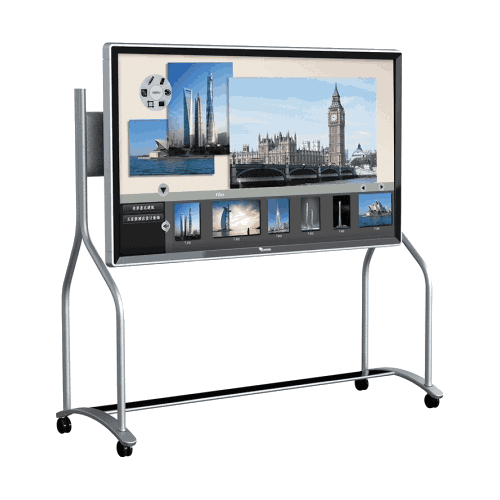

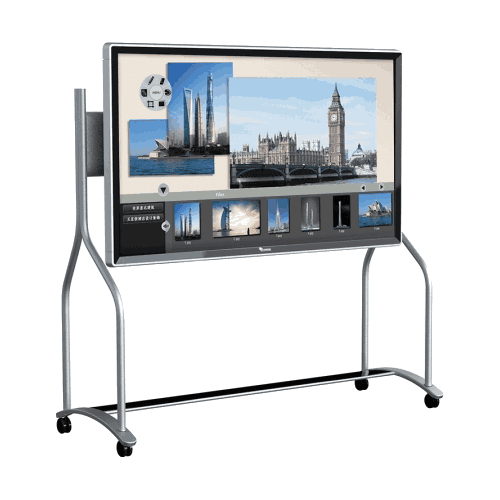
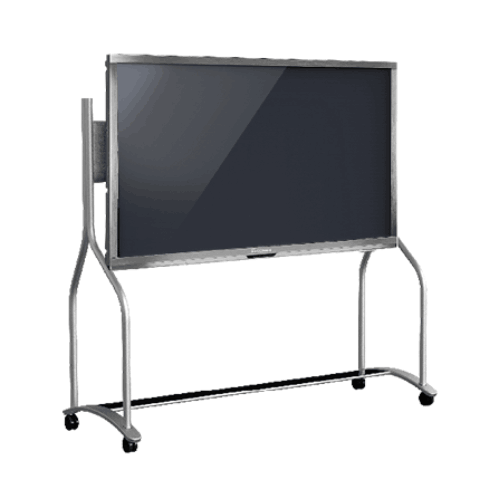
Toshiba T-Screen-65-H Touch Interactive All-in-One Flat Panel
Regular Price:৳0.00Availability: SKU: 4.58.2.9241
Quick Overview
-
Support
Saturday – Thursday: 09 AM - 06 PM. -
Payment
Cash on Delivery | Card | Online Payment -
Shipping Cost
Inside Dhaka 100tk | Outside Dhaka 150tk -
Warranty Policy
Read More
Description
Toshiba T-Screen-65-H Touch Interactive All-in-One Flat Panel Price in Bangladesh
The Toshiba T-Screen-65-H Touch Interactive All-in-One Flat Panel is built for organizations in Bangladesh that want a larger-format interactive display for collaboration, teaching, training, and high-visibility presentations. A 65-inch class interactive flat panel is typically chosen when the room is bigger, the audience sits farther back, or the content includes detailed charts, dashboards, diagrams, and documents that must remain readable for everyone in the room.
In Bangladesh, demand for interactive flat panels has grown across corporate boardrooms, training centers, universities, schools, government meeting rooms, and NGO project offices—especially as institutions move toward digital presentation, hybrid collaboration, and smart classroom setups. The T-Screen-65-H fits this trend as an all-in-one interactive panel designed to replace multi-device setups like projector + screen + whiteboard combinations, offering a cleaner and more modern meeting/learning experience.
Choosing an interactive flat panel is often less about “screen size” and more about how a room is used. In Bangladesh, many organizations are redesigning meeting and learning spaces for more active participation—less passive slide viewing, more discussion, annotation, and collaborative planning. An interactive panel supports that change by allowing content to be displayed and interacted with directly on the screen. When the room is medium-to-large, the most common reason to step up from a 55-inch panel is visibility: a larger display keeps content readable for participants sitting at a distance.
The Toshiba T-Screen-65-H Touch Interactive All-in-One Flat Panel is a 65-inch class interactive display intended for such environments. It is a strong fit for boardrooms, departmental meeting rooms, training halls, larger classrooms, and shared institutional briefing rooms—where a larger display helps maintain clarity and engagement.
Why 65-inch interactive panels are popular in Bangladesh
In Dhaka corporate offices and other urban business hubs, many meeting rooms host 10–25 participants. In training institutes and universities, rooms may host 20–40 learners. In such settings, a 65-inch panel can improve:
- readability of spreadsheets and dashboards
- visibility of diagrams and engineering drawings
- classroom board-like presence for teaching
- comfort for participants sitting farther away
Bangladesh organizations increasingly use digital documents—PDFs, slides, KPI dashboards, procurement documents, and training modules. These often contain small text. If the panel is too small, presenters must zoom constantly or simplify content. A 65-inch class display reduces those compromises.
“All-in-One” interactive workflow: simpler daily operation
A traditional presentation room setup often includes a projector, a screen, a whiteboard, speakers, and sometimes an external PC. Each component introduces potential issues—cables, alignment, lamp life, focus, brightness, and maintenance. Many Bangladesh offices prefer an all-in-one interactive panel approach because it simplifies the room:
- fewer devices to maintain
- less time wasted connecting and adjusting
- cleaner cable management
- more reliable day-to-day availability
An interactive panel also supports a more natural presentation style. Instead of pointing at the screen from a distance or switching to a whiteboard, presenters can interact with content directly. This helps in:
- planning sessions (marking up maps, layouts, org charts)
- training sessions (highlighting key parts of the content)
- classroom lessons (writing, drawing, and explaining step-by-step)
- project meetings (reviewing and annotating documents together)
Bangladesh use cases where a 65-inch interactive panel fits best
Corporate boardrooms and management meetings:
When leadership teams review KPIs, operational dashboards, or project schedules, visibility matters. A 65-inch panel helps keep charts readable for the entire table.
Training rooms and conference-style workshops:
Training often involves interaction—questions, examples, annotation, step-by-step guidance. A larger screen supports audience engagement.
Universities, colleges, and larger classrooms:
Interactive flat panels are increasingly used as smart classroom tools in Bangladesh. A 65-inch display provides better visibility for larger classes than smaller panels.
Government/NGO briefing rooms:
Project status meetings often involve maps, tables, and reports. Interactive panels help teams interpret information together and annotate key points.
Showrooms and presentation spaces:
For real estate, architecture, design presentations, or product demos, a larger interactive screen makes it easier to present details.
Practical installation considerations in Bangladesh
Interactive panels are long-term room assets. Before buying, consider:
- Wall strength and mounting: Ensure the wall can support the panel; place at a height comfortable for touch interaction.
- Power stability: In some locations, ensure the panel is protected via appropriate power solutions (UPS/surge protection as per your facility standard).
- Cable routing and room layout: Plan how laptops or external devices will connect to the panel.
- Lighting and glare: Place the panel to minimize direct glare from windows or strong overhead reflections.
- User management: Provide quick training for staff/teachers so the panel is used effectively.
Accuracy and specification note (important)
You have provided only the product name: Toshiba T-Screen-65-H Touch Interactive All-in-One Flat Panel. You did not provide confirmed specs such as:
- resolution (Full HD/4K)
- touch technology and touch points
- built-in system details (Android/Windows/OPS)
- ports and connectivity (HDMI/USB/Type-C/LAN/Wi‑Fi/Bluetooth)
- audio specs
- warranty and service terms in Bangladesh
Since you instructed not to provide invented specifications, this product page deliberately avoids listing those details. If you later share a brochure/spec sheet (even a photo), I can update the page with a full specification section suitable for procurement comparison.
How BME can help Bangladesh buyers choose correctly
At BME, we can help you evaluate:
- what screen size you need based on room size and seating distance
- whether you need advanced collaboration features or basic interactive presentation
- how many rooms you plan to deploy and how to standardize equipment
- what installation approach is best for your site
We can also provide formal quotations for corporate, education, NGO, and government procurement processes in Bangladesh.
✅ Key Features
- Touch interactive all-in-one flat panel: Designed for interactive presentations, training, and classrooms.
- 65-inch class for better visibility: Suitable for medium-to-large rooms where participants sit farther away.
- Collaboration-friendly usage: Supports interactive explanation and group discussion workflows.
- Smart classroom compatibility: Suitable for modern classroom teaching and training sessions.
- Boardroom-ready presence: Large format supports dashboards and detailed documents more clearly.
- Reduces dependence on projectors: Helps avoid common projector limitations in bright rooms (environment dependent).
- Room standardization friendly: Useful for deploying a consistent interactive setup across multiple rooms (project dependent).
- Professional presentation tool: Suitable for offices, institutions, and customer briefing rooms.
✅ Usage / Applications
- Boardrooms and executive meeting rooms
- Corporate training rooms and workshop spaces
- University lecture rooms and larger classrooms
- School smart classroom projects (room size dependent)
- Government briefing rooms and planning meetings
- NGO coordination rooms and reporting sessions
- Showrooms and customer presentation rooms
- Departmental meeting rooms for planning and collaboration
✅ Benefits of This Product?
- Improves visibility for larger rooms compared to smaller panels
- Helps make meetings more interactive through touch-based engagement
- Supports clearer explanation of complex content (tables, charts, diagrams)
- Reduces time spent setting up projectors and separate whiteboards (setup dependent)
- Makes training sessions more engaging and easier to follow
- Helps teams collaborate faster during planning sessions
- Supports institutional modernization for classrooms and meeting rooms
- Works well as a long-term room upgrade for frequent daily use
✅ Ideal For
- Corporate offices with medium-to-large meeting rooms
- Training institutes running workshops with larger groups
- Universities and colleges modernizing lecture rooms
- Schools building smart classrooms for larger class sizes
- Government offices hosting frequent briefing and planning meetings
- NGOs conducting coordination and monitoring meetings
- Showrooms requiring high-impact customer presentations
✅ Why Choose the Toshiba T-Screen-65-H Touch Interactive All-in-One Flat Panel?
Choose the Toshiba T-Screen-65-H Touch Interactive All-in-One Flat Panel when your room needs a larger interactive display that keeps content readable for everyone—especially in medium-to-large meeting rooms, training halls, or classrooms in Bangladesh. As an all-in-one interactive panel, it supports modern presentation and collaboration workflows where teams want to display content and interact with it directly for better engagement and faster decision-making.
✅ Why Buy This Product from BME?
- Quotation support in Bangladesh: Formal quotations for corporate, education, NGO, and government procurement.
- Room-size based guidance: Help choosing 65-inch vs other sizes based on seating distance and usage.
- Project rollout support: Guidance for multi-room deployments and standardization.
- Correct model identification: Help ensuring the exact Toshiba model and configuration matches your requirement.
- Support-oriented communication: Assistance with installation planning and usage readiness.
✅ Buying Guide
- Confirm room size and seating distance: 65-inch works best when participants sit farther back or group size is larger.
- Decide wall mount placement: Ensure touch-friendly height and clear viewing angles.
- Plan device connection workflow: Determine what external laptops/devices will be used and what connectivity is required.
- Confirm software needs: If you require built-in OS/apps or OPS PC, confirm the exact configuration.
- Check installation conditions: Manage glare, ensure power and cable routing, and plan room layout.
- Ask for complete datasheet before final procurement: Resolution, touch points, ports, and warranty must be confirmed for final selection.
- Standardize across rooms where possible: Consistency helps training and reduces operational confusion.
✅ Customers Ask About / Frequently Asked Questions
-
Q1: What is the Toshiba T-Screen-65-H?
A: It is a Touch Interactive All-in-One Flat Panel intended for interactive presentation and collaboration. -
Q2: Is 65-inch suitable for a training room in Bangladesh?
A: Yes, 65-inch is commonly chosen for training rooms and classrooms where the audience sits at moderate distance. -
Q3: Is it good for boardrooms and management meetings?
A: Yes, larger interactive panels are commonly used for dashboards, presentations, and collaborative discussion. -
Q4: Can it replace a projector in a meeting room?
A: Often yes, interactive flat panels are selected to reduce dependence on projectors (final suitability depends on room layout). -
Q5: What is the screen resolution?
A: Resolution was not provided in your confirmed specs and should be verified from the datasheet. -
Q6: How many touch points does it support?
A: Touch points were not provided and must be confirmed from official specifications. -
Q7: Does it include built-in Android or Windows?
A: Built-in system details were not provided. Confirm OS/OPS configuration before purchase. -
Q8: What ports does it have (HDMI/USB/LAN/Wi‑Fi)?
A: Ports/interfaces were not provided and should be confirmed for integration planning. -
Q9: What warranty is available in Bangladesh?
A: Warranty terms were not provided and should be confirmed during quotation. -
Q10: Can BME provide quotation and procurement documentation?
A: Yes, BME can provide formal quotation support for organizational purchases in Bangladesh.
✅ Why Buy This Product
If you want a larger interactive display for a meeting room, training hall, or classroom in Bangladesh—where visibility and engagement are priorities—the Toshiba T-Screen-65-H Touch Interactive All-in-One Flat Panel is a strong option to consider. Contact BME to check availability and request a quotation for your organization.
What is the price of Toshiba T-Screen-65-H Touch Interactive All-in-One Flat Panel in Bangladesh?
Write a review
Question Answer
Have question about this product? Get specific details about this product from expert.