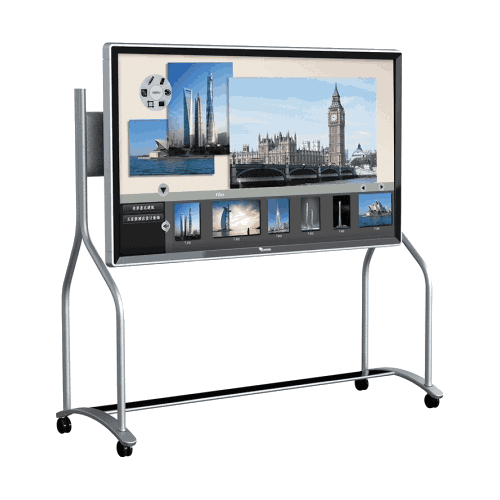

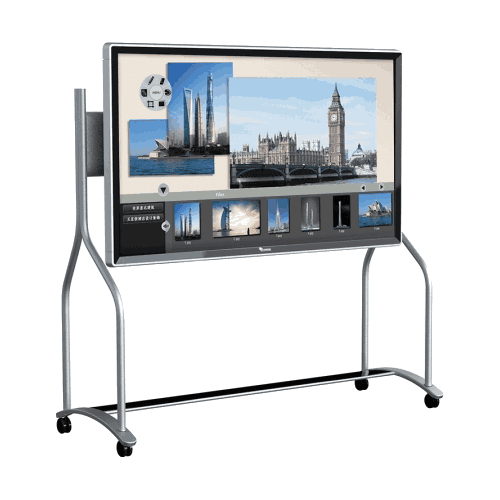
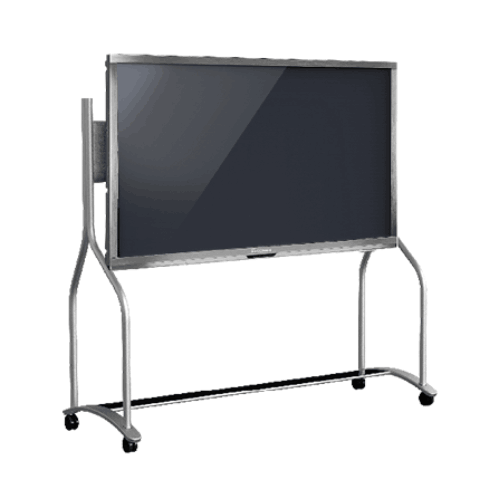
Toshiba T-Screen-70-H Touch Interactive All-in-One Flat Panel
Regular Price:৳0.00Availability: SKU: 4.58.2.9242
Quick Overview
-
Support
Saturday – Thursday: 09 AM - 06 PM. -
Payment
Cash on Delivery | Card | Online Payment -
Shipping Cost
Inside Dhaka 100tk | Outside Dhaka 150tk -
Warranty Policy
Read More
Description
Toshiba T-Screen-70-H Touch Interactive All-in-One Flat Panel Price in Bangladesh
The Toshiba T-Screen-70-H Touch Interactive All-in-One Flat Panel is a large-format interactive display solution intended for Bangladesh organizations that need stronger visibility, clearer collaboration, and more engaging presentation delivery in medium-to-large rooms. When your audience is bigger, the viewing distance is longer, or your content includes detailed dashboards, engineering drawings, spreadsheets, or lesson material, a larger interactive flat panel becomes a practical upgrade—especially compared to projector-based setups that often struggle with brightness and maintenance.
In Bangladesh, interactive flat panels are increasingly adopted by corporate offices, training institutes, universities, schools, government departments, and NGO project teams. A 70-inch class panel is typically considered when 55-inch or 65-inch displays feel “just a bit small” for the room size and the number of participants. The Toshiba T-Screen-70-H fits that need as an all-in-one interactive panel that supports touch-based interaction for meetings, training, and classroom teaching.
The way organizations communicate is changing. In Bangladesh, more teams now rely on digital documents, online dashboards, and data-rich presentations for decision-making. Training programs are more frequent, and classrooms are becoming more digital. As a result, display technology has moved from being a simple “screen” to being an operational tool for collaboration and learning. Interactive flat panels are chosen because they bring two critical elements into one device: a large display and touch-based interaction.
The Toshiba T-Screen-70-H Touch Interactive All-in-One Flat Panel is positioned for organizations that want this interactive experience in a larger room context. A 70-inch class panel is most often selected when the group size is larger or when the typical viewing distance makes smaller panels less effective. It’s a practical size for many training halls, larger classrooms, and medium-to-large meeting rooms found across Bangladesh.
Why a 70-inch interactive panel can be a better fit than 55/65 in many rooms
When choosing an interactive panel, screen size affects:
- how readable text remains from the back row
- whether charts and dashboards stay clear without constant zoom
- how comfortable it is for participants to follow content
- how “whiteboard-like” the experience feels in a classroom
In larger classrooms and training rooms in Bangladesh, it’s common for students/participants to sit farther away than in a small meeting room. That’s where a 70-inch class panel helps. It makes content easier to see and reduces the presenter’s need to reformat slides or enlarge content excessively.
For corporate boardrooms, a larger screen helps when executives review performance dashboards, operational plans, procurement documents, or engineering layouts. A bigger display ensures the discussion stays focused on the content instead of participants asking to zoom in or repeat details.
What “touch interactive all-in-one” typically means in daily workflow terms
An interactive flat panel is often selected to simplify the room setup. Traditional setups in Bangladesh frequently include a projector, a whiteboard, and separate audio/PC components. This can cause recurring challenges:
- projector bulb replacement and maintenance
- reduced visibility in bright rooms
- alignment and focus issues
- time wasted connecting devices before meetings
- limited ability to annotate content cleanly and share it
A touch interactive all-in-one panel helps reduce those challenges by enabling direct interaction. Teams can use it for:
- presenting slides and reports
- reviewing documents and highlighting key points
- training sessions with step-by-step explanation
- classroom teaching with interactive content delivery
- planning workshops where diagrams and notes matter
The goal is not only better display—it is better participation. When a trainer or presenter can interact directly with content, sessions become more dynamic and easier to follow.
Bangladesh use cases for a 70-inch interactive panel
1) Corporate training and learning rooms
Training rooms often have a classroom-style seating arrangement. A 70-inch panel helps participants follow content from the back and supports better engagement.
2) University lecture rooms and larger classrooms
For smart classroom projects, a larger display makes digital teaching more effective. It provides better visibility for lesson content, diagrams, and interactive explanation.
3) Medium-to-large meeting rooms
Departmental planning meetings, project reviews, and performance discussions often involve spreadsheets and dashboards. Larger screens improve clarity.
4) Government and NGO briefing spaces
Project monitoring and reporting meetings often use maps, tables, and formal documents. Larger screens help everyone see the same details clearly.
5) Showrooms and demonstration rooms
For customer presentations, architectural layouts, and proposal review, large interactive screens provide stronger visual impact.
Installation and room planning: practical considerations in Bangladesh
Interactive panels are long-term room assets. Before deploying in Bangladesh offices/institutions, it’s wise to plan:
- Wall mounting and structural safety: Larger panels are heavier; ensure wall strength and proper mounting.
- Touch-friendly height: Place at a height that supports both viewing and touch interaction.
- Power and cable routing: Plan for clean cable management to keep the room tidy.
- Lighting and glare management: Avoid direct glare from windows or strong overhead reflections.
- Room seating layout: Align panel size with how far the last row sits.
Important note about missing specifications (accuracy-first)
You provided only the model name: Toshiba T-Screen-70-H Touch Interactive All-in-One Flat Panel. You did not provide confirmed technical specifications such as:
- resolution (4K/Full HD)
- touch technology and number of touch points
- operating system / built-in computing (Android/Windows/OPS)
- connectivity ports (HDMI/USB/Type-C/LAN/Wi‑Fi/Bluetooth)
- audio/speaker specs
- warranty terms in Bangladesh
Because you instructed not to guess, this product page does not state those specs. If you later share a brochure or spec sheet (even a screenshot), I can update the page with full verified specs.
How BME supports interactive display projects in Bangladesh
BME can support you with:
- quotation for one unit or multi-room rollout
- procurement documentation suitable for corporate/education/government buying
- guidance on selecting the right size (55/65/70) for room distance
- planning considerations for installation readiness
If your organization is planning a smart classroom project, a training center upgrade, or meeting room modernization, the Toshiba T-Screen-70-H can be a relevant model to consider—especially when your room size and audience needs justify a larger display.
✅ Key Features
- 70-inch class interactive panel (by model name): Suitable for larger rooms and longer viewing distances.
- Touch interactive display concept: Supports touch-based collaboration, teaching, and annotation-style workflows.
- All-in-one room solution: Intended to simplify room setup compared to multi-device projector-based environments.
- Large room visibility advantage: Helps keep content readable for back-row participants (room dependent).
- Training and classroom friendly: Suitable for digital teaching and interactive training sessions.
- Boardroom ready usage: Helps improve visibility of dashboards, charts, and documents in larger meetings.
- Modern collaboration tool: Supports more engaging discussion compared to passive display-only screens.
- Institutional deployment fit: Suitable for corporate, education, NGO, and government use cases.
✅ Usage / Applications
- Corporate training rooms and learning centers
- University lecture rooms and larger classrooms
- Medium-to-large meeting rooms and conference rooms
- Government briefing rooms and planning sessions
- NGO project review and monitoring meetings
- Showrooms and customer presentation rooms
- Departmental planning and collaboration workshops
- Shared institutional meeting rooms needing a standard display tool
✅ Benefits of This Product?
- Improves visibility in larger rooms compared to smaller panels
- Helps teams collaborate and explain content more clearly with touch interaction
- Supports engaging teaching and training sessions
- Reduces reliance on projectors (maintenance/visibility limitations) in many rooms
- Helps shorten meeting setup time by centralizing display and interaction
- Makes data-heavy content easier to review as a group
- Supports modern workplace communication and digital learning approaches in Bangladesh
- Suitable for multi-room standardization for consistent user experience
✅ Ideal For
- Corporate offices running frequent training and large meetings
- Training institutes hosting workshops with bigger groups
- Universities and colleges upgrading large classrooms or lecture rooms
- Schools implementing smart classrooms for higher student capacity rooms
- Government departments conducting briefings, planning, and monitoring sessions
- NGOs coordinating programs and reporting to stakeholders
- Showrooms needing larger, high-impact interactive presentations
✅ Why Choose the Toshiba T-Screen-70-H Touch Interactive All-in-One Flat Panel?
Choose the Toshiba T-Screen-70-H Touch Interactive All-in-One Flat Panel when your room size and audience distance require a bigger interactive display—so content stays readable and sessions stay engaging. It is suitable for Bangladesh organizations aiming to modernize meeting rooms, training environments, and classrooms with a touch-based, all-in-one presentation and collaboration tool.
✅ Why Buy This Product from BME?
- Bangladesh quotation support: Formal quotations for business, education, NGO, and government procurement.
- Room planning guidance: Help selecting the right screen size for your seating distance and participant count.
- Project rollout support: Assistance for multi-room deployments and standardization plans.
- Model confirmation support: Ensuring the correct Toshiba model is supplied based on your requirement.
- Support-oriented communication: Guidance on installation readiness and practical usage planning.
✅ Buying Guide
- Measure room size and seating distance: 70-inch is most effective when the last row sits farther back.
- Choose mounting position carefully: Ensure comfortable touch height and good viewing angles.
- Plan connectivity needs: Identify how laptops, PCs, cameras, or audio systems will connect (confirm ports before procurement).
- Confirm OS and built-in system requirements: If you need built-in apps or OPS PC, confirm configuration.
- Manage glare: Position the panel away from direct sunlight or strong reflection points.
- Request a full datasheet before approval: Confirm resolution, touch points, ports, and warranty for procurement.
- Standardize where possible: If you deploy multiple rooms, consistent models simplify training and support.
✅ Customers Ask About / Frequently Asked Questions
-
Q1: What is the Toshiba T-Screen-70-H?
A: It is a Touch Interactive All-in-One Flat Panel. -
Q2: Is 70-inch suitable for training rooms in Bangladesh?
A: Yes, 70-inch class panels are commonly chosen for training rooms with larger seating distance. -
Q3: Is this panel suitable for classrooms?
A: Yes, interactive panels are widely used in smart classroom projects; suitability depends on classroom size. -
Q4: Can it be used in boardrooms and conference rooms?
A: Yes, larger interactive panels are suitable for meetings where visibility is important. -
Q5: What is the resolution of the T-Screen-70-H?
A: Resolution was not provided in your confirmed details and must be verified from the datasheet. -
Q6: How many touch points does it support?
A: Touch point count was not provided and should be confirmed before purchase. -
Q7: Does it have built-in Android or Windows?
A: Built-in system details were not provided; confirm OS/OPS configuration during quotation. -
Q8: What connectivity ports does it offer?
A: Ports/interfaces were not provided; confirm HDMI/USB/LAN/Wi‑Fi needs based on your devices. -
Q9: What is the warranty in Bangladesh?
A: Warranty terms were not provided and should be confirmed in the quotation. -
Q10: Can BME support multi-room rollout procurement?
A: Yes, BME can provide quotations and procurement support for multi-room deployments.
✅ Why Buy This Product
If your Bangladesh organization needs a larger interactive display to improve visibility and engagement in training rooms, classrooms, or meeting spaces, the Toshiba T-Screen-70-H Touch Interactive All-in-One Flat Panel is a practical option to consider. Contact BME for availability and a formal quotation for your institution or business.
What is the price of Toshiba T-Screen-70-H Touch Interactive All-in-One Flat Panel in Bangladesh?
Write a review
Question Answer
Have question about this product? Get specific details about this product from expert.