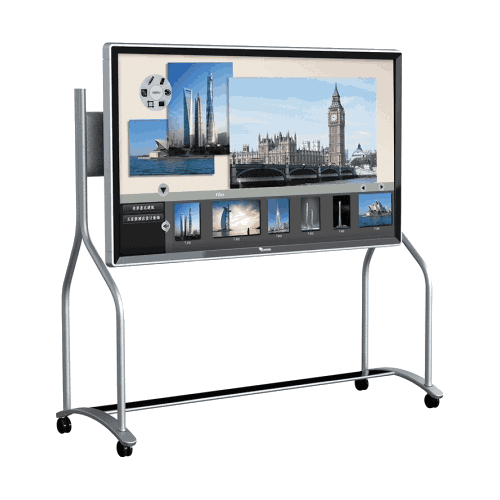

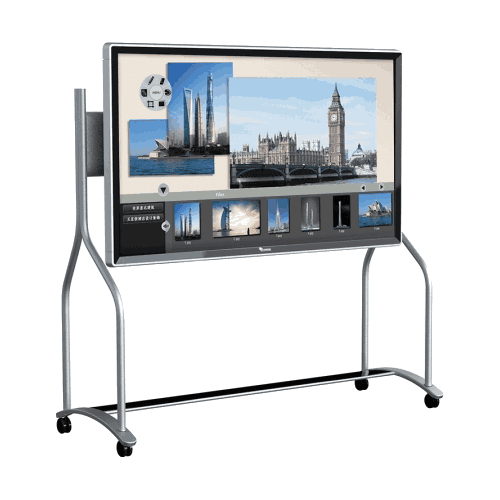
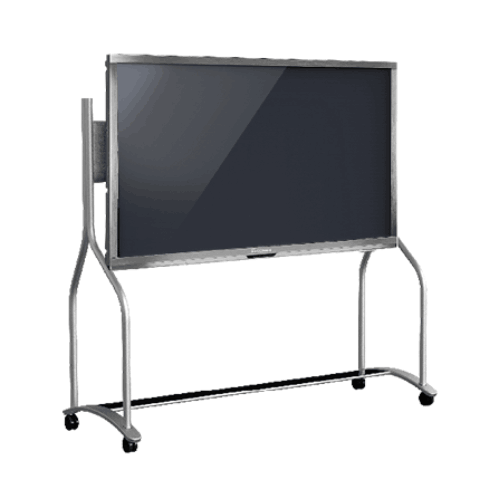
Toshiba TS 70 Inch LED Multi Interactive System Flat Panel
Regular Price:৳0.00Availability: SKU: 4.58.2.9243
Quick Overview
-
Support
Saturday – Thursday: 09 AM - 06 PM. -
Payment
Cash on Delivery | Card | Online Payment -
Shipping Cost
Inside Dhaka 100tk | Outside Dhaka 150tk -
Warranty Policy
Read More
Description
Toshiba TS 70 Inch LED Multi Interactive System Flat Panel Price in Bangladesh
The Toshiba TS 70 Inch LED Multi Interactive System Flat Panel (also described as a Toshiba T-Screen multimedia interactive system) is a large interactive LED flat panel designed for Bangladesh organizations that want a single solution for presentation, on-screen interaction, and conference-room communication. It combines a 70-inch LED display, infrared touch sensing, and a built-in PC—making it suitable for spaces where teams need to present, annotate, save content, and run software directly from the panel.
In Bangladesh, this type of interactive system is commonly used by corporate offices in Dhaka, training centers, universities, private schools, showrooms, and event/exhibition teams—especially where a traditional projector + screen + whiteboard setup is no longer efficient. The Toshiba TS 70-inch system is presented as an integrated platform for conferences, exhibitions, and advertisements, offering a modern way to share information and engage participants.
In many Bangladesh offices and institutions, presentations and meetings still depend on a combination of tools: a projector, a screen, speakers, a laptop, and a whiteboard. While this can work, it often creates practical problems—poor visibility in bright rooms, time wasted setting up connections, difficulty saving whiteboard content, and a constant need for maintenance and alignment. Interactive flat panels were created to solve these issues by combining display and interaction into one large-format system.
The Toshiba TS 70 Inch LED Multi Interactive System Flat Panel is positioned as a multimedia interactive system designed for professional environments. It brings together a large 70-inch LED screen, infrared touch capability, and a built-in PC, allowing teams to deliver presentations and interact with content directly on the screen.
A 70-inch LED interactive display: built for visibility in real rooms
This system includes a huge 70-inch LED projection touch screen / TV. In Bangladesh, a 70-inch class display is a strong fit for:
- boardrooms where multiple people need to read the same content
- training rooms where participants sit in rows
- classrooms where students sit at different distances
- showrooms and exhibitions where visibility and impact matter
A large screen improves readability of documents, spreadsheets, designs, dashboards, and lesson content—reducing the need for constant zooming and repeated explanations.
Infrared matrix touch sensing and multi-touch operation (six touch point)
The Toshiba TS system is described as supporting touch sensing via an infrared matrix and capable of sensing opaque objects. Infrared touch systems are commonly used in large interactive panels because they can detect touch inputs using an IR grid across the screen surface.
You also confirmed six touch point capability. This means the panel can support multiple touch inputs simultaneously (up to six), which can be useful in:
- classrooms where teacher and students may interact together
- meetings where multiple participants point or annotate
- training environments with interactive demos
The system description also highlights “multi touch” benefits such as easy page flipping, marking, and saving using fingertips—supporting a more natural workflow than using a mouse or remote.
Built-in PC for faster response and stand-alone operation
A key advantage confirmed in your description is the built-in PC. This is important because it turns the panel into a self-contained workstation for presentations and interactive work—reducing dependency on an external laptop for core tasks.
The built-in PC is specified as:
- Intel Core i5-3470 processor
- Intel H61 chipset
- 4GB RAM
For Bangladesh business and educational usage, this built-in computing capability supports:
- running interactive whiteboard software
- opening presentation files
- performing on-screen annotations
- saving session output directly on the PC
- potentially emailing or printing content (as per the “e-mail and print support” mentioned)
Your text also mentions “various port for smart connect with other devices.” Since exact port names/quantities were not provided, this page will not list HDMI/USB/LAN counts—only the general statement that various ports exist for connecting devices.
Whiteboard + DTV integration with professional image engine and software
The Toshiba T-Screen multimedia interactive system is described as integrating whiteboard and DTV, supported by a professional image engine and dedicated software. In practical use, this means it aims to serve both as:
- a large display for media and presentations (DTV-like usage), and
- an interactive workspace for annotation and brainstorming (whiteboard usage)
For Bangladesh offices, this can reduce reliance on physical whiteboards and help preserve meeting outputs. For education, it can support digital teaching tools and structured lesson delivery.
Designed for conferences, exhibitions, advertisements
Your provided description states the system is “especially designed for conferences, exhibitions and advertisements.” That aligns well with Bangladesh commercial use cases such as:
- corporate product launches
- trade fair displays (e.g., expos and exhibitions)
- showroom promotional presentations
- institutional event presentations
The “Open Smart Platform” description also suggests the panel can expand functions with software—for example autoplay advertising software or video conferencing setups with camera/mic and conference systems (hardware and integration would depend on your deployment plan).
Compatibility with multi mobile devices and OS environments
You confirmed the system is compatible with Windows, iOS, and Android. In Bangladesh, this matters because organizations often use mixed device environments:
- Windows laptops in offices
- Android devices in field teams
- iPhones/iPads in management teams or certain departments
Cross-platform compatibility supports broader adoption and fewer “it doesn’t work with my device” issues in shared rooms.
LED backlight screen benefits (as described)
Your text includes a section titled “LED Backlight Screen” and lists benefits such as:
- high performance screen resistant to wind, water, high temperature, and jitter
- better image quality and vivid colours compared to conventional projectors
- enhances overall company image
Since these are provided as product statements, this page presents them as such, without adding unverified performance ratings or certifications.
Versatility and cost reduction in Bangladesh deployments
The system is presented as offering:
- investment and cost reduction
- space saving
From a Bangladesh buyer perspective, the cost argument often appears in two forms:
- fewer separate devices are required (projector + whiteboard + PC setup can be consolidated), and
- less meeting time is wasted on setup and adjustment
Even when the upfront cost is higher than a basic display, operational value can be higher for organizations that use meeting rooms and training rooms heavily.
Accuracy note: what is not specified
To keep your product page fully accurate, it’s important to note what you did not provide:
- display resolution (e.g., Full HD or 4K)
- brightness and contrast ratio
- exact ports list and counts (HDMI/USB/LAN/etc.)
- storage capacity for built-in PC
- warranty terms in Bangladesh
This page intentionally does not invent those specifications. If you later provide them, the product page can be expanded further.
✅ Key Features
- 70-inch LED interactive flat panel: Large-format display for high visibility in meeting rooms, training rooms, and classrooms.
- Infrared matrix touch system: Touch sensing technology designed to detect interaction across the display surface.
- Six touch point multi-touch: Supports simultaneous touch operations for collaborative use.
- Built-in PC (Intel Core i5-3470): Enables stand-alone operation and faster response for interactive use.
- Intel H61 chipset: Confirmed platform chipset for the built-in PC environment.
- 4GB RAM: Built-in memory configuration for running interactive software and presentations.
- Professional image engine + dedicated software: Designed to support interactive whiteboard and DTV integrated usage.
- Various ports for smart connection: Allows connection with other devices (exact port list not provided).
- Compatible with Windows, iOS, and Android: Supports mixed device environments commonly found in Bangladesh.
- Designed for conferences, exhibitions, advertisements: Strong fit for corporate presentation and display use cases.
✅ Usage / Applications
- Boardrooms and corporate meeting rooms in Bangladesh
- Training rooms and seminar halls for staff development
- Smart classrooms in schools, colleges, and universities
- Conference rooms for strategy and planning sessions
- Exhibition booths and trade fair presentations
- Retail showrooms and product demonstration areas
- Advertising and information display points (software dependent)
- Interactive presentations for government/NGO briefings
✅ Benefits of This Product?
- Improves visibility and presentation impact with a 70-inch LED screen
- Enables interactive sessions through touch-based annotation and navigation
- Supports collaborative learning and meetings with six-point multi-touch
- Reduces dependency on external PCs thanks to built-in PC
- Allows content to be saved in advance for faster session start (as described)
- Supports on-screen modification, saving, and output workflows such as e-mail/print support (as described)
- Works in mixed device environments due to Windows/iOS/Android compatibility
- Fits modern conferences and exhibitions where interactive presentation improves engagement
- Helps create a more professional meeting/training environment compared to projector setups (as described)
✅ Ideal For
- Corporate offices needing interactive presentations and meeting collaboration
- Training institutes conducting workshops and skill programs
- Schools and universities implementing smart classroom learning
- Government offices holding planning and briefing meetings
- NGOs delivering training and project review sessions
- Showrooms and exhibition teams presenting products and services interactively
- Advertising and promotion setups requiring large, attention-grabbing digital displays
✅ Why Choose the Toshiba TS 70 Inch LED Multi Interactive System Flat Panel?
Choose the Toshiba TS 70 Inch LED Multi Interactive System Flat Panel if your Bangladesh organization wants a large interactive display that combines touch collaboration and a built-in PC in one system. With a confirmed 70-inch LED screen, infrared matrix touch sensing, six touch point multi-touch, and built-in computing hardware (Intel Core i5-3470, Intel H61 chipset, 4GB RAM), it supports interactive presentations, whiteboard-style collaboration, and professional conference/exhibition use.
✅ Why Buy This Product from BME?
- Bangladesh quotation support: Formal quotations for corporate, education, NGO, and institutional procurement.
- Use-case matching guidance: We help you decide if a 70-inch interactive panel fits your room size and audience distance.
- Deployment planning support: Guidance on installation readiness, room layout, and usage planning.
- Model verification: Ensuring correct product identification before supply.
- Project-oriented assistance: Support for multi-room or multi-site interactive display deployment planning.
✅ Buying Guide
- Confirm room size and seating distance: 70-inch is best for rooms where participants sit farther back.
- Plan installation height: Touch interaction requires a comfortable height for presenters and users.
- Decide your primary use: Meeting collaboration, training, classroom teaching, or exhibition/advertising—each may influence software needs.
- Check device ecosystem: Mixed Windows/iOS/Android environments benefit from confirmed compatibility.
- Plan content workflow: Prepare presentations in advance; plan saving/sharing steps for meeting minutes or training notes.
- Confirm connectivity ports: Since exact port list isn’t provided, confirm HDMI/USB/LAN requirements before final procurement.
- Confirm warranty: Warranty was not provided and should be confirmed in your Bangladesh quotation.
✅ Customers Ask About / Frequently Asked Questions
-
Q1: What is the screen size of the Toshiba TS interactive system?
A: It is confirmed as a 70-inch LED interactive screen. -
Q2: What touch technology does it use?
A: It uses an infrared matrix touch sensing system (confirmed). -
Q3: How many touch points does it support?
A: It supports six touch point multi-touch (confirmed). -
Q4: Does it include a built-in PC?
A: Yes, it includes a built-in PC (confirmed). -
Q5: What processor does the built-in PC use?
A: Intel Core i5-3470 (confirmed). -
Q6: What chipset and RAM does it have?
A: Intel H61 chipset and 4GB RAM (confirmed). -
Q7: What is it designed for?
A: It is described as designed for conferences, exhibitions, and advertisements. -
Q8: Can presentations be saved in advance?
A: Yes. It is stated that presentations can be saved in the built-in PC in advance for convenient operation. -
Q9: Is it compatible with mobile devices?
A: It is stated as compatible with Windows, iOS, and Android. -
Q10: What ports does it have?
A: The description mentions various ports for smart connection, but the exact port list was not provided, so it should be confirmed before procurement.
✅ Why Buy This Product
If your organization in Bangladesh needs a high-visibility interactive display for meetings, training, classrooms, or exhibitions, the Toshiba TS 70 Inch LED Multi Interactive System Flat Panel offers a strong all-in-one approach with a built-in PC and infrared multi-touch interaction. Contact BME to check availability and request a formal quotation for your room or project rollout.
What is the price of Toshiba TS 70 Inch LED Multi Interactive System Flat Panel in Bangladesh?
Write a review
Question Answer
Have question about this product? Get specific details about this product from expert.