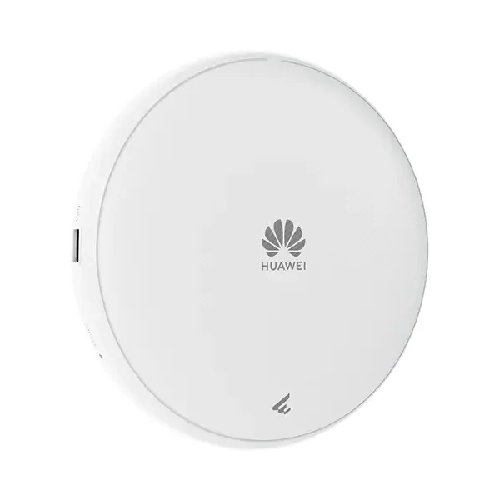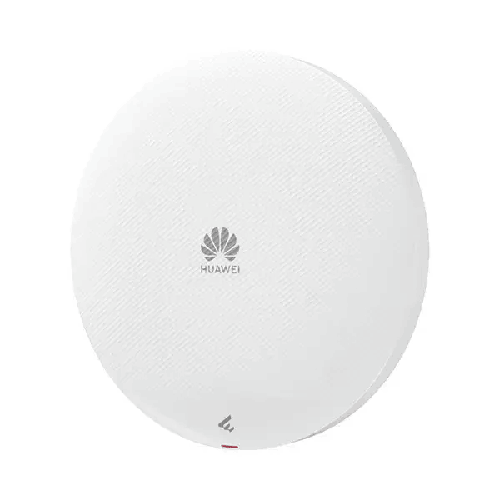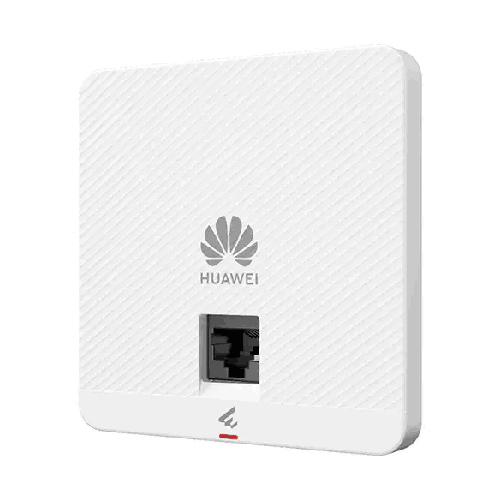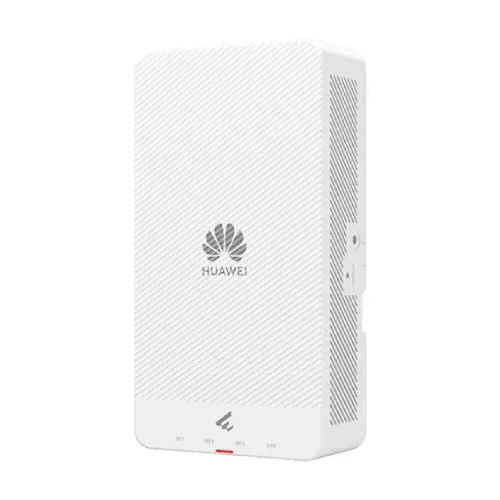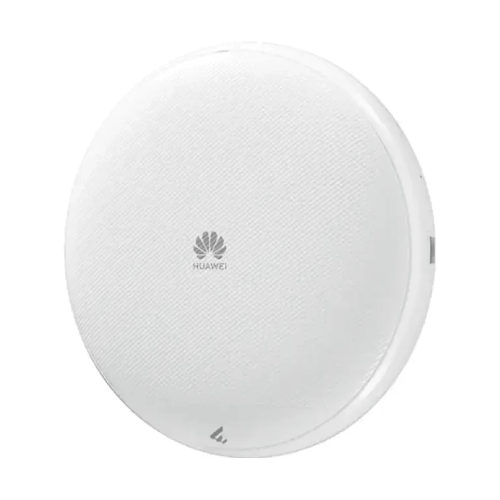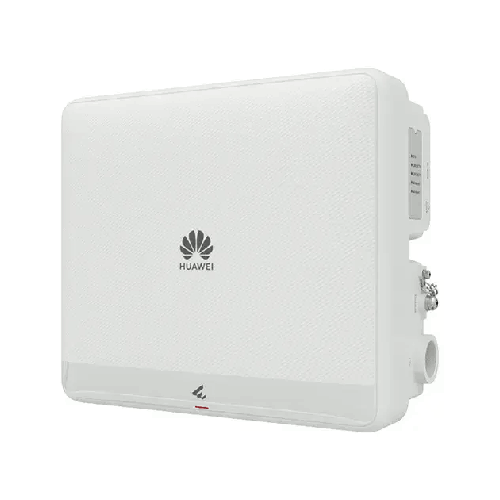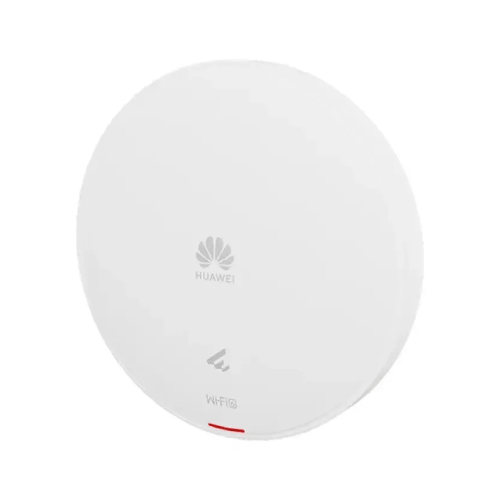

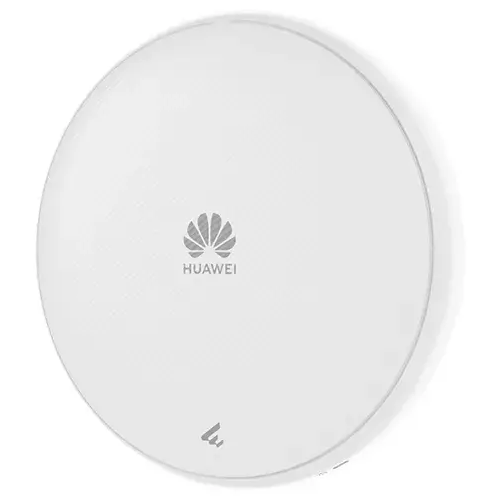
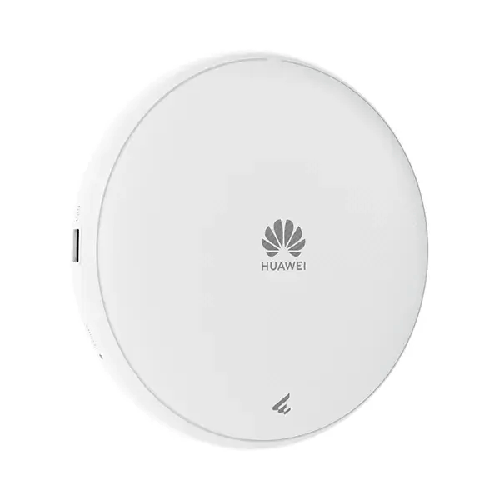
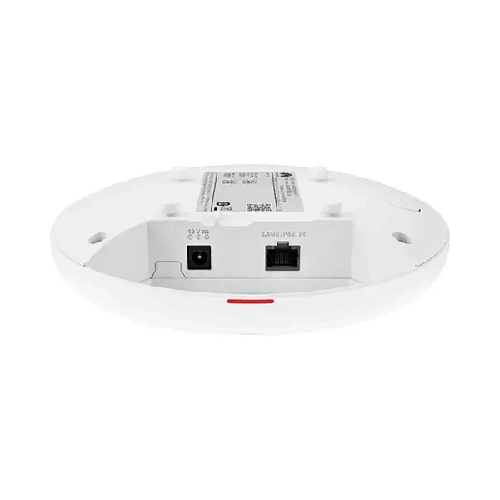
Huawei AP371 Wi-Fi 7 Dual-Radio Smart Antenna Managed PoE Settled/Ceiling Access Point
Regular Price:৳0.00Availability: SKU: 6.53.130.9173
Quick Overview
-
Support
Saturday – Thursday: 09 AM - 06 PM. -
Payment
Cash on Delivery | Card | Online Payment -
Shipping Cost
Inside Dhaka 100tk | Outside Dhaka 150tk -
Warranty Policy
Read More
Description
Huawei AP371 Wi-Fi 7 Dual-Radio Smart Antenna Managed PoE Settled/Ceiling Access Point Price in Bangladesh
The Huawei AP371 Wi-Fi 7 Dual-Radio Smart Antenna Access Point is an indoor wireless networking solution designed for businesses and organisations that need reliable connectivity, modern Wi-Fi technology and flexible installation. Supporting the IEEE 802.11be standard, this access point brings Wi-Fi 7 capabilities to offices, educational institutions, healthcare facilities, hotels, retail spaces and other professional environments.
The AP371 combines a dual-radio architecture, built-in smart antennas and a published device rate of up to 3.57 Gbps. Its 2.4 GHz and 5 GHz radios support compatible modern devices as well as several earlier Wi-Fi standards. This makes it relevant to organisations that operate a mixture of laptops, smartphones, tablets and other wireless equipment.
For businesses in Bangladesh, wireless networking is an important part of daily operations. Employees may depend on cloud applications, online meetings, file sharing, business software and internet-based communication. In addition, visitors and mobile devices can increase the number of connected clients throughout the day. A suitable access point helps provide wireless access while allowing network administrators to plan capacity, coverage and connectivity around the requirements of the workplace.
The Huawei AP371 is designed for indoor wall or ceiling installation. Its compact circular design can fit into a range of office and commercial layouts, while its 2.5GE Ethernet interface provides a high-speed wired connection to compatible network infrastructure. Power can be supplied through supported Power over Ethernet standards or a suitable DC source.
Huawei lists a recommended access-user count of 150 and a maximum of 256 access users. These figures provide reference points for deployment planning, but they should not be interpreted as a guarantee that every connected device will receive a particular speed. Actual wireless performance depends on client capabilities, application traffic, radio conditions, interference and the capacity of the wired network.
Wi-Fi 7 Technology for Everyday Business Connectivity
Wi-Fi 7, associated with the IEEE 802.11be standard, is designed to improve wireless performance through advances in data transmission and spectrum utilisation. The Huawei AP371 brings this standard to indoor wireless networking, providing a platform for compatible Wi-Fi 7 clients while retaining support for specified earlier Wi-Fi generations.
For an organisation upgrading its network, this can help accommodate newer devices without requiring every connected client to be replaced immediately. Older compatible devices can continue to connect using supported standards, although they will not gain Wi-Fi 7-specific capabilities simply because the access point supports them.
The AP371 supports 802.11b/g/n/ax/be on 2.4 GHz and 802.11a/n/ac/ac Wave 2/ax/be on 5 GHz. This compatibility is useful in environments where employees and visitors use devices from different manufacturers and product generations.
Wi-Fi 7 includes developments such as 4096-QAM, Multi-Link Operation and other enhancements intended to improve wireless capacity and efficiency. Feature availability depends on the product implementation, software configuration and client-device support. For a deployment that depends on a particular Wi-Fi 7 feature, confirm its support in the applicable Huawei documentation before purchasing.
The practical value of Wi-Fi 7 depends on the complete network. A compatible access point, suitable client devices, appropriate radio settings and sufficient wired backhaul capacity all contribute to the final user experience.
Dual-Radio Design: 2.4 GHz and 5 GHz
The Huawei AP371 uses two radios operating on the 2.4 GHz and 5 GHz frequency bands. This dual-radio design allows network administrators to support devices with different wireless capabilities and distribute traffic according to the network configuration.
The 2.4 GHz band is widely supported by wireless devices and can be useful for compatibility with older equipment. Its propagation characteristics may also help in certain indoor layouts. However, the band can experience congestion from neighbouring wireless networks and other devices operating in the same spectrum.
The 5 GHz band offers additional wireless capacity and supports a maximum channel bandwidth of 160 MHz on the AP371. It can be useful for compatible devices that require higher throughput, including laptops used for cloud applications, video meetings and large file transfers.
The most suitable band depends on the client device, distance, signal strength, interference and network configuration. A device that supports only 2.4 GHz cannot connect through the 5 GHz radio. Similarly, the benefits of wider 5 GHz channels depend on client support and the availability of suitable spectrum.
For a business network, administrators should consider channel selection, access-point placement and the distribution of clients across available bands. These measures help make effective use of the AP371's dual-radio architecture.
Up to 3.57 Gbps Device Rate
Huawei specifies a maximum device rate of 3.57 Gbps for the AP371. This is the stated aggregate wireless rate of the access point under supported operating conditions. It is not a guaranteed internet speed or a promise that one connected laptop or smartphone will achieve 3.57 Gbps.
Huawei's listed band-level rates are up to 0.69 Gbps on 2.4 GHz and 2.88 Gbps on 5 GHz. These figures contribute to the published aggregate device rate. Actual throughput will vary according to wireless client capabilities, signal quality, channel width, interference and network load.
This capacity can be relevant to workplaces where several users access online services at the same time. For example, employees may participate in video conferences while other users access cloud storage, business applications or shared files. The access point's aggregate wireless capacity provides a useful specification for assessing such environments.
However, wireless performance is only one part of the network. If the internet connection is slow, the switch uplink is constrained or the network is congested, the user experience may be limited by those factors. A network designer should therefore evaluate the AP371 alongside the router, switch, cabling and internet service.
2×2 MIMO on Both Radios
The AP371 supports 2×2 MIMO on both the 2.4 GHz and 5 GHz radios. Multiple-input multiple-output technology uses multiple transmit and receive paths to support wireless data transmission.
The access point's two-radio arrangement provides up to four spatial streams across the two bands. This is a device capability; it does not mean every client will use four streams. The number of streams available to a connection depends on the capabilities of the connected device and the radio conditions.
A client with a 2×2 wireless adapter may be able to use two spatial streams on a compatible band. A device with a simpler wireless configuration may use fewer. The AP371's published specifications should therefore be considered alongside the wireless hardware installed in the organisation's laptops, phones and other devices.
MIMO is one element of wireless performance. Signal strength, channel width, interference, client location and network load remain important when planning an installation.
160 MHz Channel Bandwidth on 5 GHz
The Huawei AP371 supports a maximum channel bandwidth of 40 MHz on 2.4 GHz and 160 MHz on 5 GHz. Wider channels can provide greater potential data throughput when the client and network configuration support them.
The 160 MHz capability is particularly relevant to compatible devices that need higher wireless throughput. Nevertheless, using the widest available channel is not always appropriate. In busy environments, channel availability and interference may make a narrower channel more suitable.
Network administrators should consider neighbouring access points, local spectrum conditions and the number of wireless networks operating nearby. Channel planning is especially important in offices, apartment-style commercial buildings and other locations where multiple networks may overlap.
A site survey can help identify suitable channels and access-point locations. This allows the AP371 to be configured according to the real environment rather than relying only on theoretical specifications.
Built-In Smart Antenna Technology
The Huawei AP371 features built-in smart antennas. Huawei identifies this antenna system as part of the access point's wireless design, supporting the distribution of wireless signals in indoor environments.
Smart antenna technology is intended to help the access point manage signal coverage according to its supported algorithms and operating conditions. This can be relevant in workplaces where users move between desks, meeting rooms and shared areas.
The actual benefit depends on the installation environment and configuration. Walls, ceilings, furniture, building materials and neighbouring radio sources can all influence signal quality. Smart antennas do not remove the need for suitable placement or wireless planning.
The AP371's listed antenna gains are 4 dBi per chain on 2.4 GHz, with 1 dBi combined gain, and 5 dBi per chain on 5 GHz, with 3 dBi combined gain. These are antenna specifications rather than direct predictions of coverage or user throughput.
For best results, install the access point according to Huawei's guidance and assess the coverage area. In larger offices or multi-room environments, more than one access point may be needed to provide the desired signal quality and capacity.
2.5GE Ethernet for Wired Connectivity
The Huawei AP371 includes one 2.5GE RJ45 Ethernet port with 100M/1000M/2500Mbit/s auto-sensing. This interface allows the access point to connect to compatible switches and other wired network equipment.
A multi-gigabit Ethernet connection can provide more wired capacity than a standard 1GbE link. This is relevant when the wireless side of the access point can support traffic levels that approach or exceed the practical capacity of a conventional Gigabit Ethernet uplink.
The connected switch must support the required 2.5GbE link speed for the interface to operate at that rate. If the access point is connected to a 1GbE port, the wired connection will negotiate according to the supported link capabilities and may limit aggregate throughput.
Before purchasing, check the switch's port speeds, cable quality, PoE support and available power budget. Also consider the capacity of the wider network, including the router, firewall and internet connection.
Power over Ethernet and DC Power
The AP371 supports Power over Ethernet in accordance with IEEE 802.3at and 802.3af, as well as a 12 V DC input with a tolerance of ±10%. Huawei specifies maximum power consumption of 13.3 W, excluding USB.
PoE can simplify installation by carrying data and electrical power over a single Ethernet cable. This can be especially useful for ceiling-mounted access points, where a nearby power outlet may not be available or convenient.
A compatible PoE switch or injector should be selected according to the access point's requirements. When using a switch to power multiple devices, ensure that its total PoE budget is sufficient for all connected equipment.
The DC option provides an alternative where a suitable power source is available. Verify the electrical specifications of the adapter and follow the manufacturer's installation guidance.
Power planning should be completed before installation. This helps ensure that the access point can be powered reliably at its intended mounting location.
Wall and Ceiling Installation
The Huawei AP371 is designed for indoor installation on walls and ceilings. Huawei lists support for several ceiling types, including solid wall or ceiling surfaces, gypsum board, spring tee, flat-edge T-rail, channel rail, beam and threaded rod configurations.
This flexibility allows the installation to be considered for a variety of commercial interiors. In an office, a ceiling-mounted access point can provide wireless access across work areas. In a school, it may be installed in classrooms or shared indoor spaces. In a hotel or retail property, mounting locations can be selected according to the floor plan and expected usage.
The device has a listed diameter of 180 mm and a depth of 35 mm. Its unboxed weight is 0.47 kg. These measurements are useful when assessing mounting space and installation requirements.
Correct mounting helps maintain physical security and allows the access point to operate as intended. Installers should follow the manufacturer's instructions and ensure that the mounting surface, cable routing and power arrangement are suitable.
Coverage Planning and Recommended User Capacity
Huawei lists an optimal signal distance of 18 metres for the AP371. This figure should be treated as a manufacturer-specified planning reference rather than a guarantee of usable coverage at every point within that distance.
Practical coverage depends on the building layout, walls, furniture, mounting height, interference, client devices and the signal quality required by the application. A clear open room may behave differently from a partitioned office or a building with multiple floors.
Huawei recommends 150 access users and lists a maximum of 256 access users. The recommended figure is a useful starting point for planning, while the maximum is a stated upper access-user capacity. Neither figure guarantees a particular throughput for every user.
For high-density environments, network planners should consider how many users are active at the same time, what applications they use and how much data those applications require. A network with many lightly active clients may behave differently from one where many users stream video or transfer large files simultaneously.
A site survey and capacity assessment can help determine the number of access points required for the intended deployment.
Wireless Networking for Businesses in Bangladesh
Businesses in Bangladesh rely on wireless connectivity for office work, online collaboration, cloud applications and customer-facing services. The Huawei AP371 can be considered for indoor environments where Wi-Fi 7 support, dual-band connectivity and a multi-gigabit wired interface are relevant.
In Dhaka's commercial buildings, network planners may need to account for neighbouring wireless networks, office partitions and high client density. In schools and training centres, the number of active devices may change significantly throughout the day. Hotels and retail spaces may need to accommodate both staff and guest devices.
The AP371's compact design and wall or ceiling installation options can help fit the access point into different indoor layouts. Its 2.5GE Ethernet port and PoE support also provide useful considerations when designing the wired infrastructure.
For an effective deployment, assess the coverage area, number of users, types of applications, existing switch capacity and power requirements. The correct number of access points should be determined by the site conditions and performance requirements rather than by coverage distance alone.
Compatibility with Existing Wireless Devices
A business network often includes devices from different generations. The AP371 supports Wi-Fi 7 as well as specified earlier standards, allowing compatible legacy devices to remain part of the network.
However, the wireless capabilities of each client determine which bands and features it can use. A device that supports only 2.4 GHz will not connect through the 5 GHz radio. A client that does not support Wi-Fi 7 will not gain Wi-Fi 7-specific functionality.
Before deploying the AP371, review the wireless standards supported by important devices. For business-critical applications, test compatibility and performance where possible.
Also confirm that the access point fits the existing network's security and management arrangements. Authentication methods, network segmentation and access policies should be configured according to the organisation's requirements.
Management and Network Administration
The AP371 is designed for managed wireless deployments. Huawei's AP371 documentation identifies supported management approaches, including Fit mode and cloud management. The exact deployment method should be selected according to the network architecture, supported software and management equipment.
A managed deployment can help administrators maintain consistent settings across access points and oversee network operations. Depending on the platform, tasks may include configuring wireless networks, applying access policies, monitoring device status and managing updates.
For organisations operating several access points, consistent configuration is important. Administrators should plan channel allocation, coverage overlap, roaming and guest access as part of the overall wireless design.
Before purchasing, verify that the AP371 is compatible with the intended Huawei management platform and software version. This is particularly important when adding new access points to an existing network.
Maintenance and Operational Considerations
Regular maintenance helps keep a wireless network organised and easier to troubleshoot. Administrators should maintain an inventory of access points, document their locations and record relevant network settings.
Routine checks can include reviewing connectivity, monitoring access-point status and planning firmware updates according to the organisation's change-management process. Any maintenance should follow Huawei's documentation.
If users experience slow wireless performance, investigate the complete connection path. Possible causes include interference, weak signal, client limitations, a congested channel, a constrained Ethernet uplink or an internet service issue.
The access point should not automatically be assumed to be the source of every wireless problem. A structured troubleshooting process helps identify the actual cause and determine whether a configuration change, cabling repair or infrastructure upgrade is required.
✅ Key Features
- Wi-Fi 7 Standard: Supports IEEE 802.11be for compatible modern wireless devices.
- 3.57 Gbps Device Rate: Provides a high aggregate wireless rate under supported operating conditions.
- Dual-Radio Architecture: Operates on 2.4 GHz and 5 GHz frequency bands.
- 2×2 MIMO on Both Bands: Supports two spatial streams on each radio for compatible wireless connections.
- 160 MHz 5 GHz Channel Bandwidth: Supports wider-channel operation where spectrum and client capabilities permit.
- Built-In Smart Antennas: Incorporates Huawei's smart antenna design for indoor wireless coverage.
- 2.5GE Ethernet Port: Provides a multi-gigabit wired connection to compatible network equipment.
- PoE Support: Supports IEEE 802.3at and 802.3af power delivery.
- Compact Design: Measures 180 mm in diameter and 35 mm in depth.
- Flexible Installation: Supports wall and ceiling installation across specified mounting types.
- Managed Deployment: Supports documented Huawei management modes for wireless network administration.
✅ Usage / Applications
- Corporate Offices: Wireless connectivity for laptops, smartphones and cloud-based work.
- Meeting Rooms: Network access for online meetings and collaboration applications.
- Educational Institutions: Wireless access for classrooms, staff rooms and shared spaces.
- Hospitals: Connectivity for supported administrative and business applications.
- Hotels: Indoor wireless access for guests and staff.
- Retail Stores: Network connectivity for staff devices and compatible business systems.
- Training Centres: Wireless access for learners, instructors and shared devices.
- Professional Workspaces: Connectivity for daily office applications and communication.
- Commercial Buildings: Indoor wireless coverage as part of a managed network.
- Small and Medium-Sized Businesses: Modern wireless access with a multi-gigabit Ethernet interface.
✅ Benefits of This Product?
- Modern Wireless Standard: Wi-Fi 7 support provides a platform for compatible newer devices.
- Dual-Band Connectivity: Offers both 2.4 GHz and 5 GHz wireless options.
- High Aggregate Capacity: The 3.57 Gbps device rate supports capacity-oriented network planning.
- Multi-Gigabit Uplink: The 2.5GE port provides more wired capacity than a standard 1GbE interface when connected to compatible equipment.
- Smart Antenna Design: Supports Huawei's built-in antenna approach for indoor wireless coverage.
- Flexible Power Options: PoE and DC input allow different installation arrangements.
- Compact Installation: The 180 mm diameter and 35 mm depth suit a range of indoor mounting locations.
- Legacy Device Compatibility: Supports specified earlier Wi-Fi standards alongside Wi-Fi 7.
✅ Ideal For
The Huawei AP371 is designed for organisations that need a modern indoor wireless access point with Wi-Fi 7 support and dual-band connectivity. It can be considered by small and medium-sized businesses, corporate offices, schools, training centres, hotels, retail stores and other professional environments.
Its 3.57 Gbps device rate and 2.5GE Ethernet interface provide useful specifications for networks where wireless capacity and wired uplink speed both matter. The dual-radio design supports 2.4 GHz and 5 GHz clients, while built-in smart antennas form part of Huawei's wireless coverage approach.
The AP371 is also suitable for installations where a compact wall- or ceiling-mounted access point is preferred. PoE support can simplify cabling and power planning, provided the connected switch or injector meets the required standard and power budget.
Before choosing the AP371, assess the number of active users, expected applications, building layout, client-device capabilities and management requirements. Huawei's recommended user count and optimal signal distance can help with initial planning, but a site survey is useful when coverage and performance must meet specific requirements.
✅ Why Choose the Huawei AP371 Wi-Fi 7 Access Point?
The Huawei AP371 combines Wi-Fi 7 support, dual-radio operation and built-in smart antennas in a compact indoor access point. Its published 3.57 Gbps device rate provides a reference for evaluating its wireless capacity, while the 2.5GE Ethernet port offers a multi-gigabit wired connection when paired with compatible infrastructure.
The 2.4 GHz and 5 GHz radios allow the access point to support a range of wireless clients. Support for earlier Wi-Fi standards is useful in organisations where devices are upgraded gradually rather than all at once. The 160 MHz maximum channel bandwidth on 5 GHz can also be relevant to compatible clients and suitable radio environments.
Its PoE support and wall or ceiling installation options provide flexibility when planning an office or commercial network. The compact form factor can fit into different indoor layouts, while the management options documented by Huawei allow the access point to be considered for managed wireless deployments.
The AP371 should be selected based on the complete network requirement. Check the switch's Ethernet speed, PoE capability, client compatibility, wireless coverage, management platform and expected traffic. These factors help establish whether the product fits the intended environment.
✅ Why Buy This Product from BME?
When considering the Huawei AP371 from BME, evaluate the access point alongside the wider requirements of your wireless network. The performance of an access point depends on the connected switch, cabling, power delivery, management configuration and installation environment.
Before purchasing, identify the intended installation area, approximate number of users, required coverage and existing network equipment. These details help clarify whether the AP371's dual-band Wi-Fi 7 design, 2.5GE Ethernet port and PoE support meet the project's needs.
For business and institutional procurement, confirm the exact model, part number, supplied accessories, warranty terms and required documentation before placing an order. Current price, stock availability, delivery arrangements, installation services and warranty coverage should be confirmed directly with BME.
For multi-access-point projects, consider planning the network before ordering the full quantity. A site survey can help establish suitable access-point positions, switching capacity, power budgets and coverage requirements.
Contact BME to discuss the Huawei AP371 and confirm the commercial and technical details relevant to your intended deployment.
✅ Buying Guide
1. Confirm the Wireless Requirement: Determine whether Wi-Fi 7 is required and whether the connected devices support the relevant features.
2. Review the Frequency Bands: The AP371 operates on 2.4 GHz and 5 GHz. Check which bands your client devices support.
3. Estimate User Capacity: Huawei lists 150 recommended access users and a maximum of 256. Assess concurrent usage and application demands before finalising capacity.
4. Plan Coverage: Huawei lists an optimal signal distance of 18 metres. Treat this as a planning reference and assess the actual building layout.
5. Check Ethernet Compatibility: Confirm that the connected switch supports the desired 2.5GbE link speed.
6. Verify PoE Requirements: Ensure the switch or injector supports the required PoE standard and has sufficient power available.
7. Choose the Mounting Location: Confirm whether wall or ceiling installation is appropriate and check the required mounting accessories.
8. Confirm Management Compatibility: Check that the AP371 works with the intended Huawei management platform and software version.
9. Review Network Security: Plan authentication, access policies and network segmentation according to your organisation's requirements.
10. Confirm Procurement Details: Verify the exact model, part number, included accessories, warranty, price and availability before ordering.
✅ Customers Ask About / Frequently Asked Questions
Q1. What is the Huawei AP371?
The Huawei AP371 is an indoor dual-radio Wi-Fi 7 access point with built-in smart antennas, a 2.5GE Ethernet port and PoE support.
Q2. What is the maximum device rate of the AP371?
Huawei specifies a device rate of up to 3.57 Gbps. This is an aggregate wireless rate, not a guaranteed speed for one client.
Q3. Does the AP371 support Wi-Fi 7?
Yes. It supports IEEE 802.11be, alongside specified earlier Wi-Fi standards.
Q4. Which frequency bands does the AP371 use?
It operates on the 2.4 GHz and 5 GHz bands.
Q5. How many users can connect to the AP371?
Huawei lists 150 recommended access users and a maximum of 256. Actual performance depends on traffic, client capabilities and radio conditions.
Q6. Does the AP371 support PoE?
Yes. It supports IEEE 802.3at and 802.3af. Confirm the power source and installation requirements before use.
Q7. What Ethernet port does the AP371 have?
It has one 2.5GE RJ45 port supporting 100M, 1GbE and 2.5GbE auto-sensing.
Q8. Can the AP371 be installed on a ceiling?
Yes. Huawei lists ceiling and wall installation, with support for specified mounting types.
Q9. What is the maximum 5 GHz channel bandwidth?
The AP371 supports a maximum 5 GHz channel bandwidth of 160 MHz.
Q10. What is the power consumption of the AP371?
Huawei lists maximum power consumption of 13.3 W, excluding USB.
Q11. Can older Wi-Fi devices connect to the AP371?
Yes, provided they support one of the listed Wi-Fi standards and the network is configured appropriately.
Q12. What is the optimal signal distance?
Huawei lists 18 metres. Actual coverage depends on the building, interference, mounting position and client device.
✅ Why Buy the Huawei AP371 Wi-Fi 7 Access Point
The Huawei AP371 is designed for indoor wireless networks that require Wi-Fi 7 support, dual-band connectivity and a multi-gigabit wired interface. Its published 3.57 Gbps device rate, 2×2 MIMO on both radios and 160 MHz maximum 5 GHz channel bandwidth provide useful technical specifications for modern business networking.
Built-in smart antennas, compact dimensions and wall or ceiling installation options make it suitable for consideration in offices, educational facilities, hotels, retail spaces and other indoor environments. PoE support can also simplify installation when a compatible power source is available.
For businesses in Bangladesh, the important step is to match the access point to the real deployment. Check client-device compatibility, coverage requirements, switch capacity, PoE availability and management support before ordering.
If the Huawei AP371 meets your requirements, contact BME to confirm the current price in Bangladesh, stock availability, warranty terms and procurement details. Verify the exact model and any required accessories before placing your order.
What is the price of Huawei AP371 Wi-Fi 7 Dual-Radio Smart Antenna Managed PoE Settled/Ceiling Access Point in Bangladesh?
Write a review
Question Answer
Have question about this product? Get specific details about this product from expert.