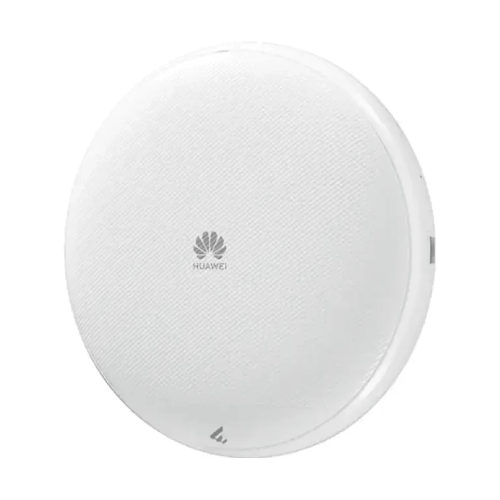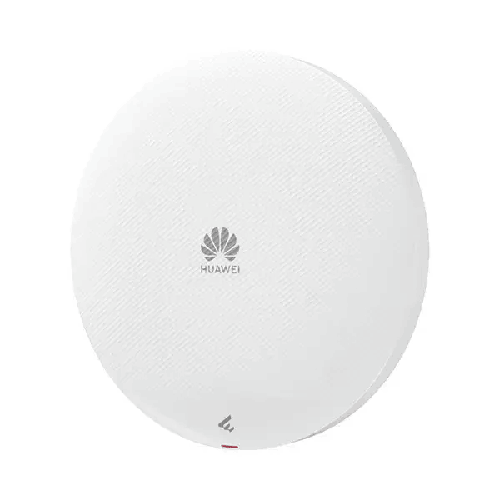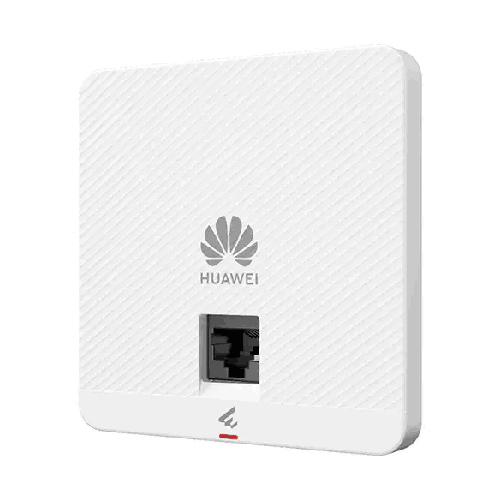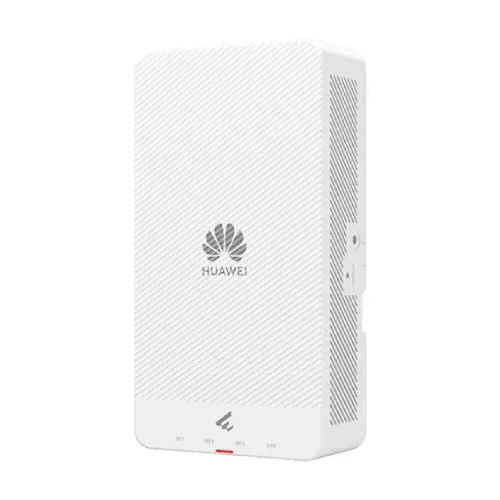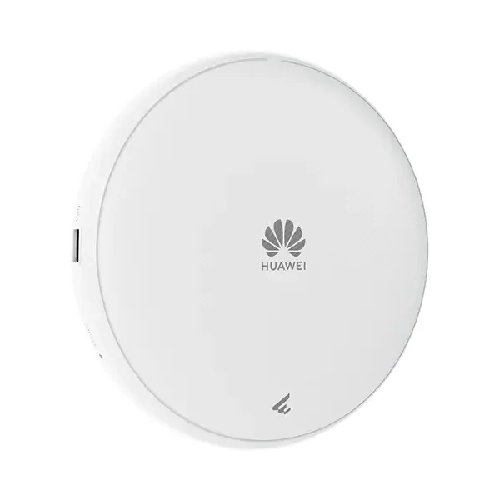

Huawei AP673 Wi-Fi 7 Tri-Radio Smart Antenna Managed PoE Settled/Ceiling Access Point
Regular Price:৳0.00Availability: SKU: 6.53.130.9172
Quick Overview
-
Support
Saturday – Thursday: 09 AM - 06 PM. -
Payment
Cash on Delivery | Card | Online Payment -
Shipping Cost
Inside Dhaka 100tk | Outside Dhaka 150tk -
Warranty Policy
Read More
Description
Huawei AP673 Wi-Fi 7 Tri-Radio Smart Antenna Managed PoE Settled/Ceiling Access Point Price in Bangladesh
The Huawei AP673 Wi-Fi 7 Tri-Radio Smart Antenna Access Point is designed for indoor wireless networks that require high data capacity, modern connectivity and flexible installation. Built around the IEEE 802.11be Wi-Fi 7 standard, it combines three radio bands, built-in smart antennas and a published device rate of up to 13.66 Gbps. These capabilities make it suitable for consideration in enterprise offices, hospitals, shopping malls, educational institutions and other indoor environments where many devices may connect to the wireless network.
For businesses in Bangladesh, wireless infrastructure must support more than basic internet access. Employees may use cloud applications, video conferencing, shared documents, business software and wireless collaboration tools throughout the working day. Visitors, mobile devices and other connected equipment can add further demand. A well-designed access point deployment helps provide wireless connectivity while allowing administrators to plan capacity, coverage and network management around the needs of the organisation.
The Huawei AP673 is a tri-radio access point, with radios operating on 2.4 GHz, 5 GHz and 6 GHz. Its radio configuration uses 2×2 MIMO on 2.4 GHz, 2×2 MIMO on 5 GHz and 4×4 MIMO on 6 GHz. The device supports a maximum channel bandwidth of 320 MHz on the 6 GHz radio, which can provide substantial wireless capacity when compatible clients, permitted spectrum and suitable network conditions are available.
The stated 13.66 Gbps device rate is an aggregate theoretical wireless rate. It should not be interpreted as the internet speed available to a single user or as guaranteed real-world throughput. Actual performance depends on client capabilities, radio conditions, channel configuration, interference, network load, the wired uplink and the capacity of the internet connection.
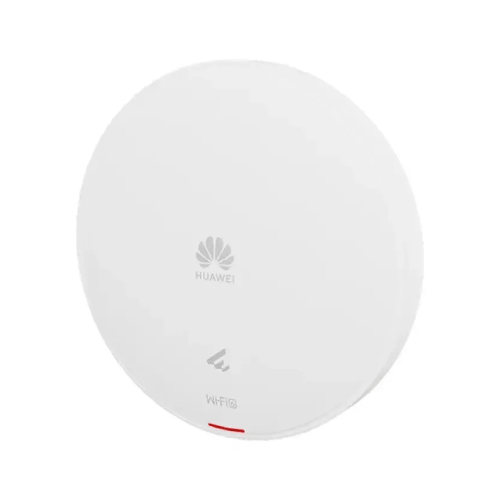
The AP673 also supports wall and ceiling installation, along with specified junction-box installation options. Its compact circular form allows it to be considered for different indoor layouts, while PoE and DC power options give network planners flexibility when designing the installation.
Wi-Fi 7 Technology and Its Role in Business Networking
Wi-Fi 7, formally associated with IEEE 802.11be, introduces wireless technologies intended to increase throughput and improve how compatible devices use available radio resources. The Huawei AP673 is designed to take advantage of this generation of wireless networking across three frequency bands.
For organisations upgrading from older wireless infrastructure, Wi-Fi 7 can provide a platform for newer client devices and applications. However, the benefits depend on the devices connecting to the network. A Wi-Fi 7 access point does not turn a Wi-Fi 5 or Wi-Fi 6 client into a Wi-Fi 7 device. Older devices can connect using the supported earlier standards, but their performance remains subject to their own capabilities.
The AP673 supports 802.11b/g/n/ax/be on 2.4 GHz, 802.11a/n/ac/ac Wave 2/ax/be on 5 GHz, and 802.11a/ax/be on 6 GHz, as listed in Huawei's product specifications. This range of standards can help accommodate a mixed-device environment containing both older and newer wireless clients.
Wi-Fi 7 includes technologies such as 4096-QAM, Multi-Link Operation (MLO), Multi-User MIMO improvements and wider channel bandwidths. The availability and operation of individual features depend on the access point's implementation, software, configuration and the capabilities of the connected clients. Network planners should consult the applicable Huawei documentation when a particular feature is essential to the project.
For a business, the practical objective is not simply to purchase a device with a newer wireless standard. The objective is to build a wireless network that provides appropriate capacity, coverage, reliability and security for the applications being used.
Tri-Radio Connectivity Across 2.4 GHz, 5 GHz and 6 GHz
One of the AP673's defining characteristics is its three-radio architecture. Rather than operating only across the traditional 2.4 GHz and 5 GHz bands, it also provides a 6 GHz radio. This gives network designers additional spectrum options, subject to local regulatory conditions and client compatibility.
The 2.4 GHz band remains useful for compatibility with a broad range of wireless devices. It is commonly used by older clients and devices that support only this band. Its propagation characteristics can also be useful in certain indoor layouts, although interference and congestion may affect performance.
The 5 GHz band provides another wireless resource for compatible devices and supports a maximum channel bandwidth of 80 MHz on the AP673's specified radio. It can be used for business applications requiring higher throughput than basic connectivity, depending on signal quality and network conditions.
The 6 GHz radio is particularly relevant to the AP673's Wi-Fi 7 capabilities. Huawei specifies 4×4 MIMO and channel bandwidth up to 320 MHz on this band. Wider channels provide more spectrum for data transmission, but they require compatible clients and suitable spectrum availability. Local regulations and permitted channels must be considered before deployment.
The presence of three radios does not mean every connected client will use all three bands simultaneously. Each client connects according to its own wireless capabilities and the network's configuration. Administrators should plan band steering, channel allocation and client compatibility based on the requirements of the environment.
Up to 13.66 Gbps Device Rate
Huawei specifies a maximum device rate of 13.66 Gbps for the AP673. This figure represents the access point's stated aggregate wireless capability under supported conditions. It is not a guaranteed throughput figure for a single connected device.
The published band-level rates in Huawei's datasheet are up to 0.69 Gbps on 2.4 GHz, 1.44 Gbps on 5 GHz and 11.53 Gbps on 6 GHz. Together, these produce the stated device rate of 13.66 Gbps. Actual rates vary with client support, channel width, signal strength, interference and network configuration.
This high aggregate capacity can be relevant in environments where multiple users access demanding applications at the same time. Examples include a busy office with cloud-based workflows, a meeting area with wireless collaboration, or a commercial space with a large number of connected devices.
Nevertheless, the access point is only one part of the network. If its uplink connects to a slower switch port, or if the internet connection has limited bandwidth, the overall user experience may be constrained by those components. A complete deployment should match wireless capacity with suitable switching, routing and upstream connectivity.
320 MHz Channel Bandwidth on 6 GHz
The Huawei AP673 supports a maximum channel bandwidth of 320 MHz on the 6 GHz radio. This is a major technical feature of its Wi-Fi 7 design. Wider channels can carry more data under suitable conditions, making them relevant to high-throughput wireless applications.
A 320 MHz channel is not automatically the right choice for every environment. The available spectrum, local rules, neighbouring networks and capabilities of client devices all affect whether it can be used effectively. Network administrators should assess the radio environment before choosing channel widths.
In a well-planned deployment, the 6 GHz band can provide additional capacity for compatible devices while 2.4 GHz and 5 GHz remain available for other clients. This allows the wireless design to accommodate different device generations and application needs.
Businesses should also understand that 6 GHz availability varies by country and regulatory framework. Before enabling or relying on 6 GHz operation in Bangladesh, confirm the applicable local requirements and the supported settings of the access point and client devices.
Built-In Smart Antenna Technology
The AP673 includes built-in smart antennas. Huawei's datasheet describes an antenna-array design and intelligent switching algorithm intended to adapt coverage direction and signal quality to the application environment and access density.
The purpose of smart antenna technology is to improve how wireless coverage is delivered to connected stations. Rather than treating the antenna system as a simple fixed component, the access point uses its supported antenna design and algorithms to help manage signal distribution and interference.
This can be relevant in indoor environments where users move between workspaces, meeting rooms and shared areas. However, smart antenna functionality does not eliminate the need for careful access-point placement. Walls, floors, furniture, building materials and nearby radio sources can still affect wireless performance.
For best results, the AP673 should be positioned according to a site survey and the manufacturer's installation guidance. Network designers should consider ceiling height, room layout, expected user density and the location of neighbouring access points.
MIMO Configuration and Spatial Streams
The Huawei AP673 uses a different MIMO configuration across its three radios: 2×2 on 2.4 GHz, 2×2 on 5 GHz and 4×4 on 6 GHz. This configuration supports a total of eight spatial streams across the bands.
MIMO technology uses multiple transmit and receive paths to improve wireless communication under suitable conditions. Multiple spatial streams can increase data capacity when the access point and client device support the relevant configuration and radio conditions allow effective transmission.
The 4×4 MIMO configuration on 6 GHz is particularly relevant to compatible Wi-Fi 7 clients. However, the actual number of streams used in a connection depends on the client device. A client with a 2×2 radio cannot use four spatial streams simply because the access point supports them.
When evaluating the AP673, businesses should consider the wireless capabilities of their laptops, smartphones, tablets and other devices. The access point's specifications define its capabilities, while the actual network experience depends on the complete client and infrastructure environment.
Indoor Installation for Offices and Commercial Spaces
The AP673 is an indoor access point designed for wall and ceiling installation. Huawei lists multiple ceiling installation options, including solid wall, gypsum board, spring tee, flat-edge T-rail, channel rail, beam and threaded rod configurations. It also lists compatible junction-box installation types.
This flexibility can help accommodate different building layouts. In an office, ceiling installation may provide a suitable position for distributing wireless coverage across work areas. In a hospital or commercial property, the mounting plan may need to account for room partitions, corridors, public areas and the location of network cabling.
The device has a listed diameter of 220 mm and a depth of 45 mm. Its unboxed weight is 0.745 kg. These dimensions can help installers assess the available mounting space and select an appropriate installation location.
Correct mounting is important for both physical security and wireless performance. The access point should be installed according to the manufacturer's instructions, with suitable cable routing and access for maintenance. Where multiple APs are deployed, their positions should be coordinated to provide appropriate coverage without creating unnecessary interference.
PoE and DC Power Options
The Huawei AP673 supports Power over Ethernet and DC power. Huawei specifies PoE 802.3at/af and a DC input of 12 V ±10%. Its maximum power consumption is listed as 21.1 W, excluding USB.
PoE can simplify installation by carrying electrical power and network data over a compatible Ethernet cable. This can reduce the need for a separate power outlet at the access point's mounting location. It can also make centralised power management possible when a compatible PoE switch is used.
Before choosing a switch or injector, verify that its PoE standard, port capability and available power budget meet the access point's requirements. The total power budget must account for every connected PoE device, not just one access point.
The DC power option provides an alternative where a suitable power adapter and outlet are available. Confirm the required adapter specifications and the installation requirements before connecting power.
Power planning should be completed before mounting the AP673. This helps avoid situations where the access point is installed in a suitable wireless location but cannot be powered by the available network infrastructure.
Wired Interfaces and Network Integration
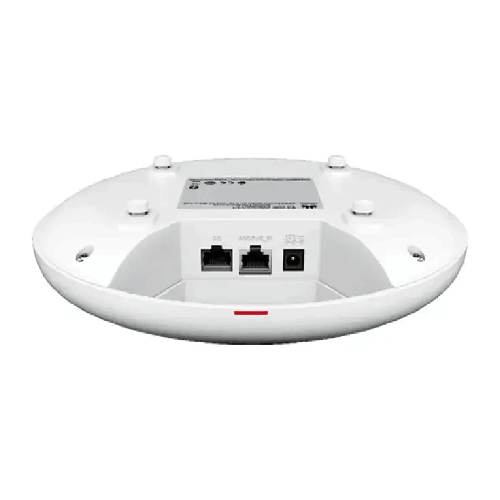
The AP673's published physical-interface specifications include a 5GE RJ45 port, a 100M/1000M/2500M/5000M auto-sensing RJ45 interface, and a 10M/100M/1000M auto-sensing interface. These interfaces provide options for connecting the access point to compatible wired network equipment and supporting the intended deployment.
A high-speed wired connection is important because wireless capacity must ultimately pass through the network's wired infrastructure to reach other devices and external services. If the access point's uplink or the connected switch is a bottleneck, the wireless device's maximum aggregate rate will not translate into equivalent end-to-end throughput.
When integrating the AP673 into an existing network, check port availability, supported link speeds, cabling requirements and compatibility with the switch. Also verify the role of each interface in the intended configuration against Huawei's technical documentation.
For a new installation, consider the access point alongside the network switch, router, firewall, internet connection and management system. This ensures that the wireless infrastructure is designed as a complete system rather than as a standalone device.
Management and Network Administration
The AP673 is intended for managed wireless deployments. Huawei's datasheet identifies EasyWeb and a wireless access controller for local deployment and management, as well as the HUAWEI eKit App and SNC platform for remote management and maintenance.
The appropriate management approach depends on the network design, the number of access points, the organisation's operational requirements and the supported software version. Before purchasing, confirm that the intended management platform supports the exact AP673 model and the required functions.
Centralised management can help administrators maintain consistent wireless settings, review device status and manage changes across a deployment. Relevant tasks may include configuring wireless networks, applying access policies, monitoring connectivity and planning firmware updates.
For multi-access-point networks, administrators should also consider roaming, channel allocation, coverage overlap and guest access. A clear management plan can simplify ongoing operations and make it easier to expand the wireless network as the organisation grows.
Wireless Networking for Bangladesh Businesses
Businesses in Bangladesh increasingly rely on wireless access for daily operations, collaboration and customer-facing services. A suitable wireless network can support laptops, mobile devices, meeting-room systems and other compatible clients across offices and commercial environments.
The Huawei AP673 can be evaluated for indoor installations where Wi-Fi 7, three-band operation and high aggregate capacity are important. Potential environments include corporate offices, hospitals, shopping centres, educational facilities and other commercial premises.
In Dhaka and other densely developed areas, wireless planning should consider neighbouring networks, building materials and the number of active clients. In larger buildings, the number and location of access points should be determined through a site survey rather than by relying solely on a manufacturer's optimal signal distance.
The AP673's stated optimal signal distance is 40 metres. This is a planning reference, not a guarantee that every location within a 40-metre radius will receive a particular speed or signal quality. Practical coverage depends on the physical environment, mounting position, interference and client equipment.
For deployments in Bangladesh, confirm local 6 GHz regulatory requirements before relying on that band. Also verify power arrangements, cabling, management compatibility and the intended network security configuration.
Compatibility with Existing Devices
A wireless network may include laptops, smartphones, tablets, printers, handheld terminals and other connected devices from different generations. The AP673 supports several earlier Wi-Fi standards in addition to Wi-Fi 7, which can help accommodate a mixed client environment.
Compatibility does not mean that every device will support every band. A client that supports only 2.4 GHz cannot connect through the 5 GHz or 6 GHz radio. Likewise, a client that does not support Wi-Fi 7 will not benefit from Wi-Fi 7-specific features.
Before deployment, review the wireless standards supported by important client devices. For business-critical equipment, verify interoperability and application performance through testing where possible.
Also assess the existing network's authentication, security and management requirements. The access point should be configured to work with the organisation's policies and infrastructure.
Maintenance and Operational Planning
A managed wireless network requires ongoing attention to configuration, performance and security. Administrators should maintain an inventory of access points, record installation locations and document relevant network settings.
Routine checks may include reviewing connectivity, monitoring device status, planning firmware updates and investigating reports of poor wireless performance. Any maintenance activity should follow Huawei's documentation and the organisation's change-management process.
If users report slow speeds, the cause may be related to interference, weak signal, client limitations, network congestion, a constrained uplink or an internet service issue. Troubleshooting should examine the complete path between the client and the application rather than assuming that the access point is necessarily responsible.
For multi-AP environments, periodic review of coverage and channel settings can help maintain performance as room layouts, user density and neighbouring networks change.
✅ Key Features
- Wi-Fi 7 Standard: Supports IEEE 802.11be for compatible modern wireless devices.
- 13.66 Gbps Device Rate: Provides a high aggregate wireless rate for appropriately designed networks.
- Tri-Radio Architecture: Operates across 2.4 GHz, 5 GHz and 6 GHz frequency bands.
- 320 MHz 6 GHz Channel Bandwidth: Supports wide-channel operation for compatible clients and permitted spectrum conditions.
- Built-In Smart Antennas: Uses Huawei's smart antenna design to help manage coverage and signal quality.
- Eight Spatial Streams: Supports 2×2 MIMO on 2.4 GHz, 2×2 MIMO on 5 GHz and 4×4 MIMO on 6 GHz.
- 5GE RJ45 Interface: Provides a high-speed copper interface for compatible network equipment.
- PoE and DC Power: Supports specified PoE standards and a 12 V DC input.
- Flexible Installation: Supports wall, ceiling and specified junction-box installation options.
- Managed Deployment: Supports management through Huawei's documented local and remote management options.
✅ Usage / Applications
- Corporate Offices: Wireless connectivity for employee laptops, mobile devices and cloud-based workflows.
- Meeting Rooms: Network access for collaboration tools and compatible wireless devices.
- Hospitals: Indoor connectivity for supported business, administrative and compatible wireless applications.
- Shopping Malls: Wireless access across suitable commercial areas.
- Educational Institutions: Connectivity for classrooms, offices and shared indoor spaces.
- Conference Facilities: Wireless access for participants and business applications.
- Hotels: Indoor connectivity in suitable guest and operational areas.
- Retail Environments: Wireless networking for staff devices and compatible business systems.
- Enterprise Campuses: Indoor wireless coverage as part of a larger managed network.
- Professional Workspaces: Connectivity for organisations using modern Wi-Fi-capable devices.
✅ Benefits of This Product?
- Modern Wi-Fi Platform: Supports Wi-Fi 7-compatible client devices.
- Three Frequency Bands: Provides 2.4 GHz, 5 GHz and 6 GHz wireless options.
- High Aggregate Wireless Capacity: The published 13.66 Gbps device rate supports high-capacity network planning.
- Wide 6 GHz Channels: Supports channel bandwidth up to 320 MHz where permitted and supported.
- Smart Antenna Design: Provides built-in antenna technology intended to improve coverage and signal quality.
- Flexible Mounting: Supports wall and ceiling installation for different indoor layouts.
- Power Options: PoE and DC support allow different installation approaches.
- Management Flexibility: Huawei documents local and remote management options for supported deployments.
✅ Ideal For
The Huawei AP673 is intended for organisations that need a high-capacity indoor wireless access point with Wi-Fi 7 support. It is suitable for consideration by enterprise IT teams, educational institutions, hospitals, shopping centres and businesses planning a modern wireless network.
Its tri-radio architecture provides access to 2.4 GHz, 5 GHz and 6 GHz connectivity. The 6 GHz radio supports 4×4 MIMO and channel bandwidth up to 320 MHz, making it relevant to deployments with compatible Wi-Fi 7 clients and suitable spectrum availability.
The AP673 is also appropriate for projects that require managed wireless infrastructure and flexible indoor installation. Wall, ceiling and specified junction-box options can accommodate different building layouts, while PoE and DC power support offer alternatives for installation planning.
Before selecting the product, organisations should assess the number of users, expected applications, coverage requirements, client-device compatibility, network uplink and management platform. A site survey is particularly useful in larger or busy buildings, where walls, interference and user density can influence the number and placement of access points.
✅ Why Choose the Huawei AP673 Wi-Fi 7 Access Point?
The Huawei AP673 combines Wi-Fi 7, tri-radio operation and built-in smart antennas in a compact indoor access point. Its published 13.66 Gbps device rate and 6 GHz radio with 4×4 MIMO and 320 MHz maximum channel bandwidth make it a candidate for high-capacity wireless deployments.
The three-band design gives network planners options for supporting different client generations and application requirements. Older devices can use supported earlier Wi-Fi standards, while compatible Wi-Fi 7 clients can make use of newer capabilities when the network is configured appropriately.
Its smart antenna design is intended to improve coverage direction and signal quality, while wall and ceiling installation options provide flexibility for different indoor spaces. PoE and DC power support can also simplify integration with the available infrastructure.
The AP673 should be selected based on the complete network requirement. Organisations should confirm the availability of 6 GHz channels in their deployment location, the capabilities of their client devices, the required management platform and the available wired uplink.
When these requirements align with the product's capabilities, the AP673 can form part of a modern managed wireless network for offices, commercial properties and other indoor environments.
✅ Why Buy This Product from BME?
When considering the Huawei AP673 from BME, businesses should evaluate the access point alongside the wider networking requirements of the project. Wireless performance depends on more than the access point itself; switch capacity, cabling, power delivery, management compatibility and deployment design also matter.
Before purchasing, identify the intended installation environment, approximate number of users, required coverage area and existing network equipment. These details can help clarify which AP673 specifications are most important, including the uplink interfaces, PoE requirements, wireless bands and management approach.
For business or institutional procurement, confirm the exact model, part number, included accessories, warranty terms and required purchasing documentation before placing an order. Current price, stock availability, delivery arrangements, installation services and warranty coverage should be verified directly with BME.
For multi-access-point projects, consider planning the wireless design before purchasing the full quantity. A site survey and compatibility review can help identify the appropriate number of access points, mounting positions, switching capacity and power budget.
Contact BME to discuss the Huawei AP673 and confirm the commercial and technical details relevant to your project.
✅ Buying Guide
1. Confirm the Wi-Fi Requirement: Determine whether your users and applications need Wi-Fi 7 and whether compatible client devices are available.
2. Review the Three Bands: Check whether 2.4 GHz, 5 GHz and 6 GHz operation fits the intended network design. Confirm local requirements for 6 GHz use.
3. Estimate Client Capacity: Huawei lists 300 recommended access users and a maximum of 1,024. Actual capacity depends on traffic, radio conditions and configuration.
4. Assess Coverage: Huawei lists a 40-metre optimal signal distance. Use a site survey to determine practical coverage and access-point placement.
5. Check the Wired Network: Verify the required port speeds, switch compatibility, cabling and available uplink capacity.
6. Confirm Power: Check whether the installation will use PoE or a suitable 12 V DC source. Confirm power budgets and supported standards.
7. Select the Mounting Method: The AP673 supports wall, ceiling and specified junction-box installations. Confirm the appropriate mounting hardware.
8. Verify Management Support: Check compatibility with the intended Huawei management platform and software version.
9. Plan Security and Configuration: Determine authentication, access policies, guest networking and other security requirements before deployment.
10. Confirm Purchase Details: Verify the exact model, included accessories, warranty, availability and delivery arrangements with the seller.
✅ Customers Ask About / Frequently Asked Questions
Q1. What is the Huawei AP673?
The Huawei AP673 is an indoor Wi-Fi 7 access point with three radios, built-in smart antennas and support for wall or ceiling installation.
Q2. What is the maximum speed of the Huawei AP673?
Huawei specifies a device rate of up to 13.66 Gbps. This is an aggregate theoretical rate, not a guaranteed speed for one client.
Q3. Does the AP673 support 6 GHz Wi-Fi?
Yes. It supports a 6 GHz radio with 4×4 MIMO and a maximum channel bandwidth of 320 MHz, subject to compatible clients and permitted spectrum.
Q4. How many users can connect to the AP673?
Huawei lists 300 recommended access users and a maximum of 1,024. Actual performance depends on traffic, client capabilities and network conditions.
Q5. Does the AP673 support PoE?
Yes. Huawei specifies PoE 802.3at/af support. Confirm the power source and deployment requirements before installation.
Q6. Can the AP673 use DC power?
Yes. The listed DC input is 12 V ±10%. Use a compatible power source that meets the manufacturer's requirements.
Q7. Can I install the AP673 on a ceiling?
Yes. Huawei lists ceiling installation options, along with wall and specified junction-box installation types.
Q8. Does the AP673 support older Wi-Fi devices?
Yes. It supports specified earlier Wi-Fi standards. The available band and performance depend on each device's wireless capabilities.
Q9. What management options are supported?
Huawei's datasheet identifies EasyWeb and a wireless access controller for local management, along with the HUAWEI eKit App and SNC platform for remote management and maintenance. Confirm compatibility for the intended software version.
Q10. What is the maximum 6 GHz channel bandwidth?
The AP673 supports up to 320 MHz on its 6 GHz radio.
Q11. What is the power consumption of the AP673?
Huawei lists maximum power consumption of 21.1 W, excluding USB.
Q12. Is 6 GHz operation available everywhere?
No. Availability depends on local regulations and permitted spectrum. Confirm the applicable requirements in Bangladesh before deployment.
✅ Why Buy the Huawei AP673 Wi-Fi 7 Access Point
The Huawei AP673 is designed for indoor networks that require modern Wi-Fi 7 capability, three-band connectivity and high aggregate wireless capacity. Its published 13.66 Gbps device rate, 6 GHz 4×4 MIMO configuration and 320 MHz maximum channel bandwidth provide technical options for compatible high-performance wireless clients.
Built-in smart antennas, flexible wall and ceiling installation, and PoE or DC power support make the AP673 suitable for consideration in different indoor network designs. Its support for earlier Wi-Fi standards can also help accommodate mixed client environments.
For businesses in Bangladesh, the most important step is to match the access point to the actual deployment. Check client compatibility, local 6 GHz requirements, wired uplink capacity, power delivery, management support and the expected number of users.
If the Huawei AP673 meets your requirements, contact BME to confirm the current price in Bangladesh, availability, warranty terms and procurement details. Verify the exact model and required accessories before placing your order.
What is the price of Huawei AP673 Wi-Fi 7 Tri-Radio Smart Antenna Managed PoE Settled/Ceiling Access Point in Bangladesh?
Write a review
Question Answer
Have question about this product? Get specific details about this product from expert.